- 4 - M Series
5. Connect Fail-Secure type locking hardware (e.g. door strikes and electronic dead bolts) positive leads to
terminals marked [1] through [5] [POS. (+) DC OUTPUT (ALARM)] on MOM5 board and the negative
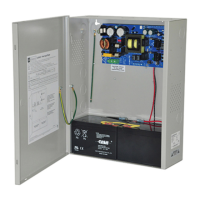
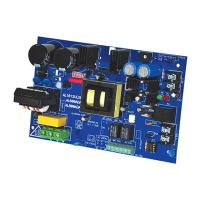
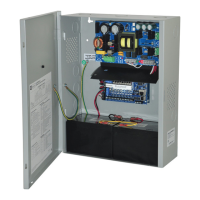
leads to terminals marked [NEG 1] through [NEG 5] on MOM5 board (Figs. 1 - 4, pgs. 6 - 9).
6. Connect Fail-Safe type locking hardware (e.g. mag locks, door strikes and door holders) positive leads to
terminals marked [6] through [10] [POS. (+) DC OUTPUT (STAND-BY)] on MOM5 board and negative
leads to terminals marked [NEG 1] through [NEG 5] on MOM5 board (Figs. 1 - 4, pgs. 6 - 9).
7. To trigger the unit from a FACP connect signaling circuit of FACP to terminals marked [– INPUT +] on
MOM5 board (Figs. 1 - 4, pgs. 6 - 9). Polarity is shown in alarm condition.
For latching fire alarm interface see Fig. 7, pg. 11; Figs. 8 & 9, pg. 12.
Note: A 2.2K EOL must be installed across terminals marked [TRIGGER] on MOM5 board or the unit
will remain in an alarm condition.
8. To trigger the unit using a supervised dry contact connect the 2.2K resistor in series for a [NC] trigger
input and in parallel for [NO] trigger input (Fig. 5, pg. 11).
9. Connect auxiliary devices triggered by the unit to the terminals marked [DRY OUTPUT NO & C] on
MOM5 board for normally open output or terminals marked [DRY OUTPUT NC & C] on MOM5 board
for normally closed output (Figs. 1 - 4, pgs. 6 - 9).
Note: This relay will energize when the unit is triggered.
10. For Access Control applications batteries are optional. When batteries are not used, a loss of AC will result
in the loss of output voltage. Batteries must be lead acid or gel type if used. Connect one (1) 12VDC battery
to terminals marked [+ BAT –] on power supply board for 12VDC operation (Figs. 1 - 4, pgs. 6 - 9).
Use two (2) 12VDC batteries connected in series for 24VDC operation. (Battery leads included).
11. Connect supervisory trouble reporting devices to outputs marked [AC FAIL, LOW BAT] and [Power Fail]
supervisory relay outputs marked [NO, C, NC] on power supply board (Figs. 1a - 4a, pgs. 6 - 9).
Use 22 AWG to 18 AWG for AC Fail & Low Battery reporting.
Note: When used in fire alarm, burglar alarm or access control applications, “AC Fail” relay should be
utilized to visually indicate that AC power is on.
To delay report for 6 hours cut “AC Delay” jumper (Figs. 1b - 4b, pgs. 6 - 9).
12. Please ensure that the cover is secured with the provided Key Lock.
Maintenance:
Unit should be tested at least once a year for the proper operation as follows:
Output Voltage Test: Under normal load conditions the DC output voltage should be checked for proper
voltage level (Output Voltage and Stand-by Specification Charts, pg. 4).
Battery Test: Under normal load conditions check that the battery is fully charged, check specified voltage at
the battery terminals and at the board terminals marked [– BAT +] to ensure that there is no break in the battery
connection wires.
Note: AL300ULXB2, AL400ULXB2, AL600ULXB and AL1012ULXB (Power Supply Board) maximum
charge current is 0.7A.
AL1024ULXB2 (Power Supply Board) maximum charge current is 3.6A.
Expected battery life is 5 years; however, it is recommended to change batteries within 4 years or less if necessary.
LED Diagnostics:
Power Supply Board
LED
Power Supply Status
Red (DC) Green (AC)
ON ON Normal operating condition.
ON OFF Loss of AC. Stand-by battery is supplying power.
OFF ON No DC output. Short circuit or thermal overload condition.
OFF OFF No DC output. Loss of AC. Discharged battery.
Red (Bat) Battery Status
ON Normal operating condition.
OFF Battery fail/low battery.
MOM5 - Output Module
LED ON OFF
Power (Green) Normal operating condition. Power failure.
Trigger (Green) Input is triggered (alarm condition). No input trigger (non-alarm condition).
Outputs (Red)
Output tripped due to a short circuit or
overload condition.
Normal operation.



 To Next Page
 Loading...