11
Indicator Light Description
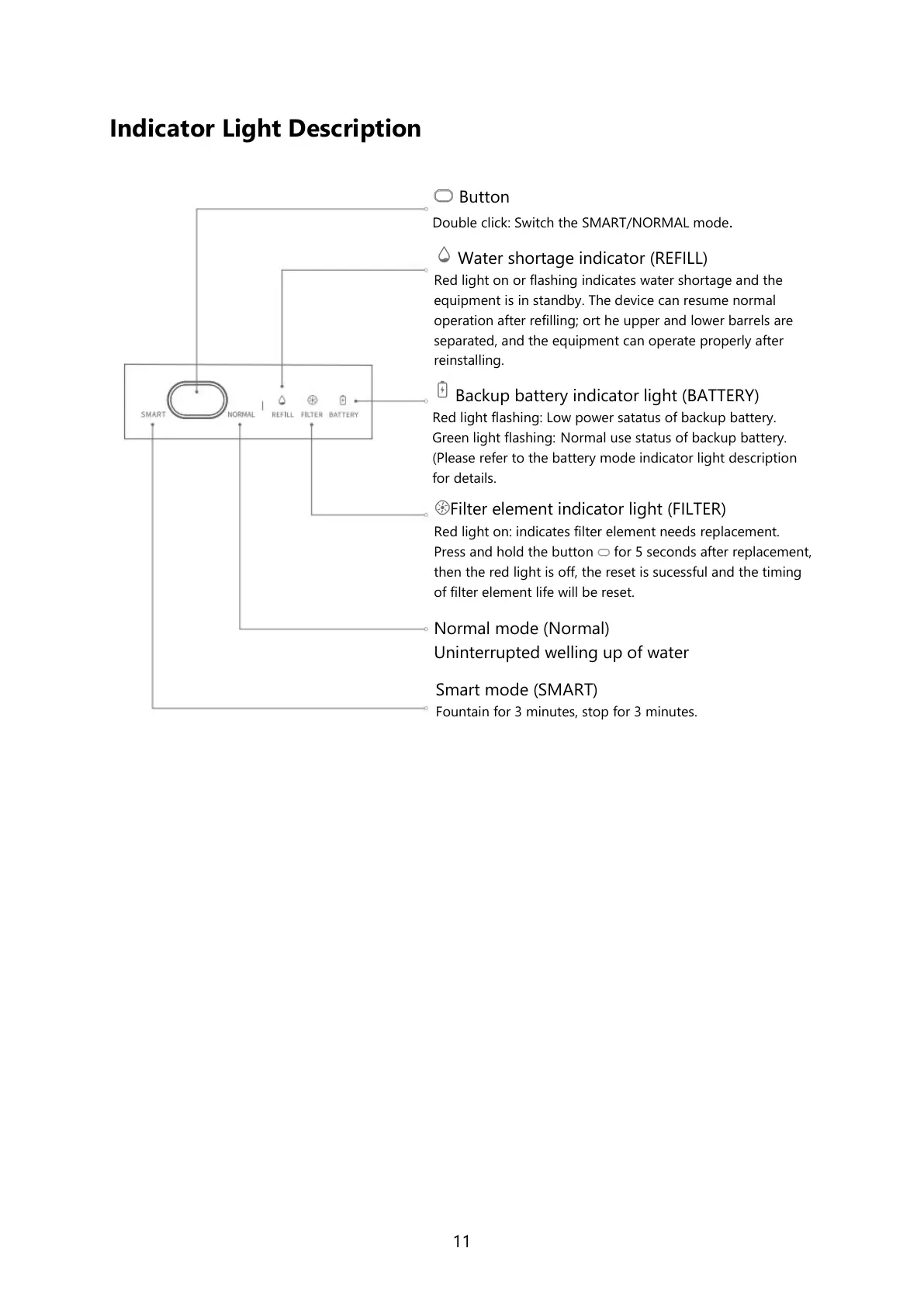
Button
Double click: Switch the SMART/NORMAL mode.
Water shortage indicator (REFILL)
Red light on or flashing indicates water shortage and the
equipment is in standby. The device can resume normal
operation after refilling; ort he upper and lower barrels are
separated, and the equipment can operate properly after
reinstalling.
Backup battery indicator light (BATTERY)
Red light flashing: Low power satatus of backup battery.
Green light flashing: Normal use status of backup battery.
(Please refer to the battery mode indicator light description
for details.
Filter element indicator light (FILTER)
Red light on: indicates filter element needs replacement.
Press and hold the button for 5 seconds after replacement,
then the red light is off, the reset is sucessful and the timing
of filter element life will be reset.
Normal mode (Normal)
Uninterrupted welling up of water
Smart mode (SMART)
Fountain for 3 minutes, stop for 3 minutes.



 To Next Page