APPENDIX E: EtherNet/IP
TM
COMMUNICATIONS
IS-300CR INVERTER POWER SUPPLY
990-418 E-21
Section IV. System Configurations
Communication Settings
Before running the RSLogix 5000 PLC and putting it online to communicate with the IS-300CR via the
bus controller, make sure the serial communication mode is configured correctly in the MA-660
Pendant.
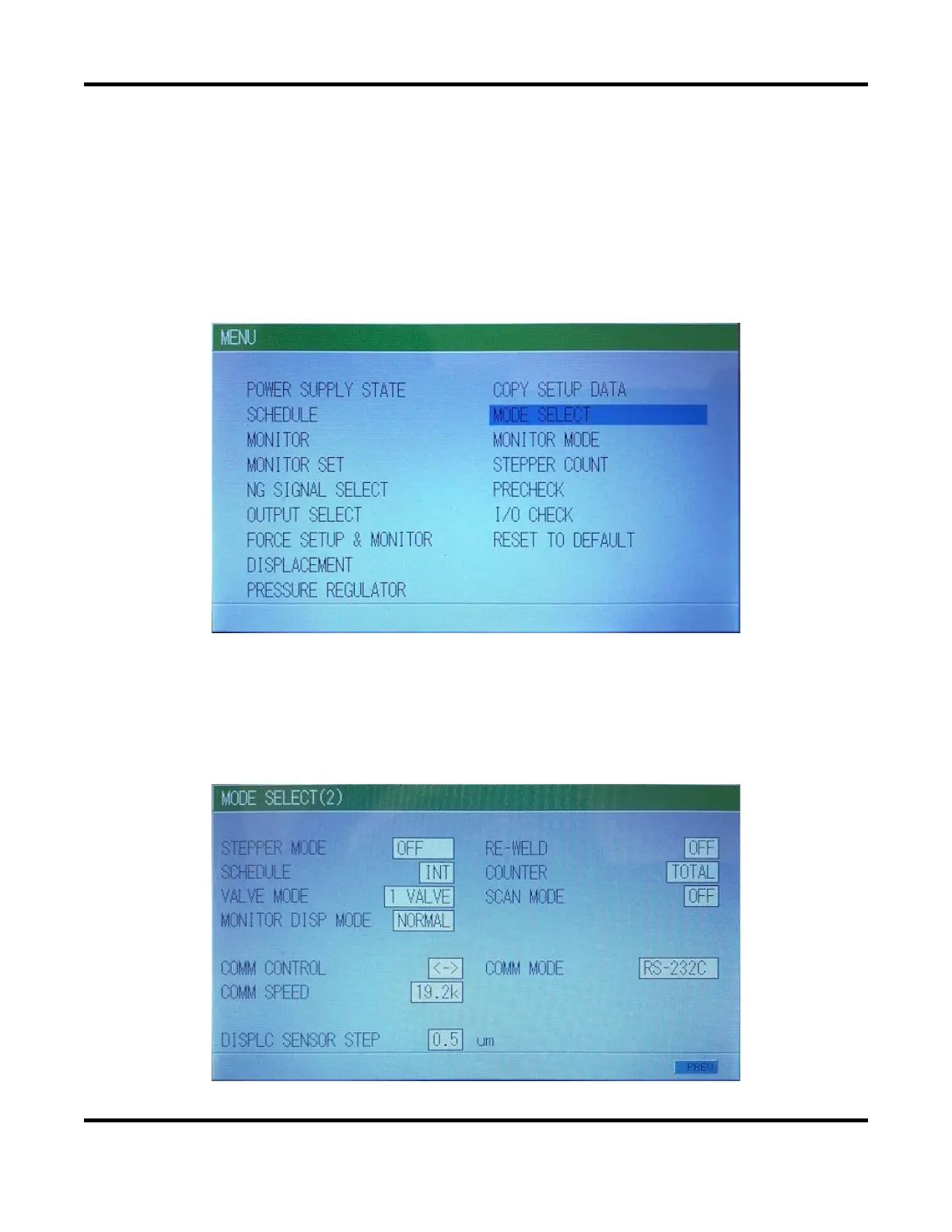
From the Menu screen, select the [Mode Select] screen
Navigate to the [NEXT] button at the bottom, then press [ENTER] to advance to the next Mode
Select(2)
screen.
On this screen, make sure the COMM CONTROL, COMM MODE and COMM SPEED are set to;
“bi-directional [<−>]”, “RS-232C” and “19.2k” baud rate respectively as shown below.



 To Next Page