MA-627A
4. Explanation of Operation
4-2
Explanation of Screens
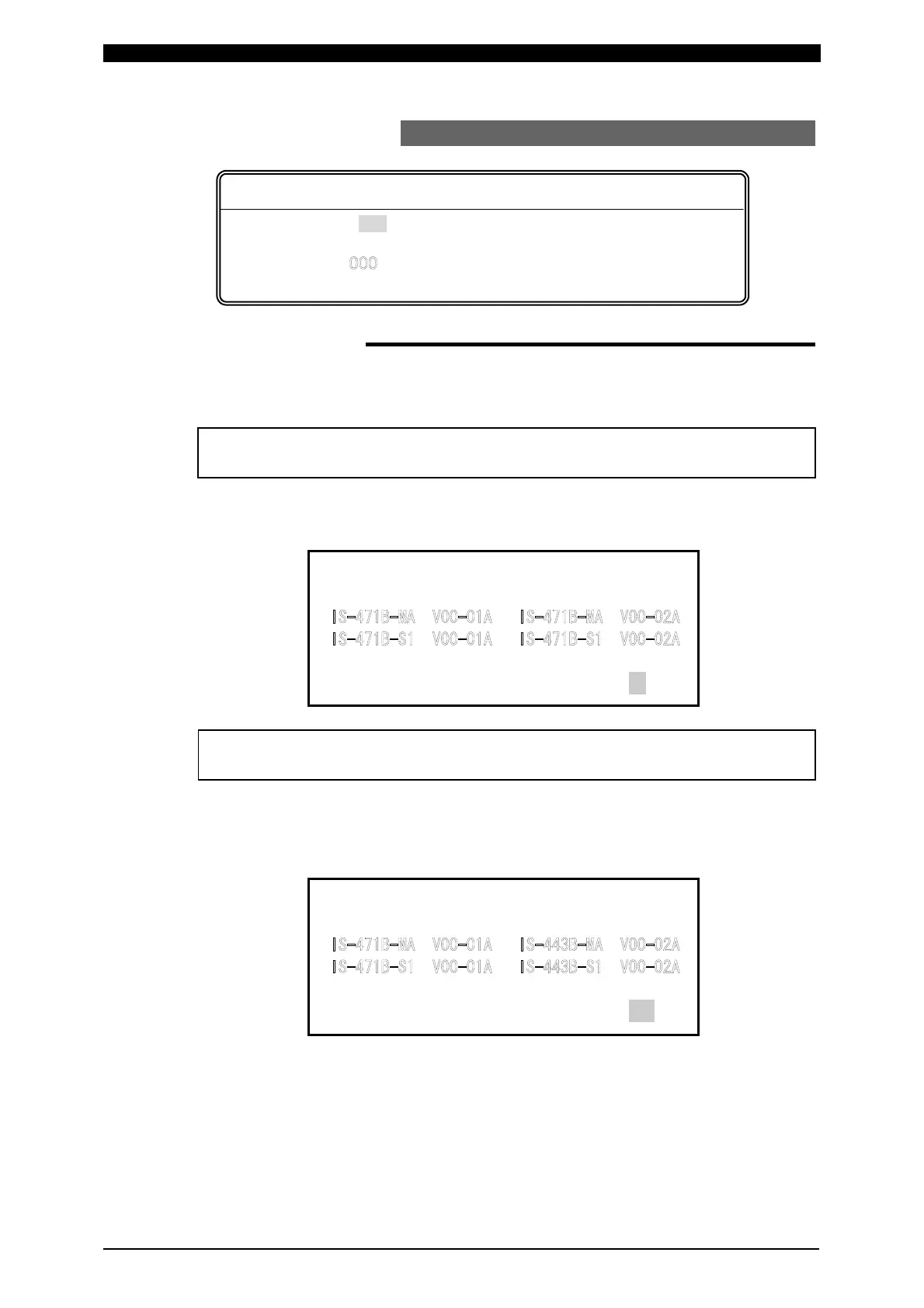
Hatched letters (000) An item for which a value must be input or
ON/OFF is set.
Outline letters (
) An item which is indicated on the screen
but cannot be changed by any operation.
① [OVERWRITE] screen
This screen appears when the model name and program version of the product
stored in the MA-627A are different from the model name and program version of the
connected product.
i)
The following screen will appear when the MA-627A is connected.
Select NO for OVERWRITE, then press the [ENTER] key. You can use it, now.
CONNECT MEMORY
[ ] [ ]
[ ] [ ]
OVER WRITE : NO
ii)
When the screen with “CONNECT IMPOSSIBLE!!” appears, you must select
YES for OVERWRITE with [+ON] key, then press [ENTER] key to rewrite
memory. Now, you can use the MA-627A.
CONNECT MEMORY
[ ] [ ]
[ ] [ ]
CONNECT IMPOSSIBLE!! OVER WRITE : YES
Letters used in the following explanation
When the product is compatible with the model name and program version of
the
roduct stored in the MA-627A.
When the product is not compatible with the model name and program version
o
the
roduct stored in the MA-627A.


 To Next Page