3
1
1
1
1 Introduction
Introduction
Introduction
Introduction
Thank you very much for buying the smart radio. In order to let you freely operate the product and
fully enjoy the overbalancing happiness it brings you, we have introduced each function of the
player in detail in this user manual. Please carefully read this user manual before use and keep for
future reference.
If you pass the smart radio on to someone else, make sure to give them all the relevant documents
with it.
2
2
2
2 Package
Package
Package
Package co ntents
contents
contents
contents
The items enclosed in the packaging box are as follows:
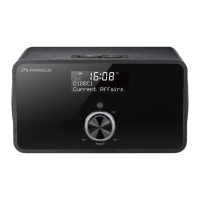
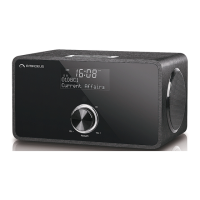
Smart Radio
Remote Control
Power adaptor
Audio cable with 3.5mm jack at both ends
User m anual
3
3
3
3 Safety
Safety
Safety
Safety
General
General
General
General
• Do not drop the device and do not expose it to liquid, moisture or humidity. These might lead to
damage to the device.
• If the device is moved from a cold environment into a warmer one, do let it adapt to the new
temperature before operate the device. Otherwise, it might le
ad to condensation and cause
malfunctions in the device.
• Do not use the device in the dust environment as dust can damage the interior electronic
components and lead to malfunctions in the device.
• Protect the device from strong vibrations and place it on stable surfaces.
• Do not attempt to disassembly the device.
• If the device is not using for a long period of tim e, disconnect it from the power supply by
unplugging the power plug. This is to avoid the risk of re.
• The ventilation should not b
e impeded by covering the ventilation openings with items, such
as newspapers, table-cloths, curtains, etc.
• No naked ame sources, such as lighted candles, should be placed on the apparatus.
• To maintain the compliance with the WiFi RF exposure requirement, place the product at least
20 cm (8 inches) from nearby persons except when operating the controls.
Power
Power
Power
Power adapter
adapter
adapter
adapter
• Only use the power adaptor delivered wi th the device.
• The socket outlet should be i
nstalled near the device and should be
easily accessible.


 To Next Page