EasyManua.ls Logo

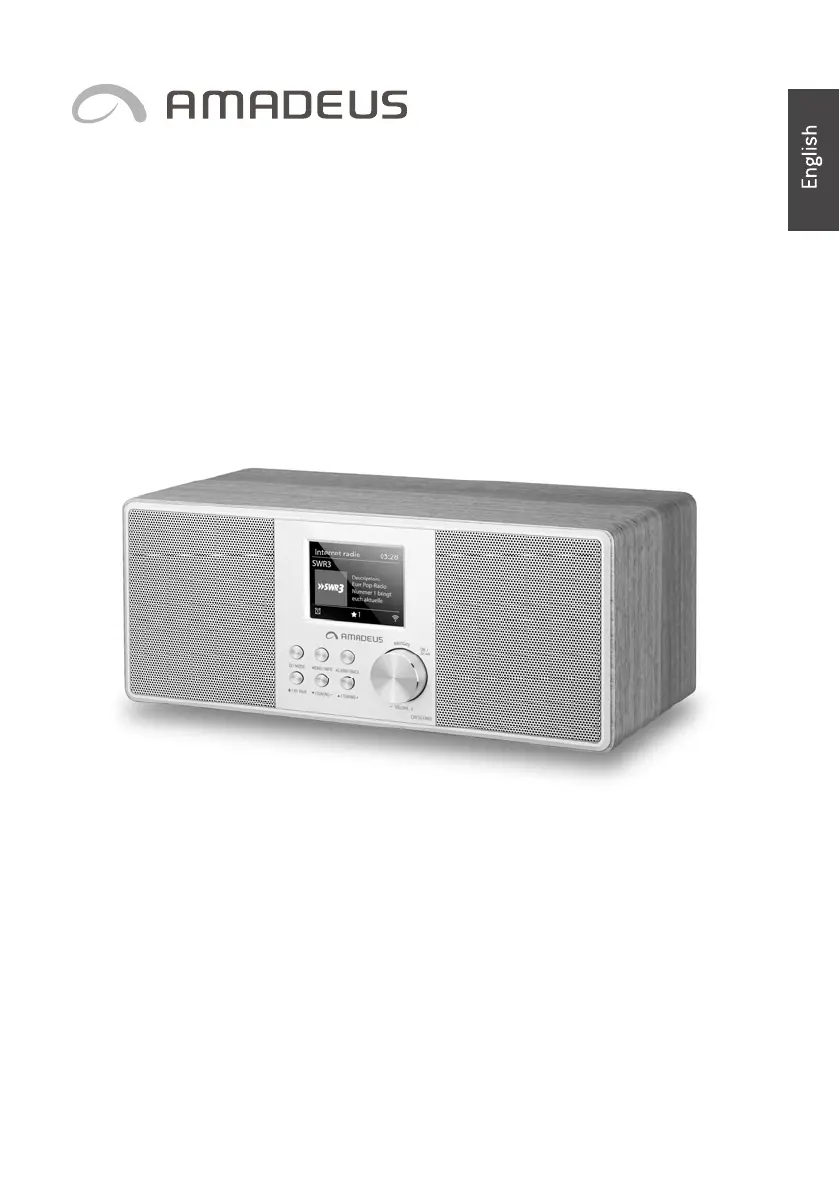
amadeus ACRESCENDOLW - User Manual

amadeus ACRESCENDOLW
90 pages
Print Icon
To Next Page IconTo Next Page
Loading...
INSTRUCTION
INSTRUCTION
INSTRUCTION
INSTRUCTION MANUAL
MANUAL
MANUAL
MANUAL
DAB+/FM/Internet
DAB+/FM/Internet
DAB+/FM/Internet
DAB+/FM/Internet Radio
Radio
Radio
Radio with
with
with
with B
B
B
Bluetooth
luetooth
luetooth
luetooth and
and
and
and Spotify
Spotify
Spotify
Spotify Connect
Connect
Connect
Connect
ACRESCENDOLW
ACRESCENDOLW
ACRESCENDOLW
ACRESCENDOLW
AC ESCENDODW
AC ESCENDODW
AC ESCENDODW
AC ESCENDODW
Thank you very much for buying the AMADEUS CRESCENDO. In order to let you freely
operate the product and fully enjoy the overbalancing happiness it brings you, we
have introduced each function of the player in detail in this user manual. Please
carefully read this user manual before use and keep for future reference.
R
R
R
R

Table of Contents

Questions and Answers

Summary

Introduction

Package contents

Safety

Overview

Remote Control

Getting Started

Connection and Preparation

Connect power, antenna, and network to start using the device.

General Device Functions

Learn basic operations like volume control, mode selection, and menu navigation.

First-time Setup

Guide for initial device configuration and setup wizard for first use.

Menu Operation

Internet Radio, Podcasts

Access and play thousands of internet radio stations and podcasts from around the world.

Spotify Connect

Use your phone, tablet, or computer as a remote control for Spotify.

USB

Play audio files from a USB stick or device plugged into the USB port.

DAB+ Radio

Receive and manage DAB/DAB+ digital radio stations and view broadcast information.

FM Radio

Receive analogue FM radio stations and view RDS information.

Bluetooth

Connect your Bluetooth device to stream audio wirelessly to the radio.

Aux in

Connect external audio sources via the AUX IN socket for playback.

Sleep

Set a sleep timer for the device to automatically turn off after a specified period.

Alarm

Set and manage wake-up alarms with snooze functionality for personalized alerts.

UNDOK App

Control the device remotely using the UNDOK app on a smartphone or tablet.

System settings

Equaliser

Adjust audio sound profiles with preset and custom EQ modes for personalized listening.

Network

Configure wireless network connections, including setup wizards and manual settings.

Time;Date

Set the time manually or configure automatic synchronization and time formats.

Language

Change the user interface language to your preferred option from available languages.

Factory Reset

Restore the device to its original default settings, losing all user configurations.

Software Update

Check for, download, and install firmware updates to improve device functionality.

Setup Wizard

Rerun the initial setup wizard to reconfigure device settings at any time.

Info

View essential device information such as firmware version and radio ID.

Privacy policy

Access and review the device's privacy policy details.

Backlight

Adjust screen backlight levels for different environments and timeout durations.

Troubleshooting

Technical Specification

Disposal

amadeus ACRESCENDOLW Specifications

General IconGeneral
Brandamadeus
ModelACRESCENDOLW
CategoryRadio
LanguageEnglish

Related product manuals