Amano PIX-28 5
Chapter 2: Getting Started
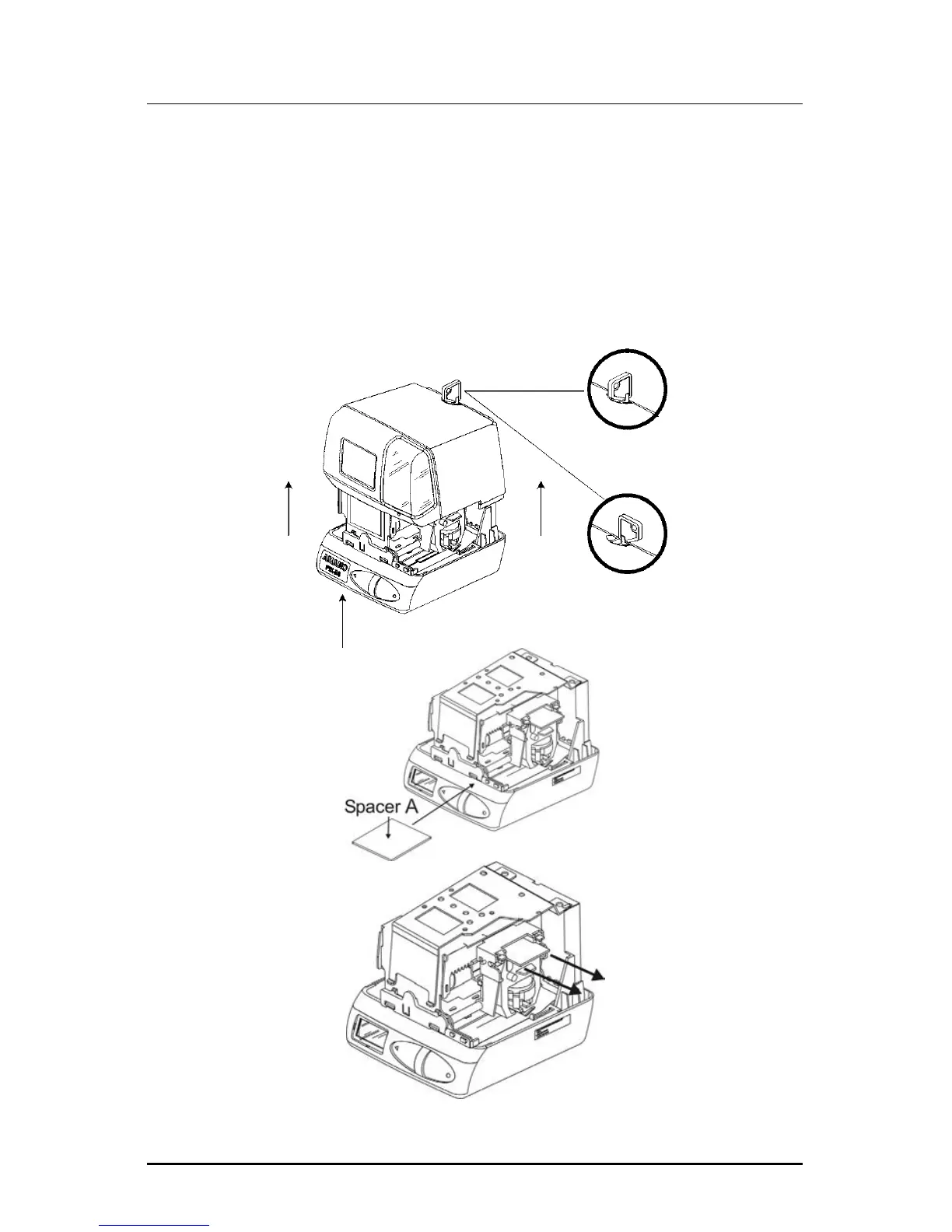
Removing the Cover & Packing Material
You must remove the packaging spacers from the printer block and the
Printer Carriage before attempting to use your PIX-28.
1. Insert the key provided and turn clockwise to open the case. Lift the
cover to remove.
2. Lift the printer packing material and remove the Spacer A.
3. Remove Spacer B between the Ribbon Cartridge and the Printer
Carriage.
Open
Locked
Remove
Spacer B
Remove



 To Next Page