About amarey A800 Robot
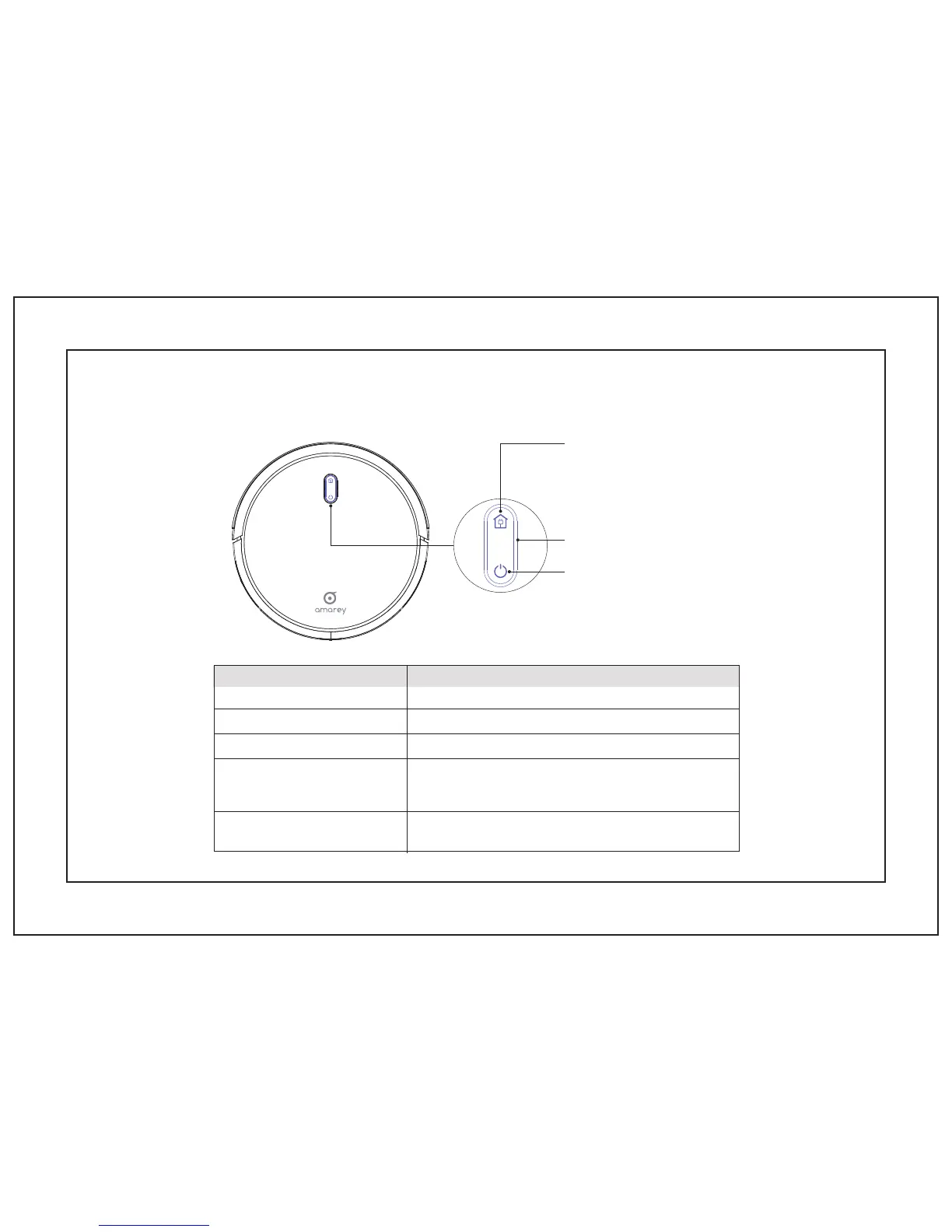
1.1 Robot
Dock Button
To send A800 Robot back to the Charging
Dock, press on Robot or press on the
Remote Control.
Press and hold on to Power On or Power Off
Press to start or stop Cleaning
WHAT IT MEANLED COLOR
Blinking pink Charging
Solid blue Standby / Cleaning / Fully charged
Solid pink
Low power and returning to Charging Dock
Off
Robot is off or conserve power, the light automatically turns off when
Robot is not docked to the Charging Dock and has been inactive for 1
minute
Flashing / Solid red + Beeping
Robot has an error. Refer to the “Troubleshooting>Error Tone” section
in this guide for solutions
Power On / Power Off / Cleaning
LED Light
03


 To Next Page