2.1 Quick Start
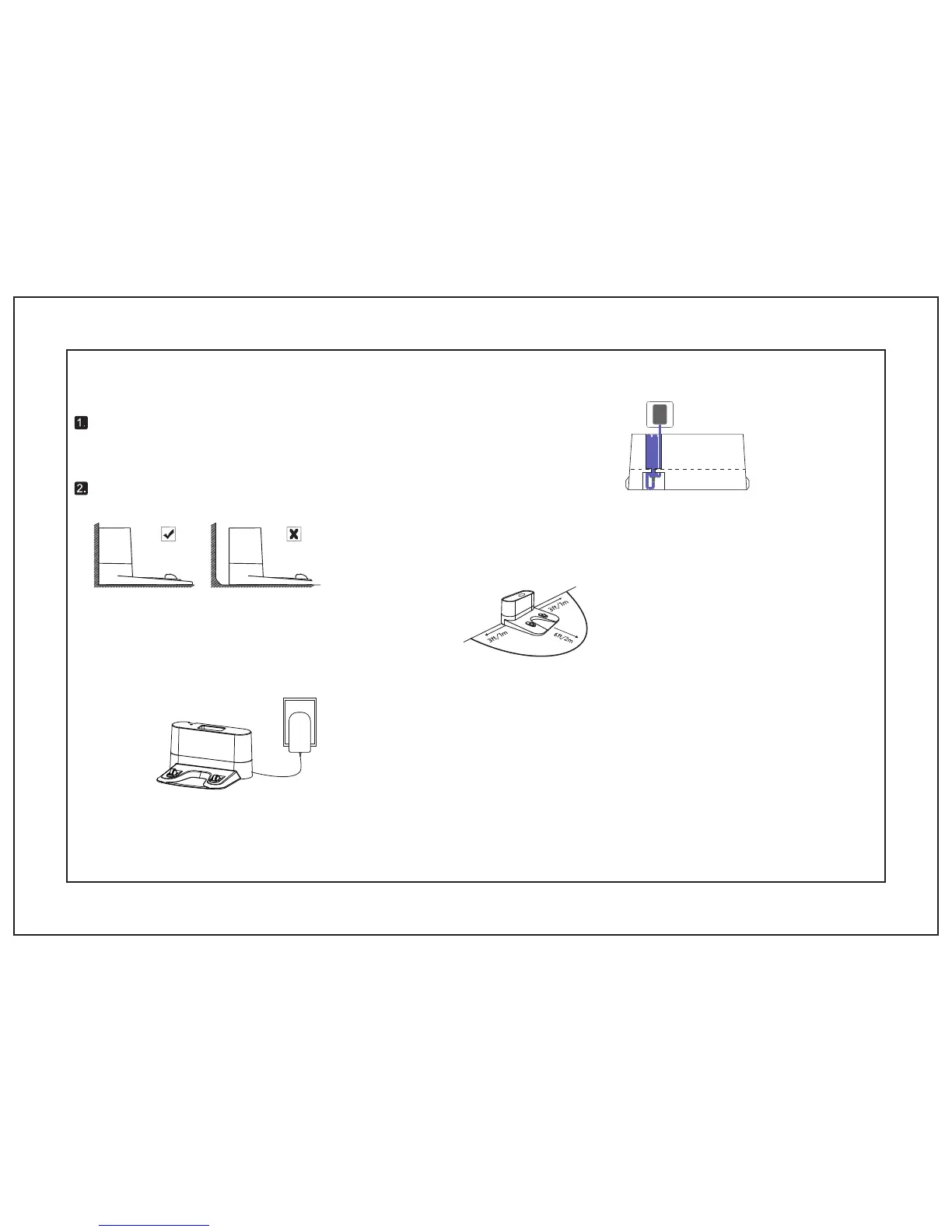
Plug in the Charging Dock, and take the rest wire into the
trunking at the bottom of Charging Dock.
Using amarey A800 Robot
Notice: If you don't put the rest wire into the trunking, which may stuck Ro
bot while charging or cleaning.
1. Position the Charging Dock on a hard level surface and against a vwall.
• 3
feet
on both sides of the Charging Dock.
3. Connect the round connector of the adapter into the power socket on the Charging Dock and the other end into a wall outlet.
Notice: Please ensure the Charging Dock is plugged in, then Robot can automatically dock.
2. Ensure the place is
open & uncluttered area leaving at least:
•
6 feet in front of the Charging Dock.
Charging Dock’s Position
07


 To Next Page