
 Need help?
Do you have a question about the AMATI MC6 and is the answer not in the manual?
Details the three-year warranty from the date of purchase for the MC6 Touch Screen Controller.
Contacting the dedicated technical support team for installation or programming help.
Introduces the MC6 Touch Screen Controller and the purpose of the user guide.
Explains settings and operations for the time clock mode.
Instructions for programming specific times and periods for the clock mode.
How to temporarily override programmed settings for heating.
Procedure to view the thermostat's system details.
Steps to restore the thermostat to its default factory settings.
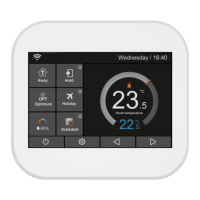
Detailed explanation of icons and indicators on the MC6 thermostat's main screen.
Explains how programmable thermostats save energy and enhance comfort.
Differentiates between Thermostat Mode and Time-clock Mode for user selection.
Step-by-step guide to connect the MC6 thermostat to the mobile application.
Instructions for activating and configuring the Hold mode on the thermostat.
How to set the thermostat to maintain a specific temperature during holidays.
Details on setting the thermostat to an energy-saving Away mode.
Guide on configuring daily heating and cooling schedules with four time periods.
Explanation of the Morning, Day, Evening, and Night time periods for scheduling.
Overview of available programming modes like Weekday/Weekend, 7-day, and 24-hour.
Description of the defrost temperature setting for the thermostat.
How to choose between Celsius (°C) and Fahrenheit (°F) temperature units.
Configuring the temperature difference that triggers heating or cooling.
Setting a delay to prevent rapid switching of heating/cooling systems.
Choosing between air, floor, or combined sensors for temperature reading.
Setting a maximum limit for the floor temperature to prevent damage.
Step-by-step instructions to set the internal clock of the thermostat.
How the thermostat learns to reach the desired temperature efficiently.
Configuring the screen backlight based on ambient light conditions.
Adjusting the screen brightness manually or automatically.
Setting the duration before the screen enters standby mode.
How to enable and disable the PIN lock feature for the thermostat.
Option to switch the temperature display unit between Celsius and Fahrenheit.
Defining the allowable range for minimum and maximum temperature adjustments.
Setting the specific temperature at which the defrost mode is activated.
Choosing between air, floor, or combined sensors for temperature reading.
Configuring the maximum safe temperature for the floor sensor.
Setting options for Daylight Saving Time based on region.
How to access and view the thermostat's software version.
Step-by-step guide to reset the thermostat to its original factory defaults.
Detailed steps for physically installing the thermostat and connecting wires.
Key technical details including power, temperature range, and dimensions.
Electrical diagram for MC6-E thermostat used with 230V electric heating.
Wiring configuration for MC6 thermostat using switch live output.
Wiring configuration for MC6 thermostat using volt-free output.
Wiring diagram for MC6-HW thermostat with volt-free outputs.
Wiring diagram for MC6-HW thermostat with switch live outputs.
Instructions for programming specific times and periods for the clock mode.
How to manually activate and set the duration for Boost mode.
Procedure to view system information and version number.
Steps to reset the MC6 thermostat to its original factory settings.
 General
| Brand | AMATI |
|---|---|
| Model | MC6 |
| Category | Thermostat |
| Language | English |

 To Next Page