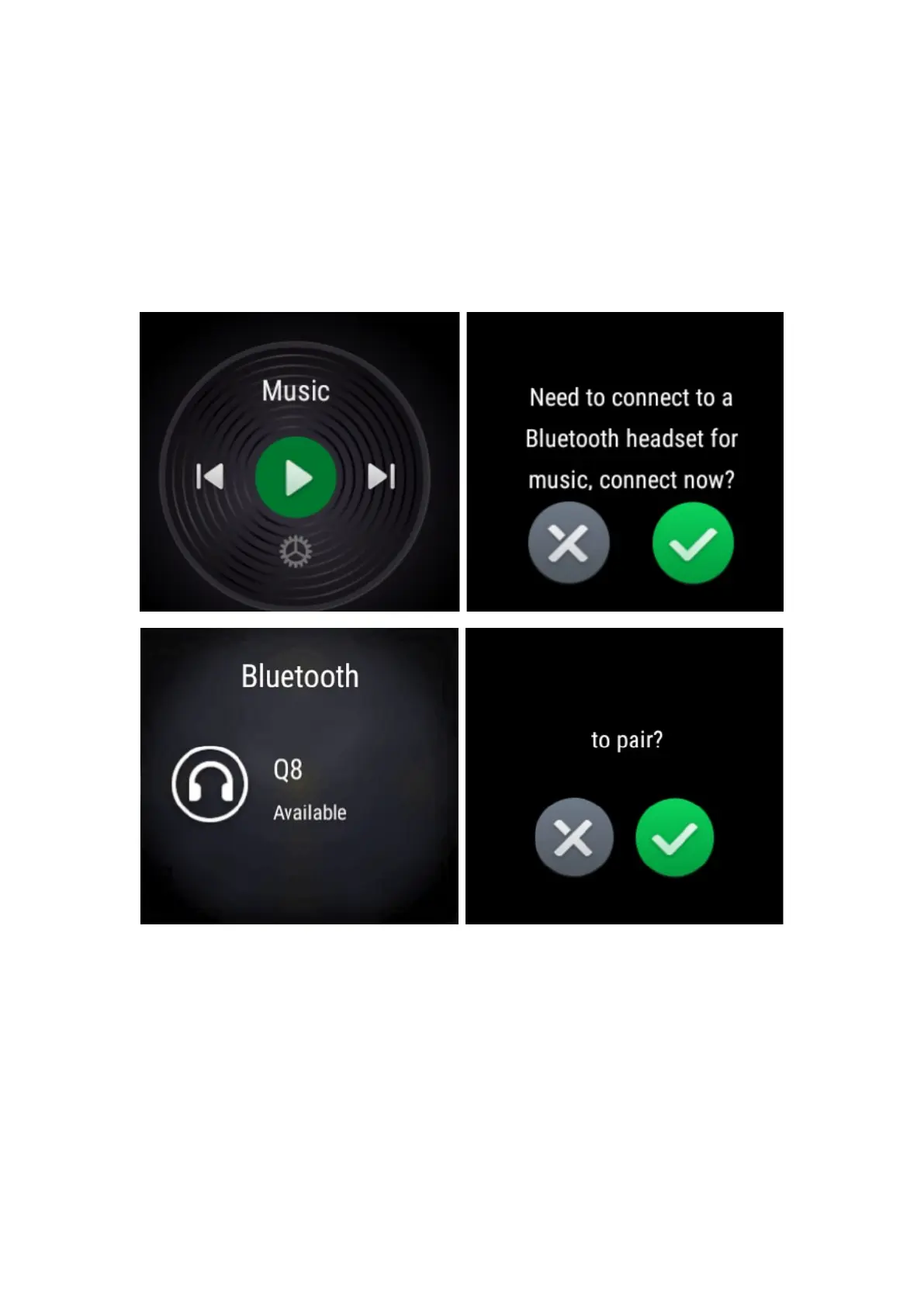
20.How do I connect my Bluetooth Headset to listen music?
From the home screen of the watch, swipe LEFT till you find Music. Tap on the Green
color Play button, you will receive a prompt to connect to a Bluetooth Headset. Confirm
connection by tapping on the checkmark. It will search and pair. After connecting, swipe
right to access the playback interface.
Please check the following steps to pair your Bluetooth Headset:
1.Long press the power button of your Bluetooth headset and wait the blue and red lights
start flashing.
2.From the watch home screen, swipe down and left until you reach Settings.
Select Settings.
Select Connection.
Select Bluetooth for the watch to start searching for your Bluetooth Earphone.


 To Next Page