3.Once the device appears on the watch screen, tap on the selection.
4. Confirm and initiate pairing by selecting the checkmark.
If pairing is unsuccessful, we suggest turning your Bluetooth Earphone off and on and try
connecting again.
21. How to update firmware version?
Make sure you are connected to a WiFi network of 2.4 Ghz.
Please note: The update may take 10 minutes or longer due to the GPS firmware
upgrade.
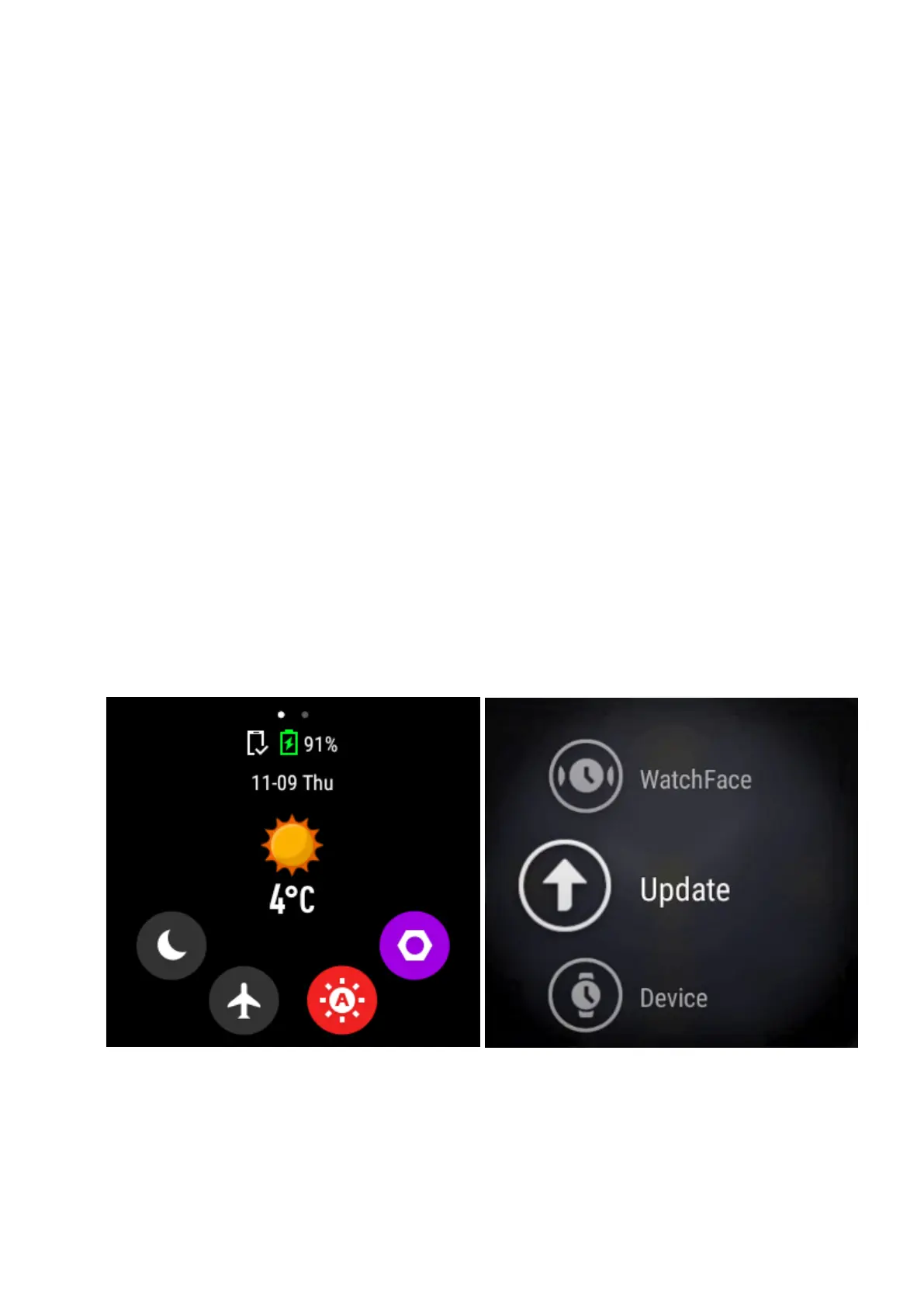
From the watch home screen, swipe down to access System Settings: Weather, Battery
Life, Silent Mode, and More Settings.
Tap on More settings.
Swipe UP until you find Update.
Tap to check for updates, and download to the latest version.


 To Next Page