19
EN
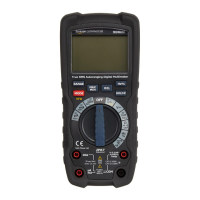
• Press and hold the RANGE button (C) for more
than 1second to exit manual mode and restore
automatic range setting. The Auto Range
indicator(7) lights up.
Relative measurement
The relative measurement feature allows
measurements to be made relative to a stored
value.
• Press the REL button (H) to zero the measured
value (6). The indicator (9) lights up.
• Press the REL button (H) again to show the
absolute measurement. The indicator (9)
goes off.
Maximum/minimum measurement
• Press the MAX/MIN button (B) to switch
between the maximum (MAX), minimum (MIN)
and maximum to minimum (MAX-MIN) range
value. The appropriate MAX-MIN indicator (8)
lights up.
• Press the MAX/MIN button (B) for 2seconds
to return to normal operation. The MAX-MIN
indicator (8) goes off.


 To Next Page