10
EN
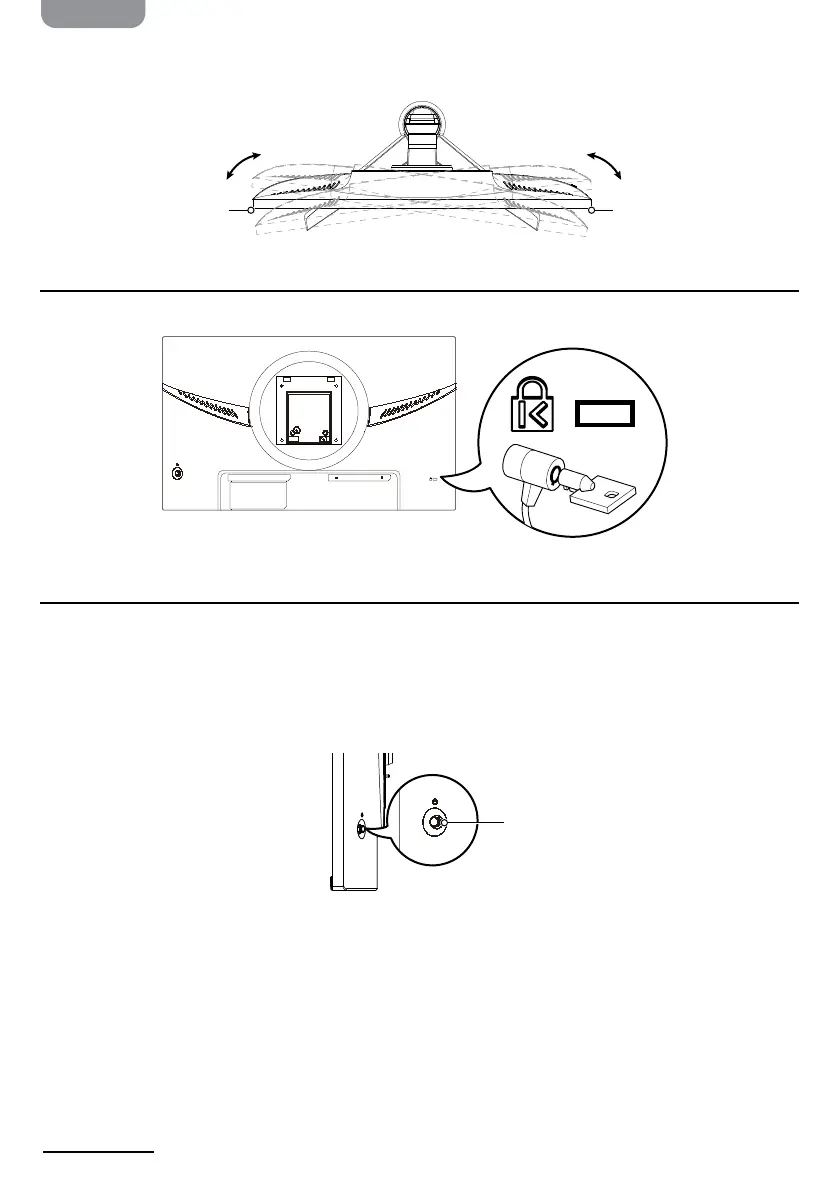
Swiveling
Swivel the monitor for the most comfortable viewing angle, up to 45° to the left or right.
Installing a Cable Lock
The monitor can be secured to a xed object with a cable lock (not included).
HDMI 1 HDMI 2 DP
K
Using the Control Button
Use the control button to navigate the monitor’s main menu:
» Short press: Turn monitor on or open the menu when the monitor is turned on.
» Long press: Turn monitor o
» Up/Down/Left/Right: Press to open the menu, then use the directional arrows to adjust
settings. When nished, press Left to go back a level until the menu is closed.
45°45°
Control button


 To Next Page