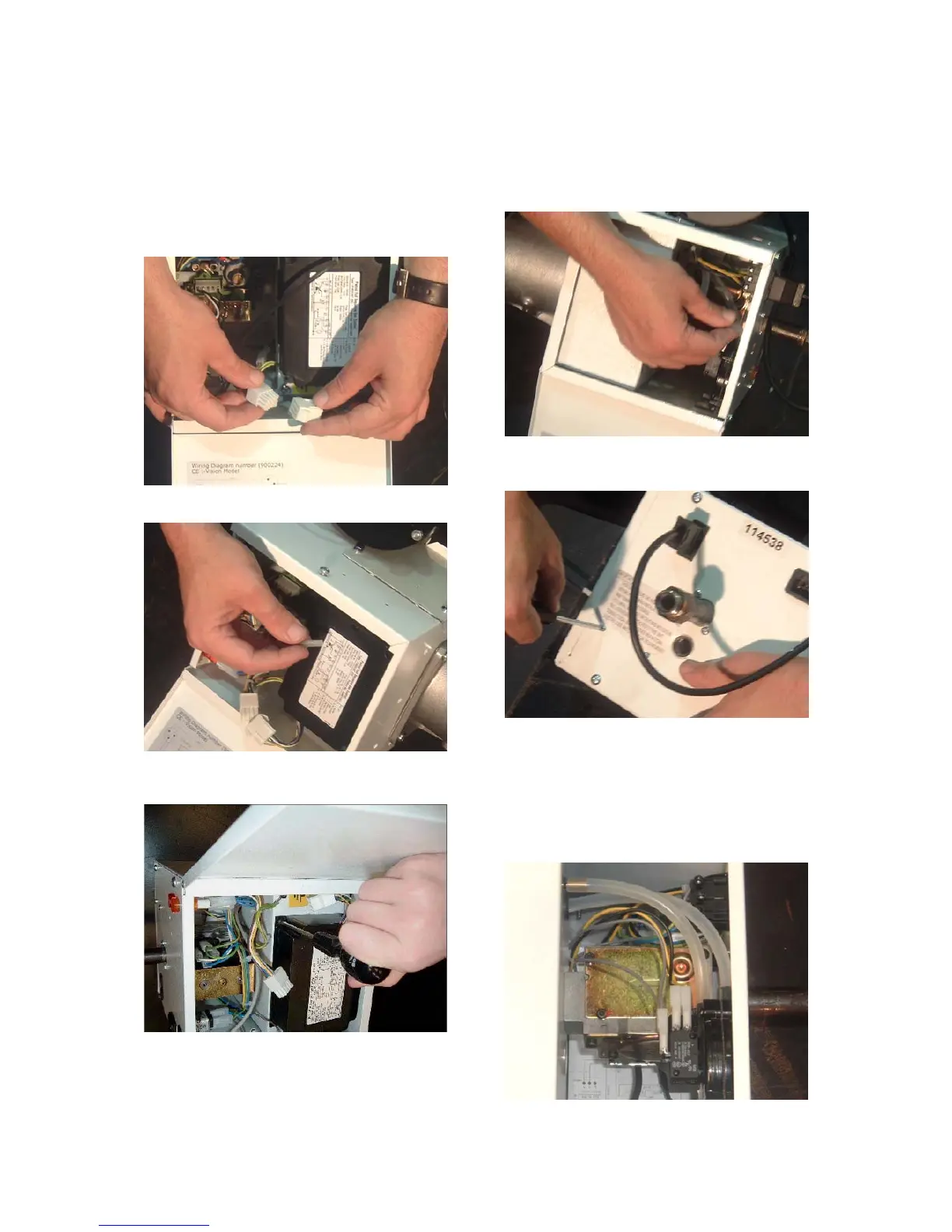
3.1 Burner Controller Replacement
Step 1 Slacken screw in burner lid and open the
right hand burner access door.
Step 2 Disconnect burner controller from the
burner harness.
Step 3 Disconnect the HT Lead.
Step 4 Remove the two screws attaching the
controller to the burner.
Step 5 Fit new burner controller
Step 6 Refit leads.
Step 7 Test product and close access doors.
3.2 Air Pressure Switch Replacement
Step 1 Open the left hand door and disconnect
the two silicone impulse tubes and the 3 cables.
Step 2 Remove the two screws as shown be-
low.
Step 3 The air pressure switch can now be re-
moved.
Step 4 Fit the new air pressure switch ensuring
the impulse tubes are connected as shown be-
low and ensure all the electrical connections
are made correctly
Step 5 Test product and close access doors.
B3. Replacement of Components



 To Next Page