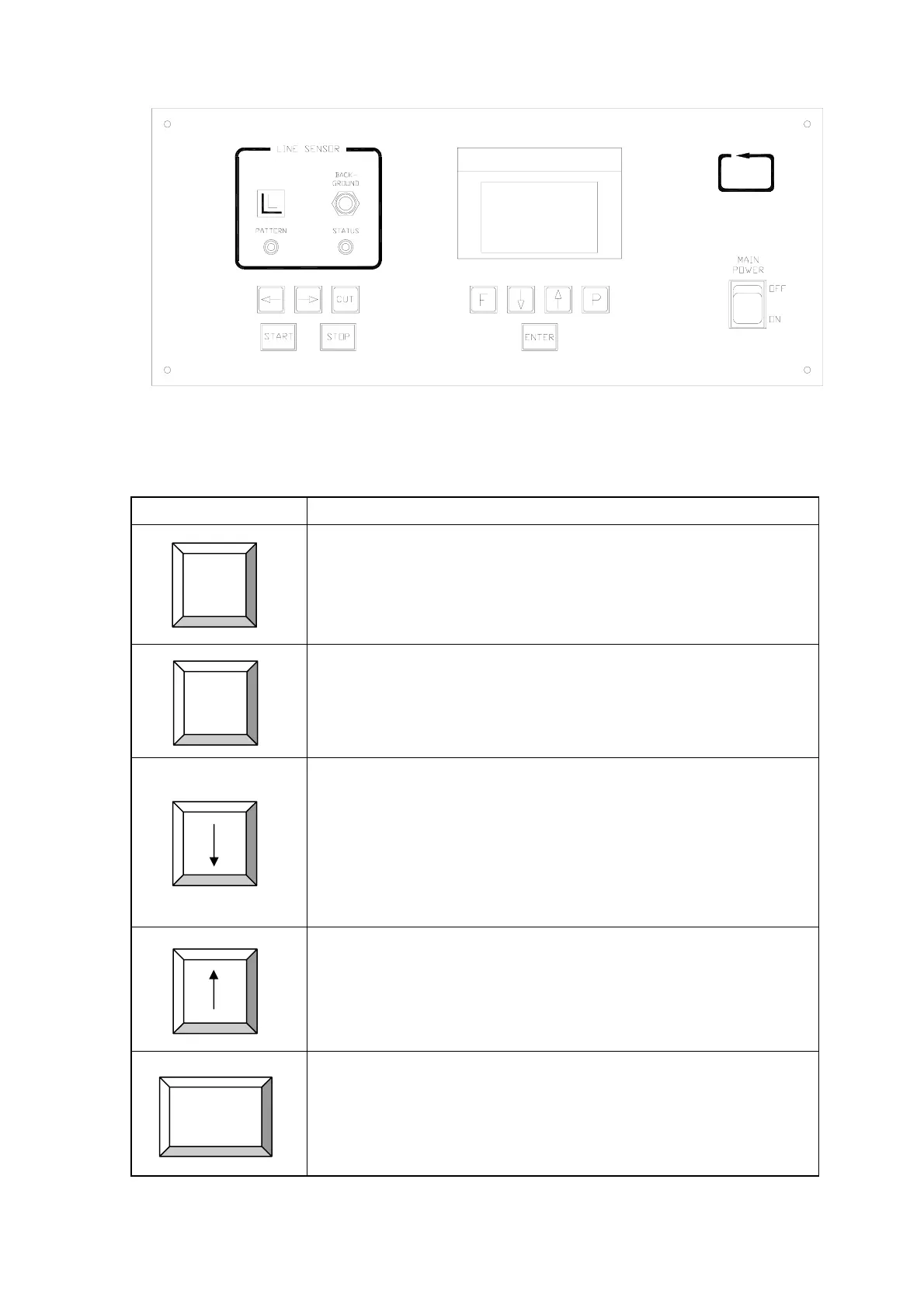
1.2 Control Panel
AMC
2. Button and knob description
2.1 Push button description
Button Description
Function button:
1. Press this button will enter into Function Mode.
2. Hold down this button while power up the machine will reset
all machine parameters to factory default except the language
setting.
Parameter button:
1. Press this button will enter into Parameter Input Mode.
2. Hold down this button while power up the machine will reset
all machine parameters to factory default including the
language setting.
Decrement or Down button:
Press this button will move the cursor down to next item under
item selection, or decrement the data value by 1 when the cursor
blink around the value.
By holding this button pressed, value under cursor will auto
decrement with acceleration.
Increment or Up button:
Press this button will move the cursor up to next item under item
selection, or increment the data value by 1 when the cursor blink
around the value.
By holding this button pressed, value under cursor will auto
increment with acceleration.
Enter button:
Confirm or update data value under Parameter Mode.
Execute selected function under Function Mode.
F
P
ENTER
© AMC AUTOMATION CO.
P.4


 To Next Page
 Loading...