www.amcelettronica.com
SR136 V1.2.1 IT-EN
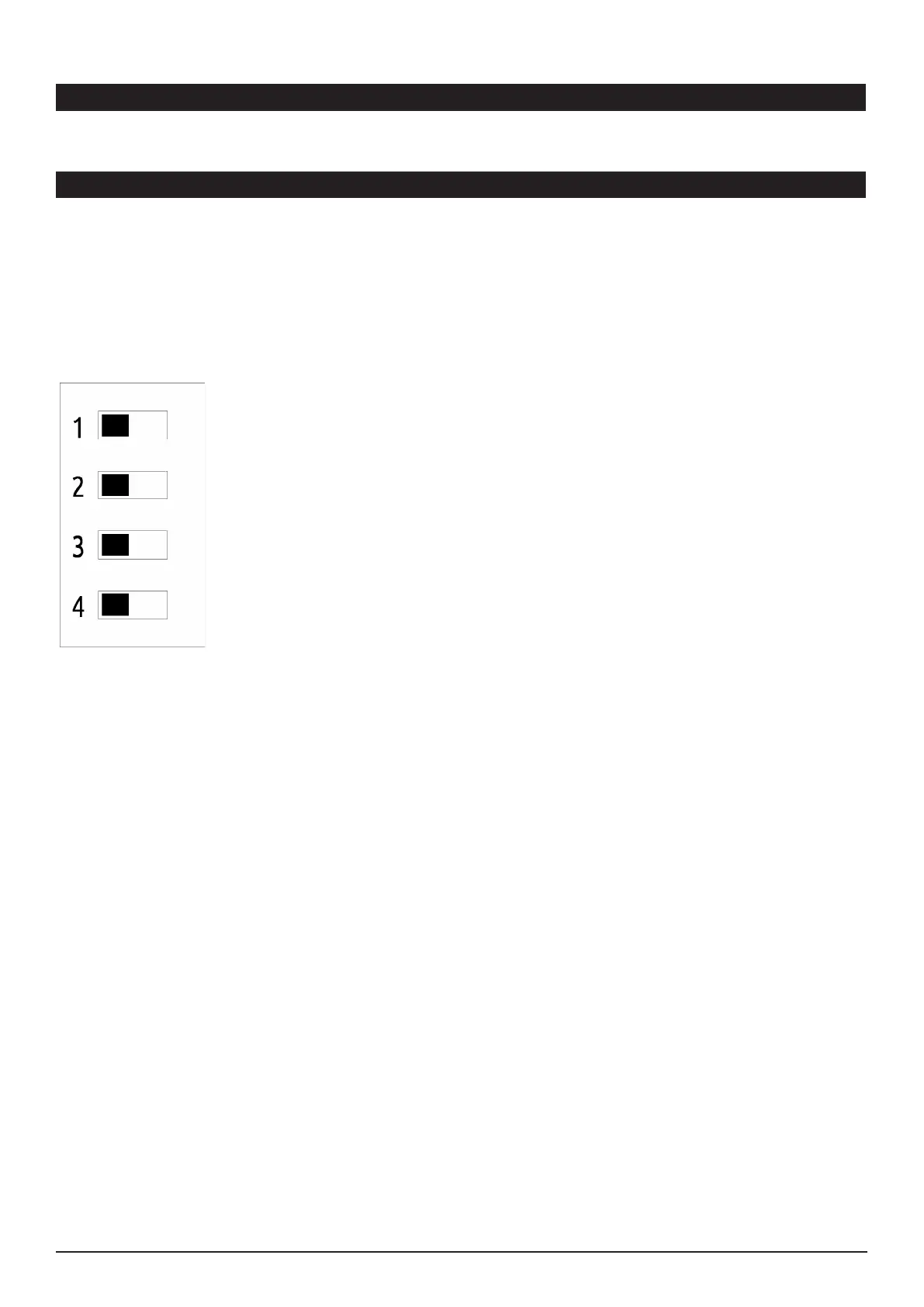
SR136 dispone dei seguenti modi di attivazione:
SR136 has the following modes of activation:
- Comando di start: MORSETTO S
- Start trigger: S TERMINAL
dip 1 OFF positivo a mancare
positive missing
dip 1 ON negativo a mancare
negative missing
- Comando di stato impianto INSERITO: MORSETTO A
- System status trigger ARMED: A TERMINAL
dip2 OFF morsetto A con negativo
trigger on A terminal with Negative
dip 2 ON morsetto A con positivo
trigger on A terminal with Positive
- Comandi separati lampada e altoparlante:
- Lamp and speaker separated triggers:
dip 3 OFF: comando unico (suono e lampada su morsetto S)
unique trigger ( speaker and lamp on S terminal )
dip 3 ON : suono su A e lampada su S
speaker on A terminal and lamp on S terminal
- Funzionamento a 2 fili:
- 2 wires function:
dip 4 OFF tradizionale (2 fili di alimentazione, 1 filo comando allarme)
traditional ( 2 power supply wires, 1 wire for alarm trigger )
dip 4 ON 2 fili di alimentazione con partenza immediata
2 power supply wires with starting immediately
ELENCO MODI ATTIVAZIONE (DIP MODE) - LIST OF ACTIVATION MODES (DIP MODE)
nota 1: la polarità per i comandi separati è sempre controllata dal dip 1 e dip 2
nota 2: la partenza con il funzionamento a 2 fili avviene dopo la seconda attivazione
NOTA 3 : programmando il funzionamento a 2 fili (dip 4 ON) si perde la conformità alla norma CEI EN 50131-
4:2010-8 e pertanto la marchiatura IMQ.
note 1: the polarity for separated triggers is always controlled by dip 1 and dip 2
note 2: the starting of 2-wires function takes place after the second activation
note 3: programming 2-wires operation (dip 4 ON) is lost compliance with CEI-EN 50131-4: 2010-8 and there-
fore IMQ marking
ASSEMBLAGGIO = VEDI ULTIMA PAGINA ASSEMBLY = SEE LAST PAGE


 To Next Page