EasyManua.ls Logo

AMC VOXOUT - User Manual

AMC VOXOUT
20 pages
Print Icon
To Next Page IconTo Next Page
Loading...
www.amcelettronica.com
VOXOUT v. 1.2
VOXOUT
TWO-WAY GSM DIALER WITH ENVIRONMENTAL LISTENING
INSTALLER'S
MANUAL
ENGLESH
DESCRIPTION
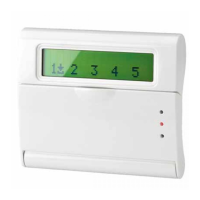
Voxout is a two-way integrated dialer with keyboard, equipped with environmental listening and a simulated telephone line.
Its main features are:
. provider test/best gsm signal based on available cells
- credit exhaustion management, with voice alert and/or sms for low credit threshold (programmable threshold)
- sim expiration display (for operators who support the sms service)
- remote control with voice guidance
- local programming from keyboard
- remote programming via sms
- output enabling via ring with confirmation ring
- 5 selectable lines that can be freely programmed as inputs or outputs
- Double State Signal: vocal calls / sms on opening/restoring of the inputs
- 1 local input for reset of calls in progress
- 1 simulated PSTN line with which it is possible to make phonecalls with a standard touch-tone telephone, or connect the dialer to
a wire telephone exchange.
- programmable CONTACT ID transmissions
- 12 user codes
- 8 programmable telephone numbers for voice calls and SMS
- 8 programmable telephone numbers for digital transmission of contact ID
- 200 programmable telephone numbers for the remote control function
Question and Answer IconNeed help?

Do you have a question about the AMC VOXOUT and is the answer not in the manual?

AMC VOXOUT Specifications

General IconGeneral
Input Voltage24V DC
ZonesUp to 8 zones
Microphone InputYes
Line InputYes
Power Supply24V DC
Alarm MessagesPre-recorded messages
Output Voltage100V line

Summary

DESCRIPTION

TECHNICAL INDICATIONS OF USING

PROGRAMMING MENU FROM KEYBOARD - 1

IN;OUT LINES MENU

Configuration menu for input/output line names and types.

TELEPHONE NUMBER MENU

Menu for programming telephone numbers for calls and SMS.

VOICE CALL MENU

Menu for managing voice messages and their assignments.

PROGRAMMING MENU FROM KEYBOARD - 2

CONTACT ID MENU

Menu for configuring Contact ID events, numbers, and parameters.

PROGRAMMING MENU FROM KEYBOARD - 3

VOICE GUIDED MENU

RESET DEFAULT

LED FUNCTIONING LOGIC

MENU OF TELEPHONE NUMBERS

PROGRAM THE TELEPHONE NUMBERS (THE FIRST 8)

Setting primary numbers for voice calls and SMS notifications.

PROGRAM THE TELEPHONE NUMBERS TO ENABLE THE OUT 5 (200 NUMBERS)

Programming numbers for the remote control function of output 5.

CONTACT ID MENU

CONTACT ID MENU: IDC EVENTS

Customizing Contact ID event codes for reporting.

CONTACT ID MENU: IDC AND SYSTEM NUMBERS

Programming telephone numbers and IDs for Contact ID reports.

CONTACT ID MENU: ASSOCATE TELEPHONES

PROGRAMMING AND MANAGEMENT FROM SMS MESSAGES

USE OF THE SMS FOR PROGRAMMING PURPOSES

Syntax and structure for sending programming commands via SMS.

HOW TO CREATE A PROGRAMMING SMS

A FEW PROGRAMMING EXAMPLES

TECHNICAL SPECIFICATIONS

Related product manuals