46
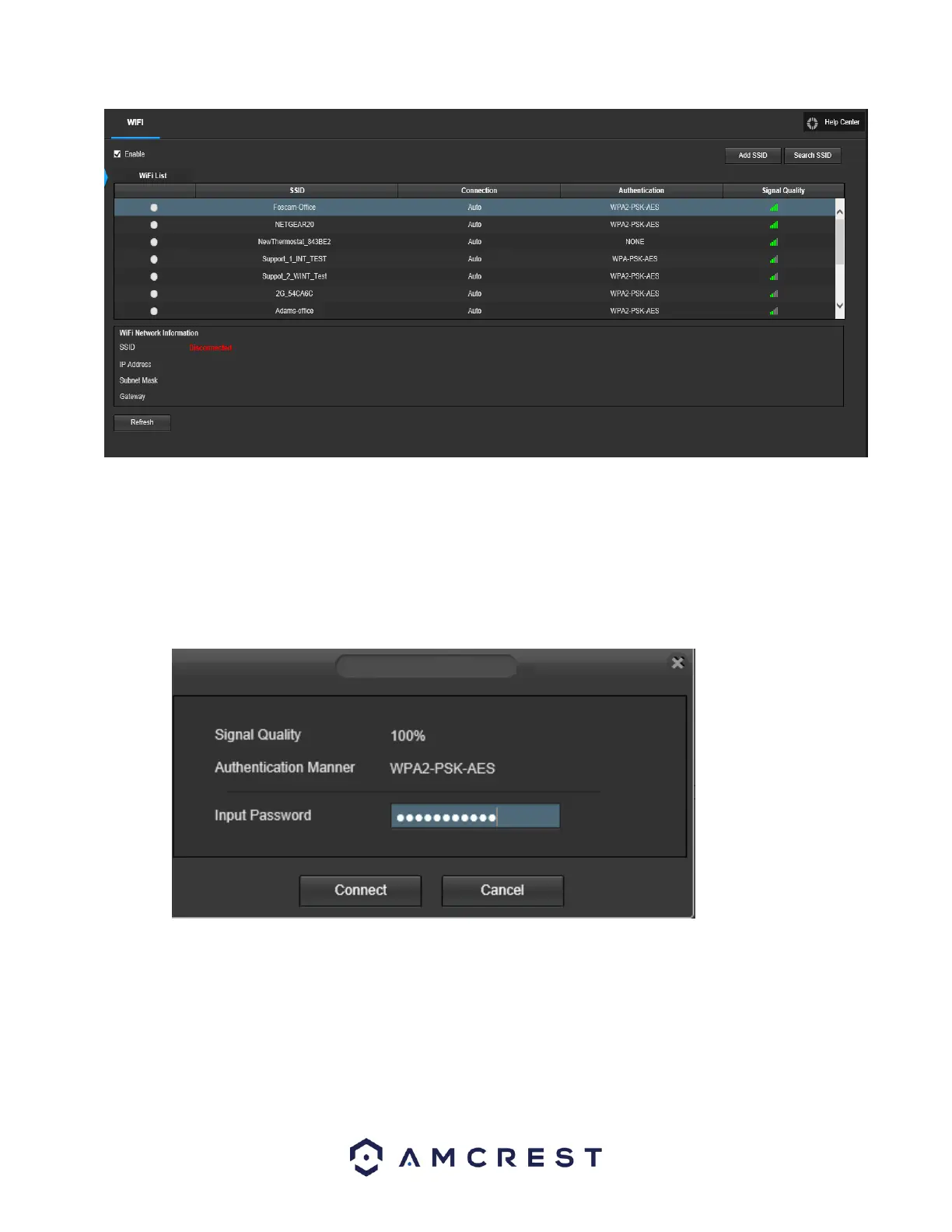
Below is an explanation of the fields on the WiFi tab of the WiFi menu:
● Enable: This checkbox allows the user to enable WiFi functionality.
● Add SSID: This button allows the user to manually enter in an SSID.
● Search SSID: This button allows the user to search for more SSIDs.
● Refresh: This button obtains the most recent WiFi network information.
To connect to a WiFi network, click the line item for your WiFi network and enter the WiFi password.
Click on Connect to connect the camera to your WiFi network.
Allow the device to connect to your WiFi network. Once complete, the SSID field will show a green
Connected prompt:















 To Next Page