18
If the process above is not working, please contact Amcrest Support via one of the following options:
• Visit http://amcrest.com/contacts and use the email form
Call Amcrest Support using one of the following numbers
Toll Free: (888) 212-7538
International Callers (Outside of US): +1-713-893-8956
USA: (888) 212-7538
Canada: 437-888- 0177
UK: 203-769-2757
Email Amcrest Customer Support support@amcrest.com
5 Operation and Interface
This section of the manual details the camera’s interface, as well as all the operations the camera can perform.
5.1. Live
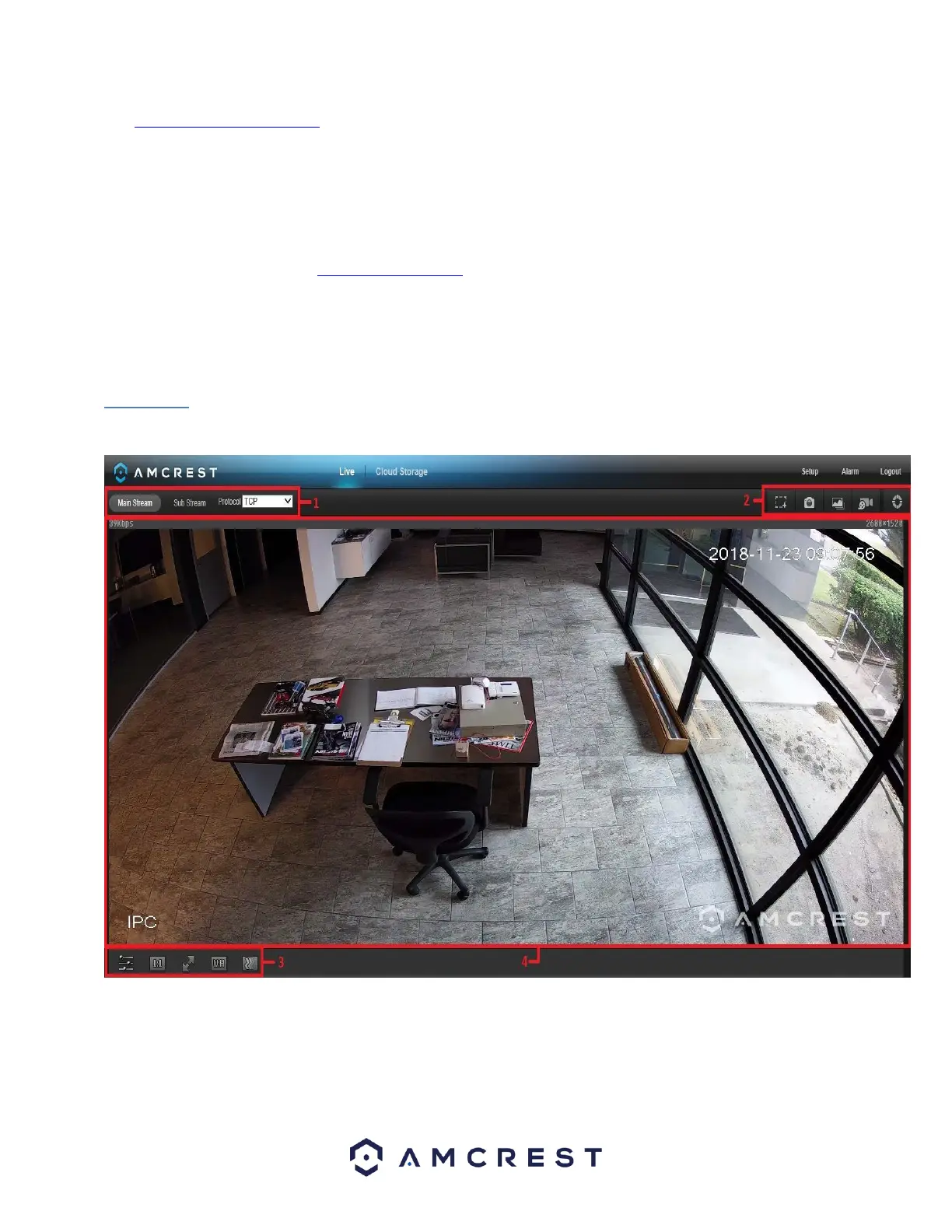
The live view tab allows the user to see a live video feed from the camera. The live view tab has four main sections:
Section 1: This bar allows the user to select which stream type and which protocol they want to choose.
Section 2: The functions bar allows the user to perform different camera functions while in live mode.
See the table below for an explanation of the different functions available:















 To Next Page