45
After the motion detection zone is set, click the enter button to exit the motion detection screen.
Remember to click the save button on the motion detection settings screen, otherwise the motion detection zones will not go
into effect. Clicking the cancel button to leave the motion detection zone and will not save the zone setup.
• Record: This checkbox allows the user to enable the camera to record video when a motion detection alarm is
triggered.
• Record Delay: This field specifies in seconds how long the delay between alarm activation and recording should be.
• Relay Out: This checkbox allows the user to enable the camera to trigger a connected alarm (connected to the alarm
port on the back of the camera) when a motion detection alarm is triggered.
• Alarm Delay: This field specifies in seconds how long the delay between alarm activation and Relay alarm activation
should be.
• Send Email: This checkbox allows the user to enable the camera to send an email when a motion detection alarm is
triggered.
• Snapshot: This checkbox allows the user to enable the camera to take a snapshot when a motion detection alarm is
triggered.
To reset to default settings, click the Reset Defaults button. To refresh the page, click the Refresh button. To save the settings,
click the Save button.
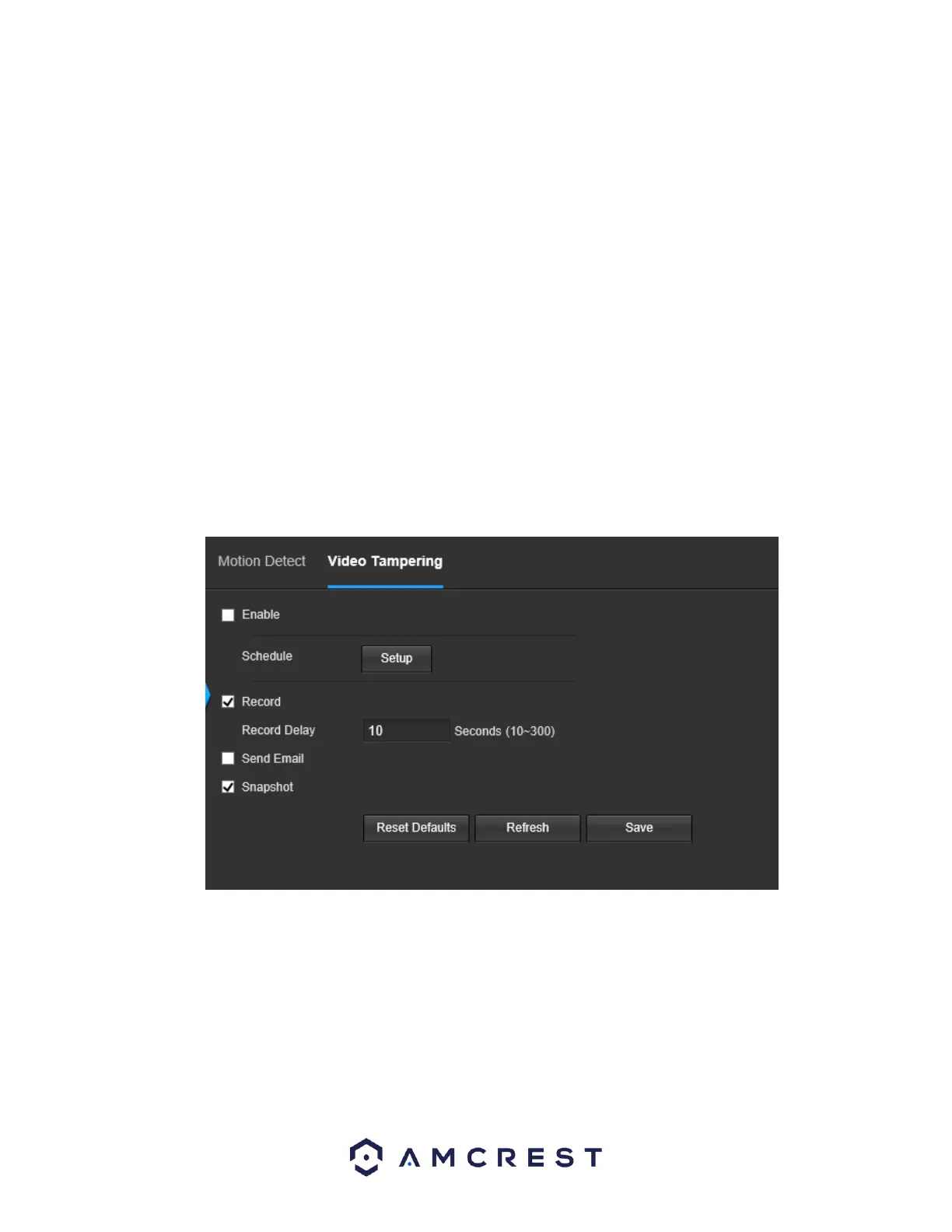
5.4.3.1.2 Video Tampering
This tab allows the user to modify video tamper settings. Below is a screenshot of the Video Tamper tab:
Below is an explanation of the fields on the Video Tamper tab:
• Enable: This checkbox enables a video tamper alarm for the camera.
• Schedule: Clicking this button opens a weekly schedule that can be used to set times.















 To Next Page