P2P SETUP
SETTING UP YOUR CAMERA
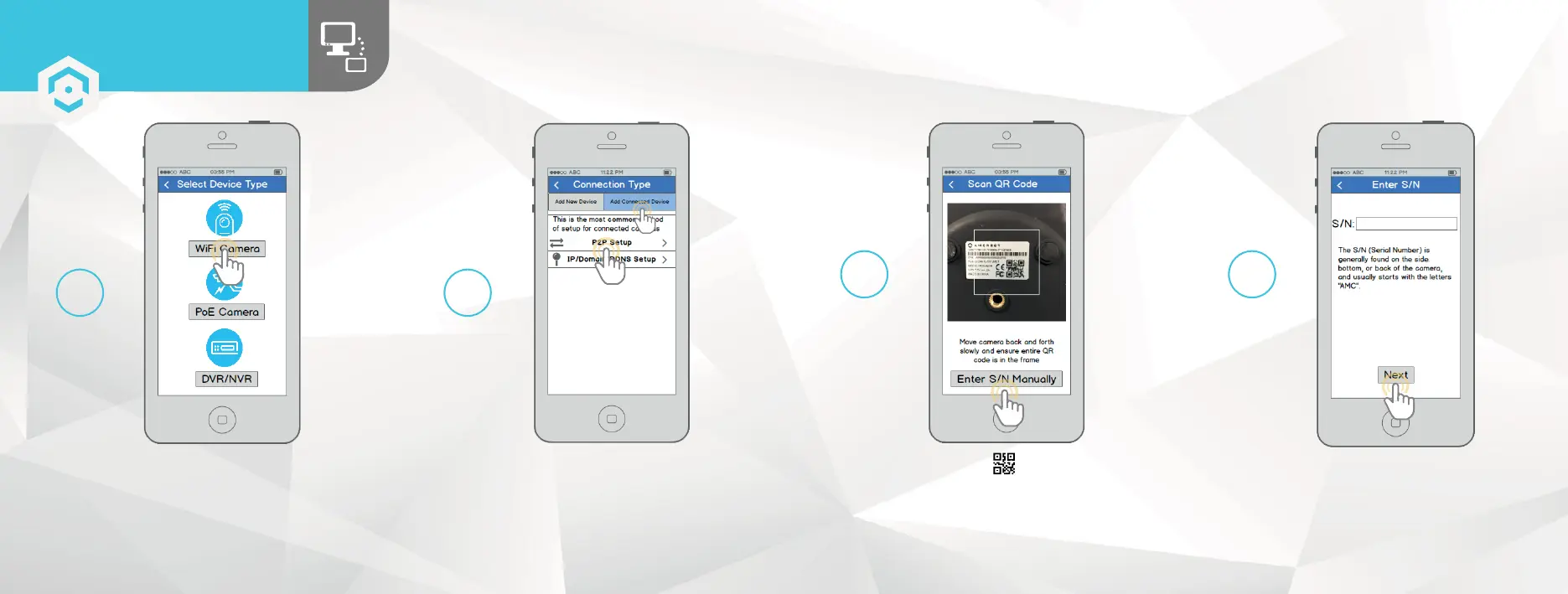
Tap “WiFi Camera”. Tap the “Add Connected Device”
button near the top of the screen,
then tap “P2P Setup”.
4 5
Scan the QR code from the sticker on
your camera. Move the camera or the phone
to ensure that the entire QR code is visible
and focused in the frame. In case the QR code
cannot be scanned, please tap “Enter S/N
Manually” to enter in the camera’s serial
number.
Double check to ensure that your S/N
(Serial Number) is entered correctly,
then tap “Next”.
6 7
1817















 To Next Page