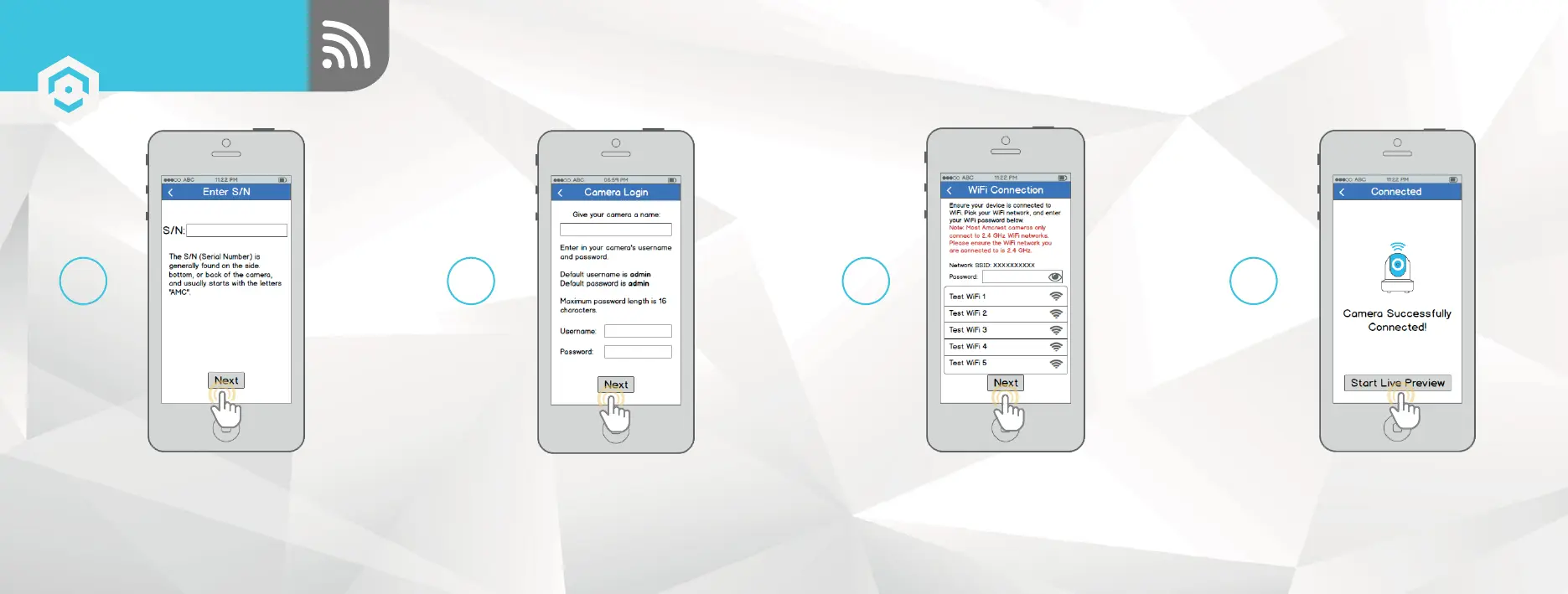
Double check to ensure that
your S/N (Serial Number) is
entered correctly, then tap
“Next”.
Give your camera a name, then enter in the
camera’s username and password. The default
username is admin and the default password is
admin . Once you’ve filled out all of the fields,
tap “Next”.
9 10
ETHERNET WIFI
SETUP
SETTING UP YOUR CAMERA
Pick a WiFi network, enter in the password,
then tap “Next”.
Note: Most Amcrest cameras can only
connect to 2.4 GHz WiFi networks, so please
ensure that your phone is connected to a
compatible network.
Tap the "Start Live Preview"
button to proceed with
changing your password.
11 12
1413















 To Next Page