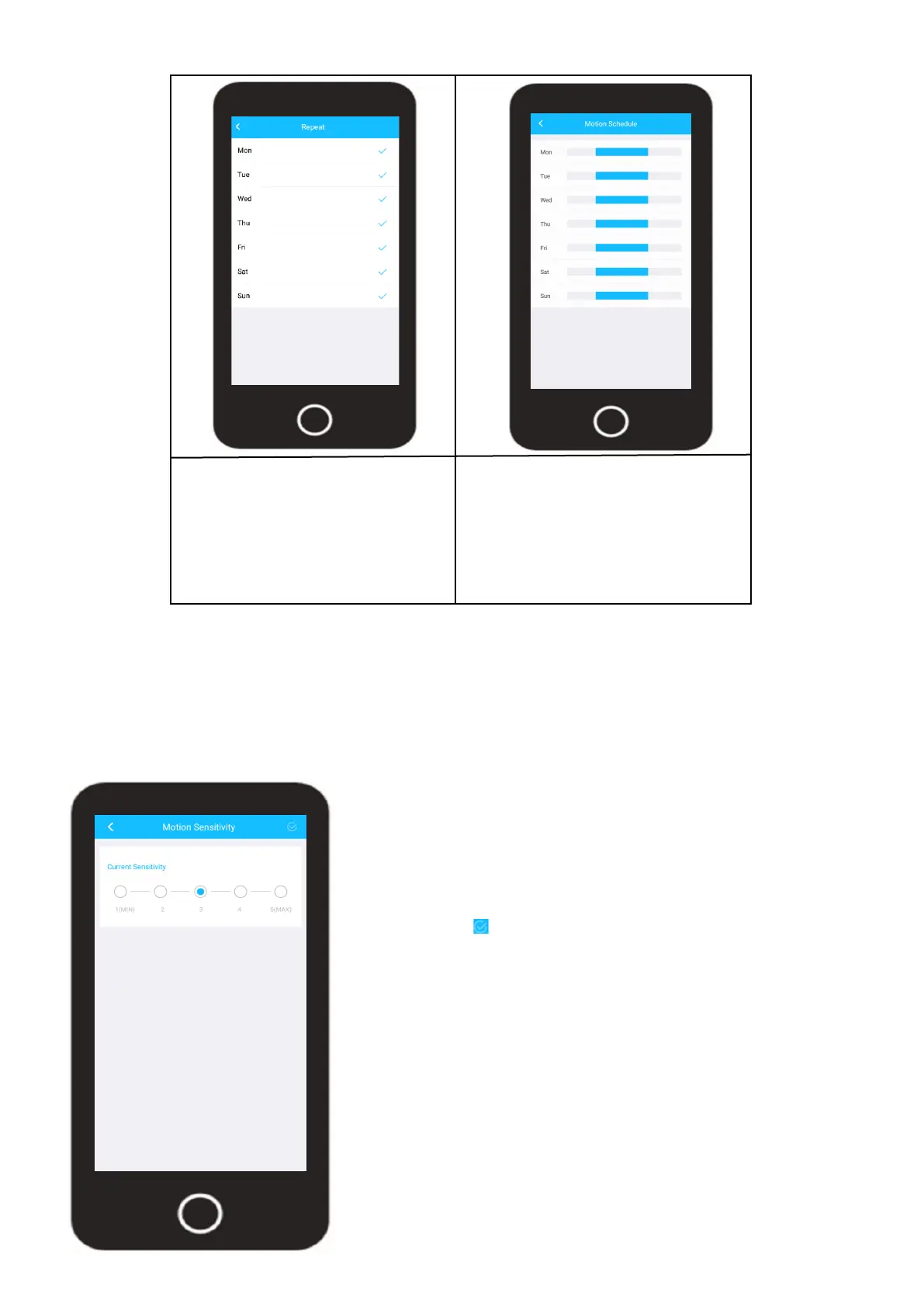
A blue check mark will be
displayed next to the active
days.
Tap the back arrow ( < ) to exit.
Tap on the “Save” button to save
your motion schedule. The motion
schedule is now applied to your
device.
Tap the back arrow ( < ) to exit.
29
Motion Sensitivity
Motion sensitivity allows you to adjust how sensitive the motion detection will be for your
camera. This is based off a minimum and maximum value ranging between 1, having the
least amount of sensitivity, and 6 being the max. The default sensitivity level will be 3. This is
the optimal sensitivity level as it can reduce the level of flase motion events while still provid-
ing the most accurate detection of your events.
The lower the sensitivity value is on your
camera the more activity the sensors need
to retain an event or send a push notifica-
tion. It is highly recommended to leave the
sensitivity at 3 however, if you make any
adjustements be sure to tap on the blue
check mark ( ) to save the motion sensitivi-
ty setting.












 To Next Page