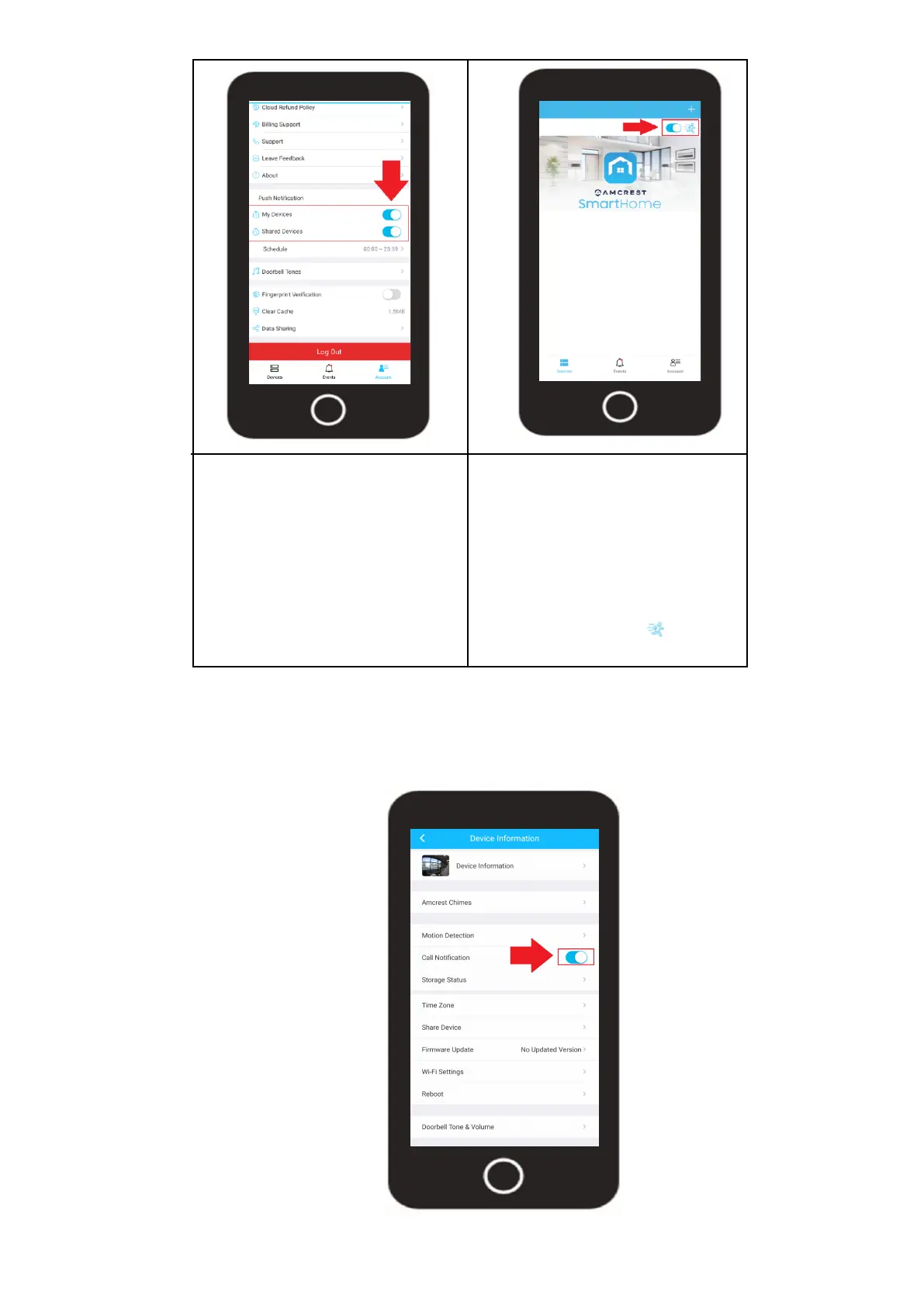
In the account menu, scroll
down to the "Push Notification"
menu. You will notice 2 toggle
switches, one for your devices
and one for shared devices.
Use these toggle switches to
turn smart notifications on or off
for your devices or for shared
devices. If you would like to turn
off motion detection events you
can based on device in the
Devices menu. To turn off motion
events per device toggle the
"running man" icon ( ) to the
off position.
31
Call Notification
When enabled, you will receive a push notification when someone rings the doorbell. If this function is
disabled, the call notification will not come through on your smartphone.












 To Next Page