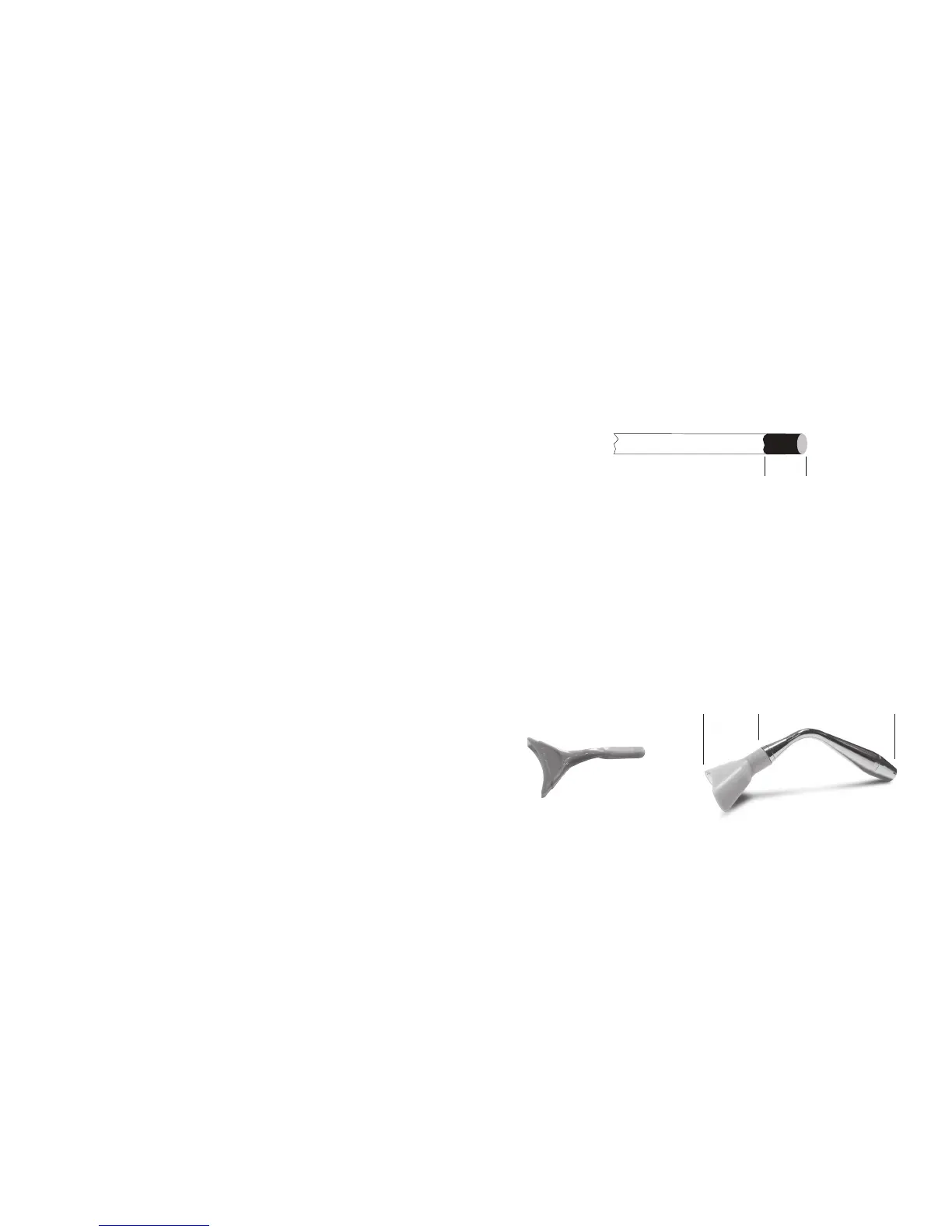
FIBER
3–4 mm
CARBONIZATION
FIGURE 22
1 2
QUAD TIP II
QUAD TIP I
to be discontinued in 2013
Page 24 Page 25
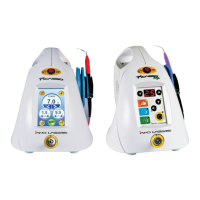
LASER – PICASSO
• Laser Classification IV (4)
• Medium GaAlAs
• Wavelength 810 ± 10 nm
• Power Accuracy ± 20%
• Power Modes Continuous, Repeat Pulse
• Adjustable Pulse Duration 20 ms – 9.9 sec
• Pulse Interval 20 ms – 90 ms
• Delivery Fiber Diameter 400 µm
• Mode Whitening
• Continuous Mode Preset to 1.8 W continuous, adjustable from 0.5–7.0 W
• Repeat Mode Preset to 1.8 W pulsed, 30 ms on time (duration), 30 ms off time (interval).
Adjustable 0.5–7.0 W, 10 ms – 9.9 sec duration, 10–90 ms interval
• Whitening Mode Preset to 7.0 W, Repeating 9.9 sec duration, 1.5 sec interval
• Output Range 0.5–7.0 W ± 20%
• Laser Operation Note: 0.5–4.9 W Continuous Operations
5.0–7.0 W Intermittent Operation 5 min on, 4 min off or in standby mode.
OTHER LIGHT SOURCES
• Aiming Beam 632 nm ± 20%, max 5 mW, Class 1 laser
• Medium Laser Diode
LASER – PICASSO LITE
• Laser Classification IV (4)
• Medium GaAlAs
• Wavelength 810 ± 10 nm
• Power Accuracy ± 20%
• Power Modes Continuous, Repeat Pulse
• Pulse Duration 30 ms
• Pulse Interval 30 ms
• Delivery Fiber Diameter 200 µm
• Mode Speed, Comfort, Diffusion
• Speed Mode Preset to 1.8 W continuous
• Comfort Mode Preset to 1.8 W pulsed, 30 ms on time (duration), 30 ms off time (interval)
• Diffusion Mode 0.5 Watts, continuous
• Output Range 0.5–2.5 W ± 20% output
• Laser Operation Note: Intermittent operation 3 min on, 15 sec off or in standby mode.
INSTRUCTION FOR ACCESSORIES
INITIATING TIP
Focusing laser energy to the end of the fiber or tip is necessary for cutting and coagulation to occur. The better the initiation the more
focused and concentrated laser energy becomes. A sample of articulating paper is included with each Picasso laser. Select the SPEED
or DIFFUSION MODE preset and drag the tip onto the articulating paper while firing the laser.
A good ignition will cover 3–4 mm of the tip with a dark carbonization (Figure 22). Articulation paper is flammable and precautions
should be followed to prevent unintended combustion. Once initiated, do not touch the tip anywhere other than where cutting tissue is
a desired treatment. For more information on initiation please consult the training DVDs included with your laser.
Initiating the tip of the Diode Laser is necessary for all procedures which require cutting or tissue removal.
Using provided or replacement articulating paper, rub the paper while firing the laser to cover 3–4 mm of the tip with carbonization.
Articulating paper is flammable. Please use and dispose of the articulating paper using fire proof collection bins in order to prevent
accidental ignition of flammable materials. See Instructional video.
TEETH WHITENING (PICASSO ONLY)
Picasso teeth whitening should be performed only by trained personnel and as allowed by local, state and federal authorities.
Picasso is designed for fast, efficient laser whitening with a unique laser adapter, the Quadra Tip I & II and Whitening Adapter. Most
whitening is performed by first cleaning, pumicing the teeth, isolating the gingival and soft tissue mucosa with a liquid rubber dam,
and applying the whitening manufacturer’s bleach 2–3 mm thick on the teeth . Picasso has a built in whitening mode (Preset #4 on
the Picasso).
Prior to use, the operator must use the multi-tip handpiece and Quadra Tips as seen below. The Whitening Adapter must be attached
to the end of the Quadra Tips with care taken to ensure the AMD LASERS logo is facing up. The Quadra Tips do not make contact
with the patient during the whitening procedure. The Whitening Adapter is a disposable item included with your whitening kit. Refer
to the specific instructions supplied with your whitening kit.
To select the WHITENING operation, the user simply selects preset #4. This is a pulse mode of operation. In this mode, the mode is
preset from the factory at 7.0 W continuously for 9.9 sec with a 1.5 sec off time. Releasing the foot control will interrupt the 9.9 sec
cycle. The only variable parameter is the output power. To operate the laser in the WHITENING MODE press the STANDBY/READY
button. The laser will now deliver output radiation as long as the user holds the foot switch down. An audible signal will be sounded
while the laser is active and the ready button will flash.
The WHITENING MODE output power can be changed to a lower setting at any time using the up/down arrow buttons. The user
may lock this new parameter into the WHITENING MODE setting by first selecting desired parameter for power and then by pushing
and holding down the button for approximately 5 sec. The system will momentarily blink off and then on again symbolizing the new
parameter has been set. The Whitening procedure requires at least 5 W of power. Do not touch mucosa with the Quadra Tips during
the whitening procedure.
The whitening adapter (1) is disposable and the Quadra Tips (2) are nondisposable.



 To Next Page
 Loading...