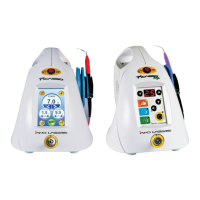
Page 12 Page 13
INDICATIONS FOR USE
Use of Picasso & Picasso Lite is generally indicated for incision, excision, vaporization, ablation and coagulation of oral soft tissues
including the following:
• Gingival troughing for crown impression
• Gingivectomy
• Gingivoplasty
• Gingival incision and excision
• Hemostasis and coagulation
• Excisional and incisional biopsies
• Exposure of unerupted teeth
• Fibroma removal
• Frenectomy and frenotomy
• Implant recovery
• Incision and drainage of abscess
• Leukoplakia
• Operculectomy
• Oral papillectomies
• Pulpotomy
• Pulpotomy as an adjunct to root canal therapy
• Reduction of gingival hypertrophy
• Soft tissue crown lengthening
• Treatment of canker sores, herpetic and aphthous ulcers of the oral mucosa
• Vestibuloplasty
LASER PERIODONTAL PROCEDURES
• Sulcular debridement (removal of diseased, infected, inflamed and necrosed soft tissue in the periodontal pocket to improve
clinical indices including: gingival index, gingival bleeding index, probe depth, attachment loss and tooth mobility)
• Laser removal of diseased, infected, inflamed and necrosed soft tissue within the periodontal pocket
• Removal of highly inflamed edematous tissue affected by bacteria penetration of the pocket lining and junctional epithelium
TEETH WHITENING INDICATIONS (PICASSO ONLY)
• Laser assisted whitening of teeth
• Light activation for whitening materials for teeth whitening
SET-UP INFORMATION
PICASSO & PICASSO LITE SET-UP
For details refer to Quick Start Guide. See Page 11 for identification of components.
1. Place unit in a clean, dry, and well-ventilated area.
2. Verify circuit breaker is in OFF position.
3. Insert key into key switch. Verify it is in the OFF position.
4. Verify Emergency Stop button is disengaged (UP position).
5. Connect footswitch.
6. Connect remote interlock.
7. Connect power cord to power connector on unit and plug into wall outlet.
8. Insert fiber into fiber connection port.
9. Set up Delivery System handpiece and fiber (See Page 19).
OPERATION INSTRUCTIONS
Turn ON Picasso & Picasso Lite
• Verify Red Emergency button (Page 11, Item #3) is pushed in.
• Turn circuit breaker to ON position (Page 11, Item #10).
• Rotate key clockwise to ON position.
• Select a PRESET or select a power level
• Press STANDBY/READY to place unit in READY Mode.
• Press foot control switch to fire laser and release to stop.
Turn OFF Picasso & Picasso Lite
• Press the STANDBY/READY button.
• Place handpiece back on handpiece holder.
• Switch circuit breaker to OFF position.
• Turn off and remove key from the unit, and place in a secure area.
CAUTION: VERIFY THAT THE FIBER OPTIC ASSEMBLY IS NOT TWISTED WHEN RETURNING THE HANDPIECE TO THE HOLDER. FIBER MAY BREAK IF
IT IS TWISTED OR CRIMPED.
DO NOT LEAVE THE SYSTEM IN AN UNCONTROLLED ENVIRONMENT WHERE THE TEMPERATURE COULD DROP BELOW 41°F (5°C) (E.G. THE
TRUNK OF A CAR). IF THIS OCCURS, ALLOW THE SYSTEM TO WARM UP TO ROOM TEMPERATURE FOR TEN TO FIFTEEN MINUTES BEFORE THE
UNIT IS ACTIVATED.
Warm-up Mode (Picasso Only)
If, during the self-diagnostic routine, the diode laser temperature is below 64°F (18°C), the system will go into warm-up mode. Follow
these instructions:
1. Press the STANDBY/READY button.
2. Press and hold the footswitch.
3. The STANDBY/READY light will flash and a beep will sound until the system is sufficiently warmed up. This may take up to two
minutes. The handpiece should be left in the holder with the fiber pointing down.
4. Hold the footswitch until the warm-up sequence stops.
Note: Always wear protective laser safety goggles during the warm-up, even while output power is negligible. The warm-up mode
will not function at temperatures below 41°F (5°C). If the temperature of the unit drops below 41°F (5°C), the system should be left to
warm up to room temperature for ten to fifteen minutes before the warm-up mode is activated.



 To Next Page
 Loading...