AMD RADEON™ RX 7600 GRAPHICS CARD QUICK SETUP GUIDE
PAGE 2
Before You Begin...
Before you begin installing your new graphics card, visually inspect the card and any components that may have shipped with it, and contact your AMD
reseller in the event of missing or damaged parts. Also make sure that you have the proper system requirements and have reviewed the preinstallation
information outlined below.
System Requirements
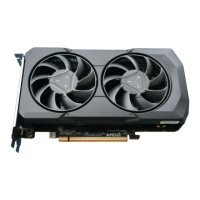
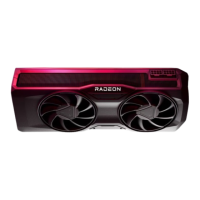
AMD Radeon™ RX 7600
The following are recommended minimum requirements for installation of AMD Radeon™ RX 7600 graphics cards:
• PC with at least one PCI-Express x16 graphics slot available on the motherboard.
• Minimum 550W system power supply
• Minimum of 8 GB of system memory, 16GB is recommended.
• Supported operating systems include Linux®, Windows® 10, and Windows® 11, 64-bit operating system is required.
• At least one display that is compatible with a DisplayPort, HDMI®, or USB Type-C connection.
Recording the Serial and Part Numbers
Write down the serial number and part number before installing your product. The serial number and part number on the product are required
for registration and technical support. They are located on a sticker on the back of your AMD Radeon™ RX 7600 graphics card.
* Does not support all features including but not limited to Hardware Raytracing.
GETTING STARTED







 To Next Page