4209-41 08-06-21 Technical Support: 1-320-286-3500 1-800-363-0251 support@amerec.com Page 6
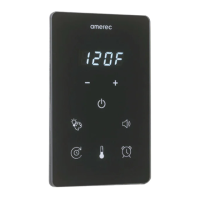
K2 Steamer Control and App
Install/Operating Instructions
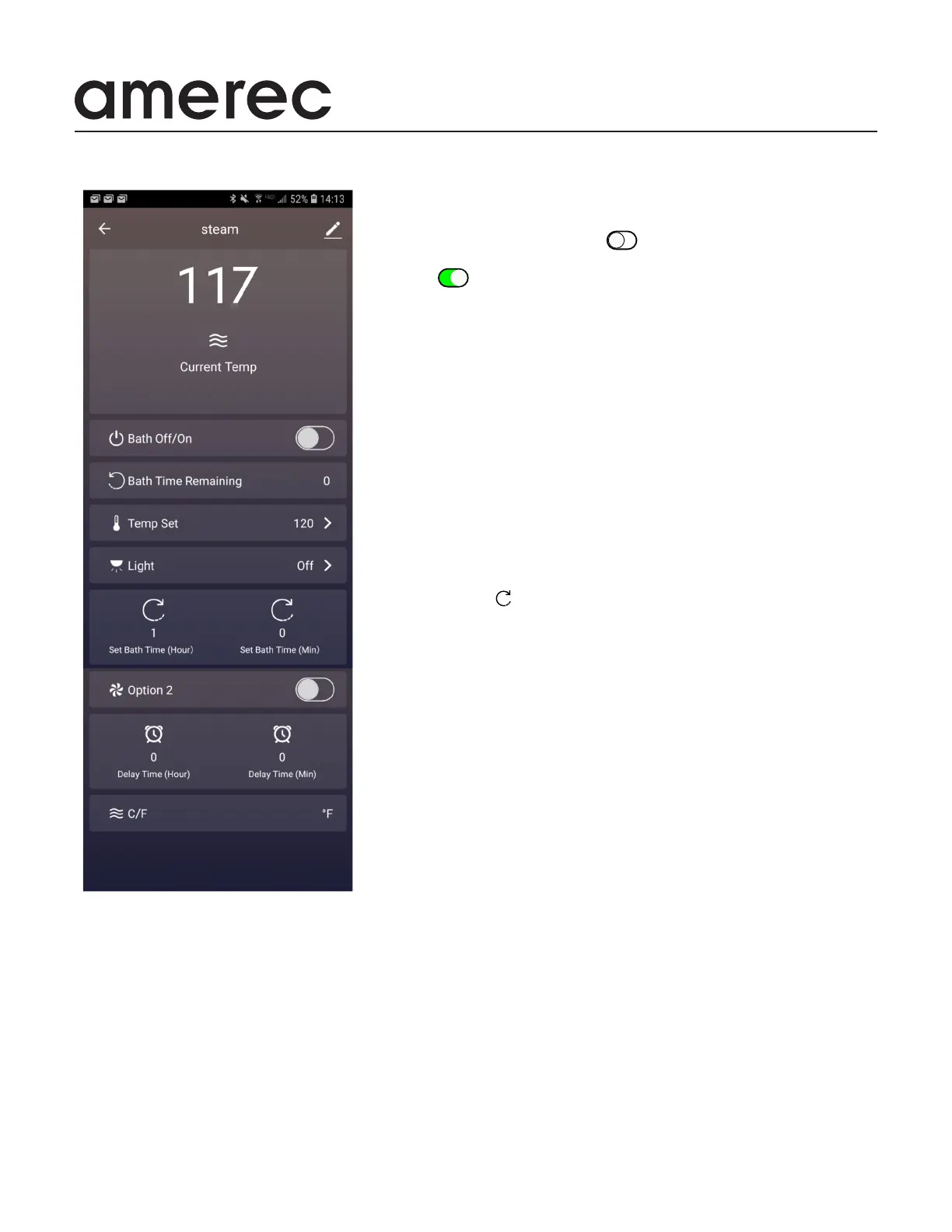
NOTE: The complete App display is
shown above. The operations shown on
your phone or tablet will depend on your
screen size. If your display does not show
the complete view above, use your nger
to scroll the display up to show more of
the list.
K2 Saunalogic Steam App
Display The Display area shows the current room temperature in the
Steam Bath
Bath O/On Move the slider button to the right by sliding the round
button or tapping the open area next to the button. The slider will change
to green while the bath is on. To turn the bath o, move the slider to
the left .
Bath Time Remaining shows how long the bath will run before automati-
cally turning o (in minutes). See below for setting the bath time.
Temp Set The bath temperature setting is shown at the right side of this
menu bar. To change the setting, tap > and the Temp setting screen will
appear. The current setting will appear with - and + signs along side the
temperature. Tap the - to lower the setting and + to increase it. When
done, tap OK.
Light The light option controls our Spectra LED lights. These lights
provide white or color lighting. Tap the > and the light setting screen will
appear. Select the color you want to use or to turn the lights o, then tap
OK.
Set Time To set how long the steam bath will run before automatically
turning o, tap the for hours or minutes and a setting screen will ap-
pear. Scroll up or down to the run time you want, then tap OK. Note that
the hours and minutes are set separately: The default maximum time is
60 minutes and suitable for most use. Note: you must use a jumper on
the steamer circuit board to choose between a max time of 60 minutes
(default) or 24 hours .Contact Amerec Technical Support for assistance
with this change.
Option 2 If you choose a low voltage option which is controllable by an
on/o switch, you can control it with this option. Connect the control line
to a relay on the steamer’s circuit board then run the switched output
from the board to the option. Use the same actions as for the bath O/On
switch to turn this option’s switch on and o. Contact Amerec Technical
Support for assistance with this.
Set Delay Time You may set the bath to turn itself on after a delay, such
as when you want the bath ready to use when you get up in the morning.
Turn the bath on then tap the hours or minutes icons as you did in Set
Bath Time and adjust the length of delay you want. When nished, the
bath will turn o and the displays on the K2 and the App will alternately
show delay and the time remaining before the bath starts. Note: the delay
time will be shown in minutes.
C/F This bar show the temperature scale used for the displayed bath
temperature. You cannot change this through the App. To select °C or °F
(default setting), you must use a jumper on the steamer circuit board to
change the setting.


 To Next Page
 Loading...