EasyManua.ls Logo

Americaloc GL300 - Device Configuration and Performance; Modifying Device Settings and Speed Alerts

Americaloc GL300
5 pages
Print Icon
To Next Page IconTo Next Page
To Previous Page IconTo Previous Page
Loading...
|4
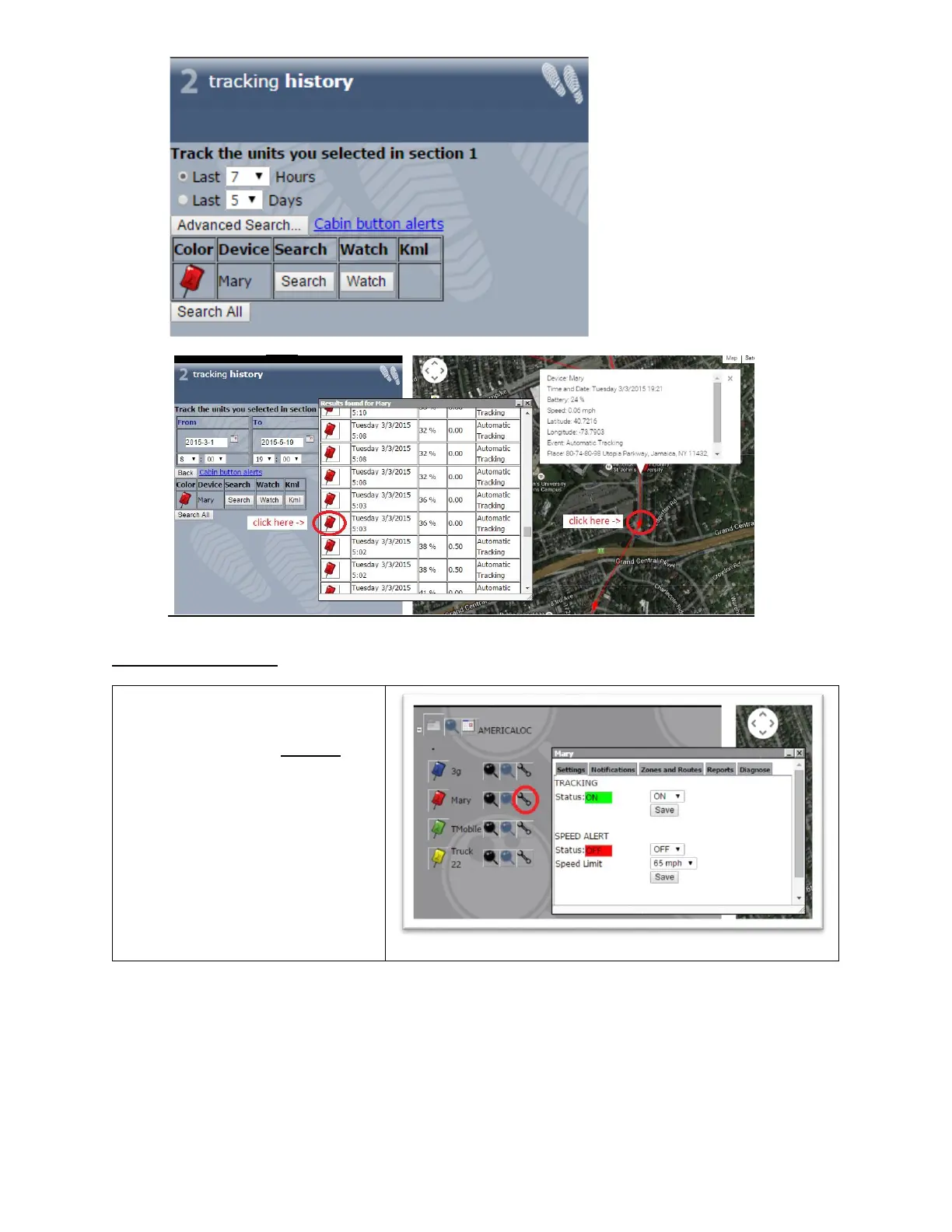
3. Click on each icon in the path or table to display the corresponding details.
Additional Information
You can modify your device’s
settings by clicking the settings icon
(the wrench icon to the right of the
device name) from the account
page. Important: If you set the
speed alert to ON, your device will
permanently read speed data and
this will reduce battery life.

Related product manuals