EasyManua.ls Logo

American Standard AZON1050AC52ZA - User Manual

American Standard AZON1050AC52ZA
32 pages
Print Icon
To Next Page IconTo Next Page
Loading...
One System.
Limitless Potential.
Complete Control.
12-5062-01
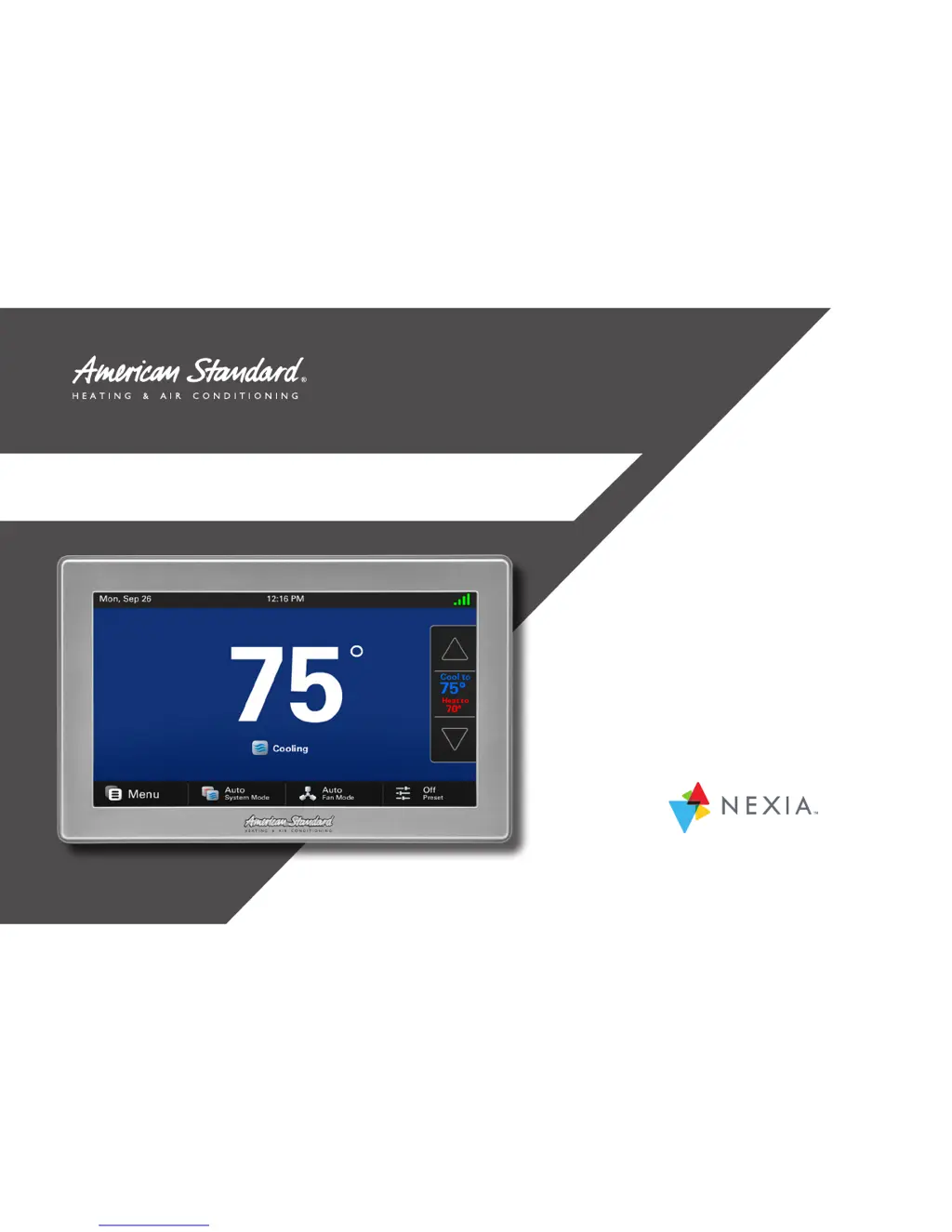
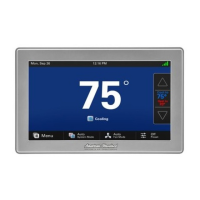
AccuLink™ Platinum 1050
Model AZON1050AC52ZA
WITH

Other manuals for American Standard AZON1050AC52ZA

Questions and Answers

  • C
    Christopher AllenAug 20, 2025
    Why is my American Standard AZON1050AC52ZA heating not working?
    • M
      Mindy KimAug 20, 2025
      Your American Standard Control Unit may not be heating because the system mode isn't set to Heat/Auto, or the setpoint is too low. Set the mode to heat and raise the setpoint above the room temperature. It's also possible the minimum off time delay is being enforced; wait 5 minutes and recheck the heating equipment. Finally, the heating system itself may require service, so check and repair the system if needed.
  • M
    Michael OliverAug 22, 2025
    What to do if my American Standard AZON1050AC52ZA cooling will not turn on?
    • D
      Dana DanielAug 22, 2025
      If your American Standard Control Unit cooling won't turn on, first ensure the system mode is set to Cool/Auto and that the setpoint is lower than the room temperature. If that's not the issue, the minimum off time delay might be in effect; wait 5 minutes before rechecking. If problems persist, the cooling system may need professional attention, so check and repair the system.
  • D
    Daniel TaylorAug 25, 2025
    How to stop my American Standard AZON1050AC52ZA fan from running constantly?
    • P
      poolenicoleAug 25, 2025
      To stop your American Standard Control Unit fan from running constantly, first check the 1050 Control settings to see if the fan is set to On, Circulate, or Clean mode. If it is, change the setting. If the settings are correct, there may be a failure in the indoor unit, such as a tripped heating limit; check the indoor unit for failures.
  • E
    Elizabeth JonesAug 26, 2025
    Why is my American Standard AZON1050AC52ZA showing heating or cooling but no air is coming out?
    • S
      Scott DoyleAug 26, 2025
      If your American Standard Control Unit displays heating or cooling but no warm or cool air comes from the registers, there might be a fan delay as the heating or cooling equipment turns on. Wait a minute for blower delays and recheck the registers. If the problem persists, the equipment may not be working properly, so check and repair the system.
  • K
    Kenneth JohnsonAug 27, 2025
    What causes temperature overshoot with my American Standard Control Unit?
    • M
      Marissa HowellAug 28, 2025
      Temperature overshoot in your American Standard Control Unit can occur if the heating/cooling equipment is oversized for the current conditions, preventing the 1050 Control from responding fast enough. Compare heat load calculation to the equipment chosen. It can also happen if the 1050 Control is improperly located. Relocate the 1050 Control or use a remote sensor.
  • K
    Kim TaylorAug 29, 2025
    How to fix temperature swings with my American Standard Control Unit?
    • D
      Dean GuerreroAug 30, 2025
      To fix temperature swings with your American Standard Control Unit, first check the location of the 1050 Control for drafts and seal any air leaks behind it. Consider relocating the 1050 Control or applying a remote indoor temperature sensor. Also, adjust the cycle rates and aggressive recovery features in the advanced installer setup.
  • D
    debra45Aug 31, 2025
    Why is my American Standard AZON1050AC52ZA Control Unit heat pump not working?
    • T
      Tracy WebbAug 31, 2025
      Your American Standard Control Unit heat pump may not be turning on because the outdoor temperature is below the compressor lockout temperature setting; adjust the compressor lockout temperature setting if desired. Another possibility is that compressor heating lockout is enabled, and the outdoor temperature sensor is out of calibration or has failed; check/repair the outdoor sensor or wiring. Finally, the outdoor unit may not be reporting (Err.126.00); check the communication status of the outdoor unit.
  • W
    Wesley SmithSep 2, 2025
    What to do if my American Standard AZON1050AC52ZA Control Unit screen is not responding?
    • R
      Renee BarronSep 2, 2025
      If your American Standard Control Unit screen isn't responding properly, it might be out of calibration. Remove the 1050 Control from the sub base and reset it, then follow the calibration instructions when it reboots. Alternatively, there could be an internal 1050 Control fault; remove the 1050 Control from the sub base and reset it. Finally, Screen Lock may have been enabled; press and hold the Menu button for 5 seconds to override screen lock.
  • A
    Angela RogersSep 4, 2025
    Why won't my American Standard AZON1050AC52ZA display turn on?
    • R
      ronaldbergerSep 4, 2025
      If your American Standard Control Unit display won't turn on, it may be due to a loss of 24VAC between R & B at the 1050 Control. Check the wiring between R & B. Also, check the transformer for 24VAC output. Finally, check for a broken or shorted thermostat wire.
  • J
    jscottSep 6, 2025
    How to correct an incorrect temperature display on my American Standard AZON1050AC52ZA?
    • K
      Kyle GarrisonSep 6, 2025
      To correct an incorrect temperature display on your American Standard Control Unit, calibrate the temperature sensor from the 1050 Control’s menu. It's also possible that surrounding air flow is affecting the sensed temperature of the 1050 Control.

Summary

Introduction and Nexia Overview

Welcome and Congratulations

A congratulatory message upon purchasing the Platinum 1050 Smart Control.

Nexia Smart Home Benefits

Highlights the advantages of integrating the Platinum 1050 with Nexia.

Nexia Diagnostics Feature

Details the Nexia Diagnostics feature for remote system monitoring.

Automation Capabilities

Explains how Automations leverage Nexia smart home systems.

System Navigation and Interface

Navigation Overview

Overview of accessing features via Home, Menu, and Settings screens.

Home Screen Overview

Details the components and functions of the main thermostat display.

Accessing the Menu Screen

Illustrates how to access various features and settings through the Menu screen.

Settings Screen Configuration

Guides users through accessing and modifying device settings.

Home Screen Customization

Default and Preset Settings

Explains setting up 1-Touch Presets for Home, Away, and Sleep modes.

Adding Widgets to Home Screen

Details selecting and displaying up to three widgets on the home screen.

Initial System Setup Wizard

Display and Screen Settings

Guides through setting display brightness, screen saver, and color themes.

Screen Layout Configuration

Allows selection of up to three widgets for the home screen display.

Network Connectivity Setup

Explains connecting the device to a Wi-Fi or wired network.

Nexia Smart Home Registration

Guides the process of registering the thermostat with the Nexia™ system.

Weather Information Setup

Covers setting up location and viewing weather forecasts, radar, and alerts.

Scheduling Operations

Manual Weekly Schedule Configuration

Details manually creating and modifying a 7-day, 4-period temperature schedule.

Modifying Schedule Periods

Explains changing period start/end times and temperature setpoints.

Adding and Deleting Schedule Periods

Guides on inserting new time periods or removing existing ones from the schedule.

Security and Access Control

Screen Lock and Guest Access

Enables or disables screen lock and guest access for managing settings.

Nexia Smart Home System Features

Z-Wave Device Integration (via 1050)

Instructions for adding and removing Z-Wave devices directly through the Platinum 1050.

Z-Wave Device Integration (via Mobile App)

Details using the Nexia app to connect Z-Wave devices to the system.

Advanced Z-Wave Bridge Settings

Covers advanced functions like learning, unregistering, and factory resetting the Z-Wave bridge.

Quiet Mode Feature

Explains the Quiet Mode feature for reduced compressor operation during specific hours.

Regulatory and Compliance Notices

FCC Compliance Information

Provides information regarding FCC rules and compliance for the device.

Industry Canada Compliance

Details Industry Canada license-exempt RSS standards and operating conditions.

American Standard AZON1050AC52ZA Specifications

General IconGeneral
Model NumberAZON1050AC52ZA
Product TypeControl Unit
Voltage24V
InstallationWall-mounted
CompatibilityAmerican Standard HVAC Systems
DisplayLCD
CommunicationWi-Fi enabled

Related product manuals