14
OPERATION
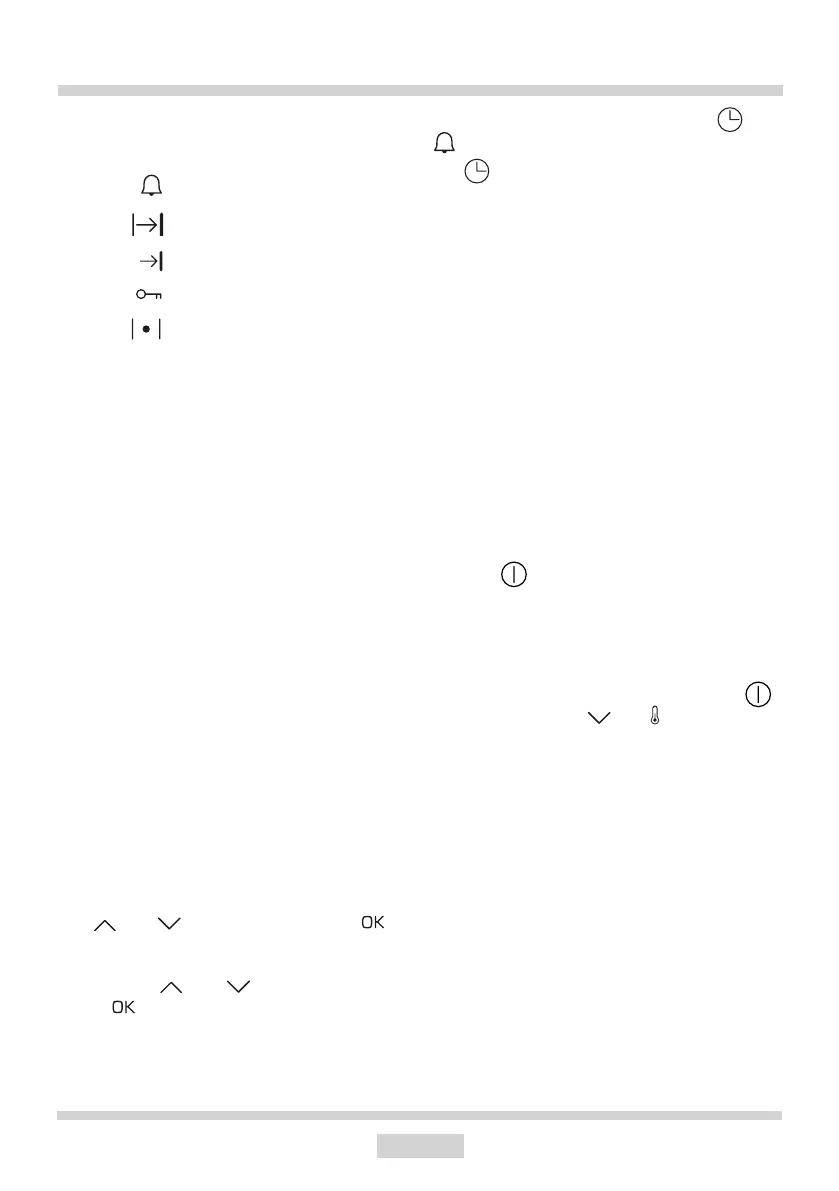
Function indicator symbols on the dis-
play
Minute Minder active
Duration
Programme end
Child Lock Active
Oven pre-heat active
* availability depending on the model
Connect the power supply
When you connect the appliance to power (or
when power is restored after an outage), the
display will show 00:00 and you will need to
set the current time. You must set the current
time to use the appliance.
Note: In the event of a power outage, all
settings such as Duration, Temperature and
Heating Function will be lost. You will need
to re-enter the settings to continue cooking.
If the pyrolytic cleaning is interrupted (or the
door is locked for any other reason), the oven
will start the cooling and door opening pro-
cedure before you can set the time. A power
outage does not release the Child Lock, but it
becomes active only after setting the current
time and when the appliance is in standby.
Set the current time
When you connect the appliance to the power
supply, the hours 00: ash on the display.
(minute digits are illuminated permanently).
Use and to set the hour. Touch to
conrm the setting. . The minutes :00 ash
on the display.(the hour is illuminated perma-
nently). Use and to set the minutes.
Touch to conrm the setting. The appli-
ance enters standby mode. You will hear a
beep when the current time is stored in the
appliance. To change the current time when
the appliance is on, touch and hold . The
symbol will be shown on the display. Touch
the sensor once again and the digits will
start to ash. Now you can proceed to set
the current time.
The display brightness.
The LED display brightness varies depending
on the time of day. The display is dimmed
during 22:00 to 06:00 and its brightness is
normal during 06:00 to 22:00. Also, the dis-
play is brighter when active than when the
appliance is in Standby mode.
Standby mode
Switch the appliance to standby mode to
reset all function settings, times, tempera-
ture and automatic programmes. All heating
elements are disconnected. The display is
dimmed except for the clock. In this mode,
only the on/o sensor is available on the
display. The sensor has reduced brightness.
The display is dimmed in this mode.
If the temperature in the chamber exceeds
80°C, the temperature and current time are
displayed alternately.
When Child Lock is on and you touch ,
the LOC message and symbols will be
displayed for 5 seconds instead of current
time/temperature.



 To Next Page