8
In-wall installation
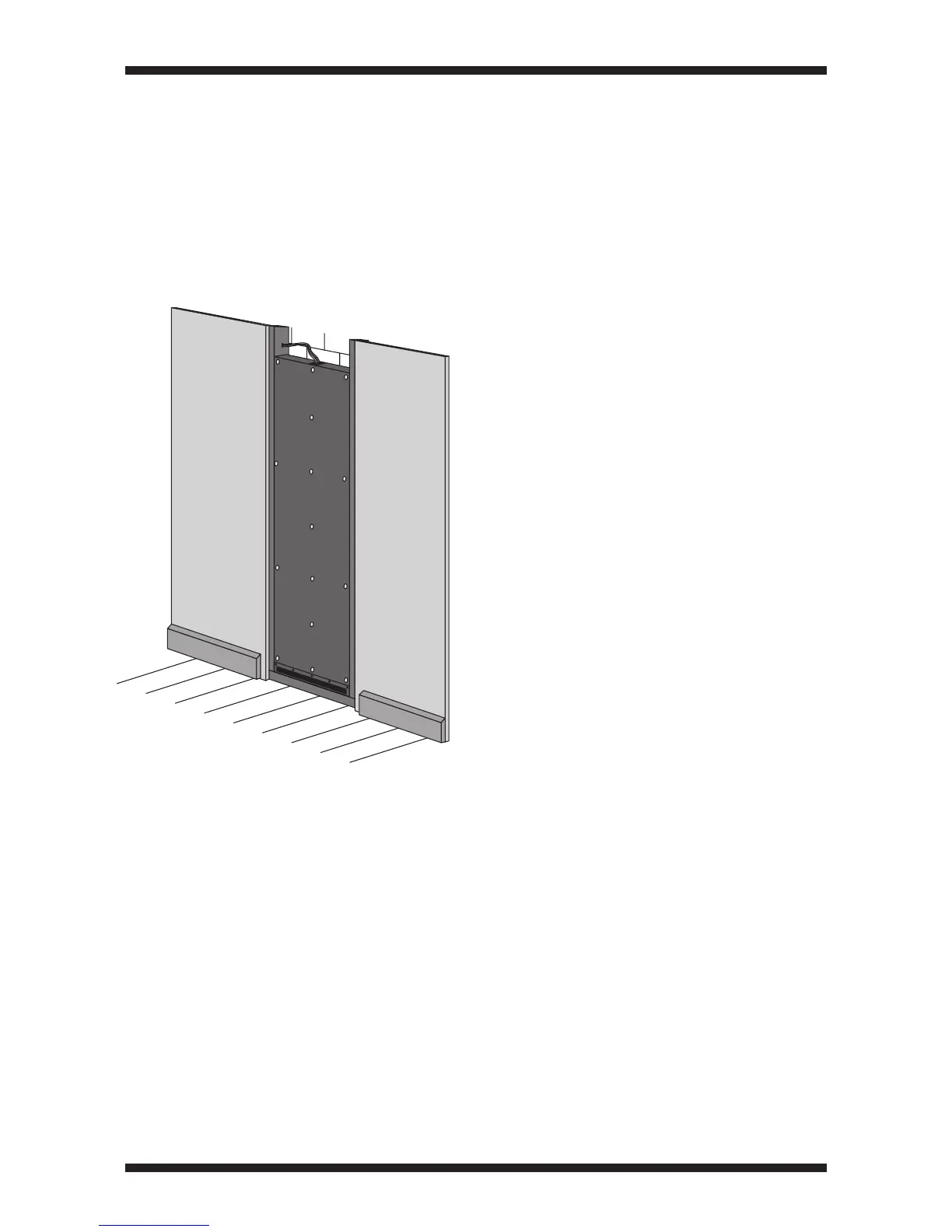
Fitting the ALF120 into the wall
Brush any dust out of the wall cavity.•
Carefully lift the ALF120 into the wall•
cavity.
If there are any problems with the fit
of the ALF120 in the cavity, now is the
time to resolve them.
Testing the ALF120
At this point the ALF120 should be fully
tested.
CAUTION! The ALF120 must only be
tested with a DSP equipped amplifier
such as the Amina A100Q that can be
programmed to include frequency
correction for the ALF120.
Using a wideband amplifier with no
equalisation may permanently damage
the ALF120.
Connect the amplifier to the cable•
from the ALF120.
Disconnect any other system•
speakers.
Play a signal with high bass content.•
Increase the volume level and listen•
carefully for vibration or other noises.
If you hear any vibration or noises•
locate the source of these and rectify
the problem.
Connect up the system in-wall or•
free-standing speakers.
Test the complete system to confirm•
that the sound from the subwoofer
integrates well with the other
speakers.
Check that the front of the cabinet•
lays within the front line of the
adjacent wooden studs.
If the cabinet protrudes beyond the
studs, the wall-board will interfere with
the front of the cabinet when installed.



 To Next Page