(Setting Saved in Memory)
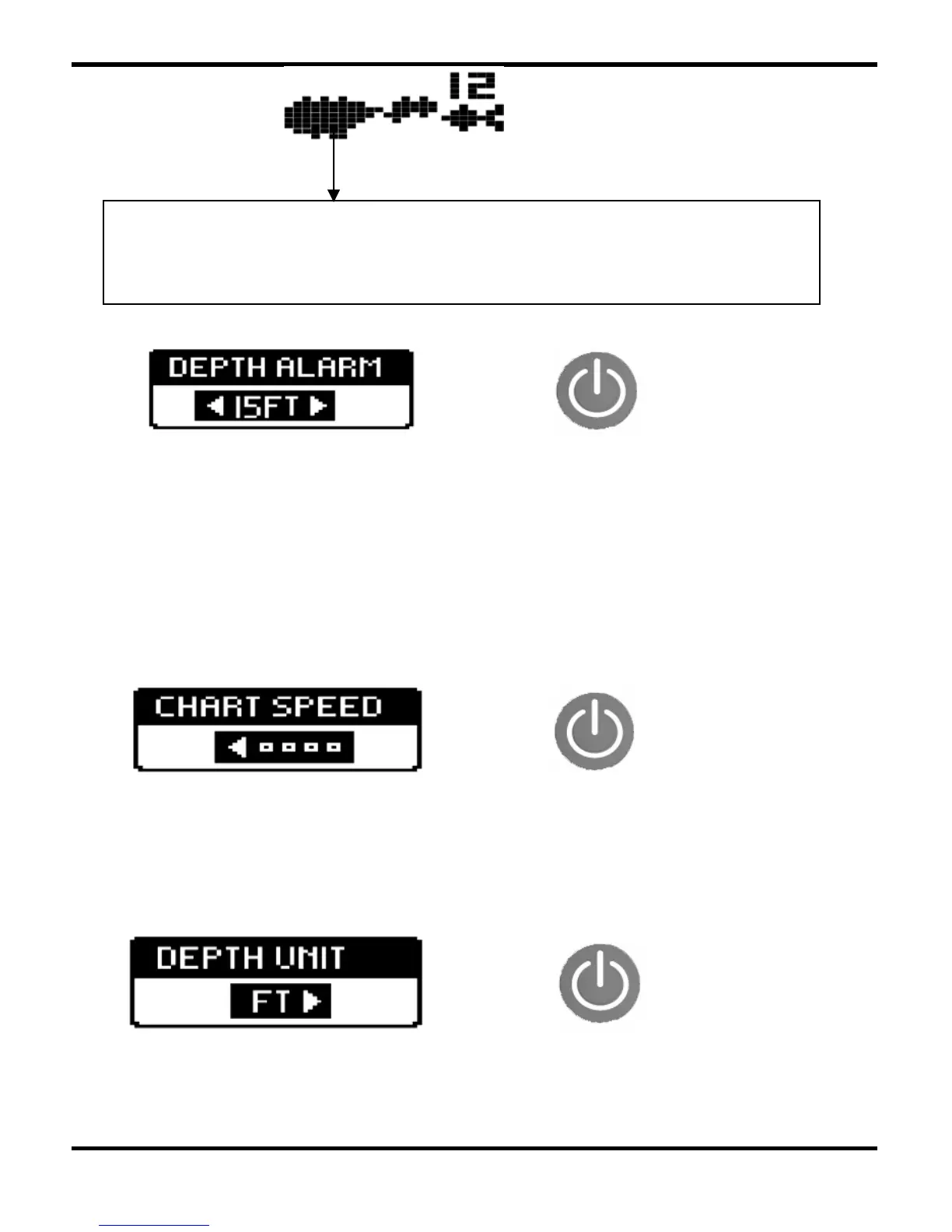
Press POWER-MENU until the DEPTH ALARM menu appears.
Select OFF for no Depth Alarm;
select a number from 3-99' to set the alarm depth and activate it.
Audible alarm will sound when the depth is equal to or less than the
setting number.
3.9 Depth Unit
-12-
(Setting Saved in Memory)
Press POWER-MENU until the DEPTH UNIT menu appears. Select
either FT or M to set the unit of depth.
3.7 Depth Alarm
3.8 Chart Speed
(Setting Saved in Memory, 1 to 4)
Press POWER-MENU until the CHART SPEED menu appears. Select a
setting from 1-4 to increase or decrease the chart speed, where 1
is the slowest and 4 is the fastest chart speed.
For example,when this kind of symbols/dots come out,
it is possible that is fish, but it is also possible that
is other suspended objects.


 To Next Page