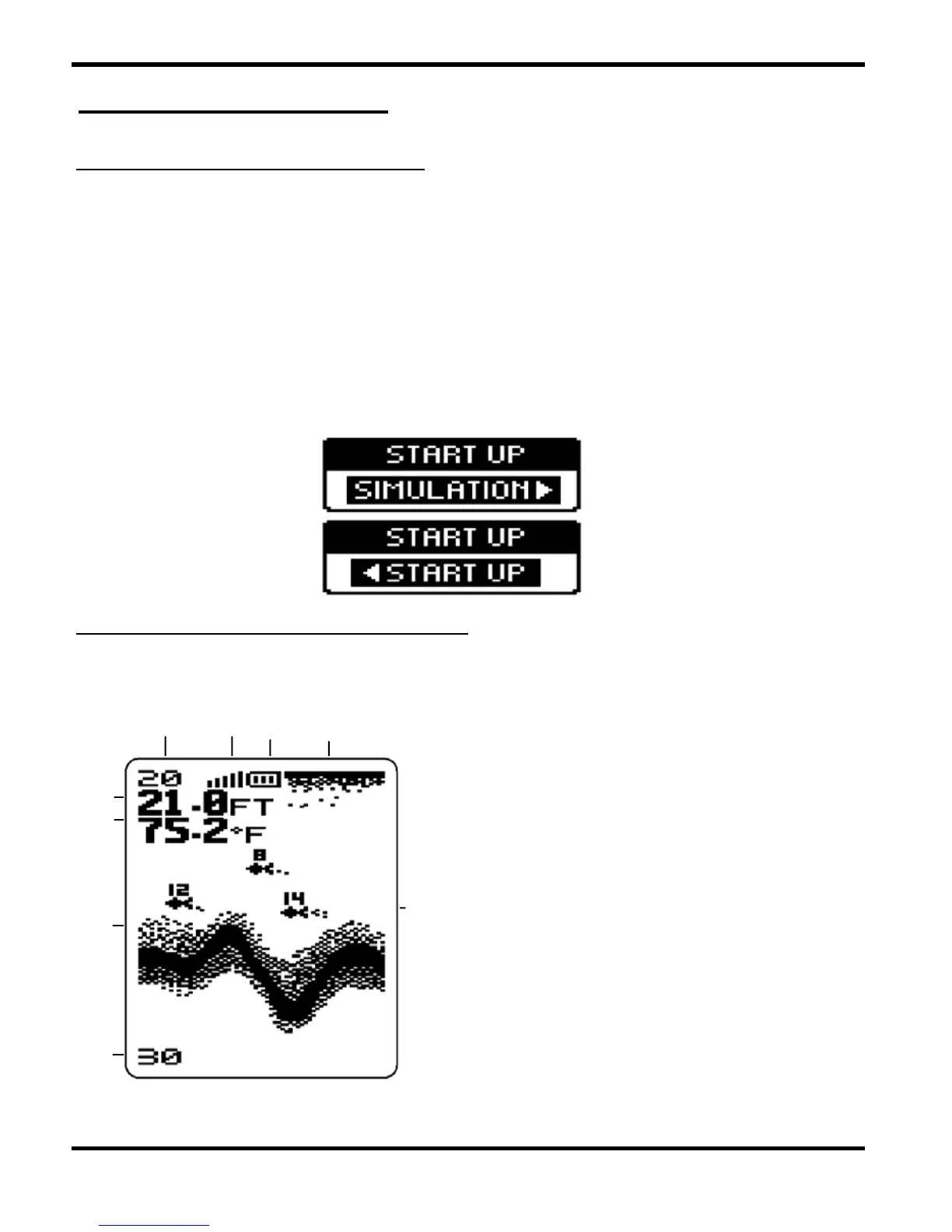
1 POWERING ON AND OFF
6 Water Temperature
Operation Guide
3 Sensitivity Indicator
-8-
2 WHAT YOU SEE ON SCREEN
Press and release POWER-MENU to power the unit on.
Press and hold POWER-MENU until the unit shuts down to power
off. When Unit powers on, the Start Up menu temporarily appears.
From this menu, select either Start-Up for on-the-water use, or
Simulation for learning to use the system with simulated sonar
data.
The Start-Up menu disappears after several seconds and the Unit
starts to work.
1 Water Surface Line
2 Battery Strength Indicator
9 Fish Icon with Fish Depth
5 Water Depth
8 Lower Zoom Range
7 Bottom Contour
4 Upper Zoom Range
4
2
13
6
9
5
8
7


 To Next Page