EasyManua.ls Logo

Amino Kamai 7B - User Manual

Amino Kamai 7B
92 pages
Print Icon
To Next Page IconTo Next Page
Loading...
User Guide
CŌV TV
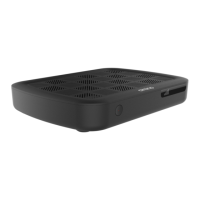
Amino Kamai 7B Digital Set-Top Box
and Maxi Linux Remote Control

Table of Contents

Questions and Answers

  • W
    Wanda CurtisAug 15, 2025
    How to fix Amino Kamai 7B Set-top boxes remote control not working?
    • C
      Cheryl WatsonAug 16, 2025
      If your Amino Set-top boxes remote control isn't working, it might be in Standby mode or the batteries may be dead. Here's what you can do: 1. Press the OK button on your remote, wait 5 seconds, and press the button again. 2. If that doesn't work, replace the batteries in the remote control.
  • H
    hriveraAug 18, 2025
    What to do if no picture on TV from Amino Set-top box?
    • D
      Doris PhillipsAug 18, 2025
      If your digital Amino Set-top box is on but there's no picture on the screen, try these steps: 1. Turn on your TV using its remote control. 2. If that doesn't work, press the SOURCE/INPUT button on your TV's remote and select the source that corresponds to your digital set-top box. 3. If you still don't see a picture, check that the HDMI cable is securely plugged into both your digital set-top box and your TV.
  • J
    johnsscottAug 21, 2025
    Why is my Amino Set-top box showing a black screen?
    • B
      Brittany CookAug 21, 2025
      If your TV screen is black and no picture is showing from your Amino Set-top box, follow these steps: 1. Press the button, then the PO W ER button to check that you still have access to the TV guide. 2. If nothing appears, turn the TV off S TB and on by pressing the button and PO W ER press the button to check that your TV is on the correct source. 3. If the TV guide appears, try to change the channel. 4. If that still does not work, check that the HDMI cable is correctly plugged in to the TV and the digital set-top box, and that the set-top box is on.
  • H
    Heidi DennisAug 25, 2025
    How to turn on Amino Set-top box if it's not working?
    • H
      hloveAug 26, 2025
      If your TV is on, but your digital Amino Set-top box isn't turning on, try the following: 1. Make sure the power cord for the digital set-top box is correctly plugged into the electrical outlet and that the power button on the back of the box is set to the number I. The light on the power button should be red. 2. Manually turn on the digital set-top box by pressing the button on the front, to the left. The light on the button should turn blue. 3. Press the button on the remote control for the digital set-top box. If the S TB light on the button on the remote PO W ER control is not blue, check the batteries and replace them if needed.
  • A
    Amanda SmithAug 27, 2025
    Why is the picture on my Amino Set-top box freezing?
    • R
      rnelsonAug 27, 2025
      If the picture on your TV screen freezes, becomes pixelated, or blurry when using your Amino digital Set-top box, restart the box. Unplug the power cord from the power outlet (wall or power bar), and then wait for the picture to reappear.
  • M
    Mary DyerAug 30, 2025
    How to fix 'No Signal' message on Amino Set-top box?
    • A
      Amber MitchellAug 30, 2025
      If you're seeing a “No Signal” message on your TV screen with your Amino Set-top box, try these steps: 1. Press the button on your remote PO W ER control. 2. If that doesn't work, press again, PO W ER and then, on the remote control for the TV, press the Input, Video Source or Source button until a picture appears.
  • C
    caitlin67Sep 2, 2025
    What to do if I can't change channels on my Amino Set-top box?
    • J
      jonesjustinSep 2, 2025
      If you cannot change the channel on your Amino Set-top box, here are a few things to try: 1. Press the button on your remote PO W ER control, then try to change the channel using the button on your remote control. 2. If that does not work, press the button and check whether the red light S TB on the button illuminates. * If the red light does not illuminate, replace the batteries in the remote control. * If the light flashes red, but the channels do not change, restart the digital set-top box.
  • L
    Lindsay HillSep 5, 2025
    What does 'Video Signal Blocked' mean on Amino Set-top box?
    • M
      Matthew Scott MDSep 5, 2025
      A “Video Signal Blocked” message on your Amino Set-top box means you are not subscribed to this channel. To subscribe, call us at 1-833-624-9291.
  • T
    Timothy RichardsSep 8, 2025
    Why can't Amino Set-top box remote control my new TV?
    • A
      Anna FreemanSep 8, 2025
      If you replaced your TV and the remote control for the digital Amino Set-top box cannot control it (turn on the TV, change the volume, or change the channel), the remote control for the digital set-top box is not paired with your new TV. Follow the instructions in the Step 5: Pairing your remote control with your TV (optional) section on page 28.
  • M
    Michael WhiteSep 12, 2025
    Why does Amino Set-top box record all episodes when recording a series?
    • M
      michael57Sep 12, 2025
      When recording a series on your Amino Set-top box, if all episodes are being recorded, even the ones you've already recorded, ensure that you selected the New Only option for the Episodes setting when configuring your series recording (see Scheduling a series recording on page 50).

Summary

Welcome to C 0 0 V TV

Safety and Device Information

Important Safety and Operating Instructions

General safety guidelines for device usage and future reference.

Amino Kamai 7 B Digital Set-Top Box Safety

Safety precautions for handling, installation, and preventing overheating.

Maxi Linux Remote Control Safety

Guidelines for safe battery usage and handling of the remote control.

Getting Started: Setup Basics

Amino Kamai 7 B Digital Set-Top Box Overview

Identification of ports and features on the set-top box.

Maxi Linux Remote Control Overview

Identification of buttons and functions on the remote control.

Initial Setup and Connection Procedures

Connecting the Set-Top Box to Your TV

Instructions for connecting the set-top box to a television using HDMI or analog.

Connecting to an Audio;Video Amplifier

Optional connection of the set-top box to external audio systems via S/PDIF.

Connecting the Set-Top Box to Power

Steps and warnings for connecting the digital set-top box to the power supply.

Inserting Remote Control Batteries

Guide to properly installing non-rechargeable batteries into the remote.

Pairing Remote with Set-Top Box (Initial Activation)

Step-by-step process for initially pairing the remote control with the set-top box.

Connecting to the C 0 0 V TV Network

Instructions for connecting the set-top box to the C 0 0V TV Wi-Fi network.

Pairing Remote Control with TV (Optional)

Programming the remote control to operate the television functions.

Navigating C 0 0 V TV Features

Understanding the C 0 0 V TV Menu

Description of menu options and navigation methods.

Exploring the Home Screen

Guide to the Home screen layout, categories, and content.

Using the TV Guide

How to access and navigate the TV program guide.

Personalized TV Guide Views

Displaying all, subscribed, HD, or favorite channels in the guide.

Information Bar and Details Screen

Displaying current content information and detailed program data.

Watching Live Content

Instructions for viewing live television channels.

Searching for Movies and Shows

Using the search function to find specific content.

Managing Recordings and Content

Recording Live Content

Steps to record a program that is currently playing.

Scheduling Recordings

How to schedule single shows or entire series for recording.

Editing and Cancelling Recordings

Modifying or removing previously scheduled recordings.

Watching Recorded Content

Accessing and playing back recorded shows and movies.

Deleting Recordings

Removing recorded content from the system.

Advanced Features and Customization

Reminders and Channel Autotunes

Setting up alerts for shows and automatic channel switching.

Managing Favourite Channels

Creating, editing, and deleting lists of preferred TV channels.

Channel Blocking Configuration

Activating and deactivating the channel blocking feature.

Parental Controls and Rating Tables

Setting up and managing content access restrictions based on ratings.

Mobile Integration and Support

Listening to Stingray Music on Mobile

Using the Stingray Music app on smartphones and tablets.

Troubleshooting Common Issues

Solutions for frequent problems with the set-top box and remote.

Contacting Technical Support

Information on how to reach C 0 0V TV customer service for assistance.

Amino Kamai 7B Specifications

General IconGeneral
BrandAmino
ModelKamai 7B
CategorySet-top boxes
LanguageEnglish

Related product manuals