User Manual for AML Oceanographic BaseX2
20
Instrument fails to log:
• Verify the LED indicator status:
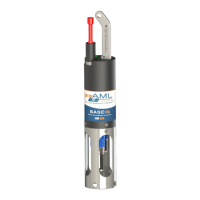
o With the instrument in air (NOT submerged), insert the red shorting plug. The
LED indicator should show solid green indicating the instrument is charged and
ready. Note: If SV•Xchange, CT•Xchange, or C•Xchange sensors are not
installed, the instrument will begin logging in air.
o Place the instrument’s sensors in water. The LED indicator should remain green
and begin flashing, indicating the instrument is charged and logging.
▪ If the indicator shows red, charge the battery.
▪ If the indicator does not light up, the instrument is not operating
correctly. Continue with the remaining troubleshooting items.
• Allow at least two sample periods for the instrument to detect that it is immersed.
• Is the red shorting plug firmly seated in the instrument?
• Are the batteries dead (LED light does not illuminate when shorting plug is installed)?
• Were the sound velocity increment, pressure increment and/or sample rate settings set
to values that could prevent logging?
• Was the log file name set correctly?
• Is the connector damaged, dirty, or corroded?
• If all previous steps fail, reset the instrument. Send an INIT command to the instrument
to re-initialize the memory.
Note: The INIT command will completely erase all settings stored on the instrument.
Instrument generates noisy data:
• Is the connector damaged, dirty, or corroded?
• If connected to external power, is there noise on the power supply? Switch-mode power
supplies are common sources of noise.
• Nearby EMI sources such as electric motors can create noise. If possible, move the
instrument and its cables away from the noise source.
• Are the sensor/s clean?
• Are there bubbles on or in the sensor/s?
• Are the sensor/s damaged?
• Is there something nearby affecting the water temperature?
Battery fails to fully charge:
• Is the power adaptor connected to the data/power cable?
SeaCast fails to recognize a sensor:
• Be sure to download the latest version of SeaCast.
o Turbidity•Xchange requires SeaCast version 3.0 or greater for full functionality.


 To Next Page