User Manual for AML Oceanographic BaseX2
7
USB Wireless Adaptor
Since a wireless connection is required to connect to the Base•X2 instrument, a wireless adaptor
is included with every device for the user’s convenience. If a computer – such as a laptop –
already has an adaptor installed, it can connect to Base•X2 without disrupting its existing network.
It is recommended that the included wireless adapter always be used to connect to the
instrument.
Installation
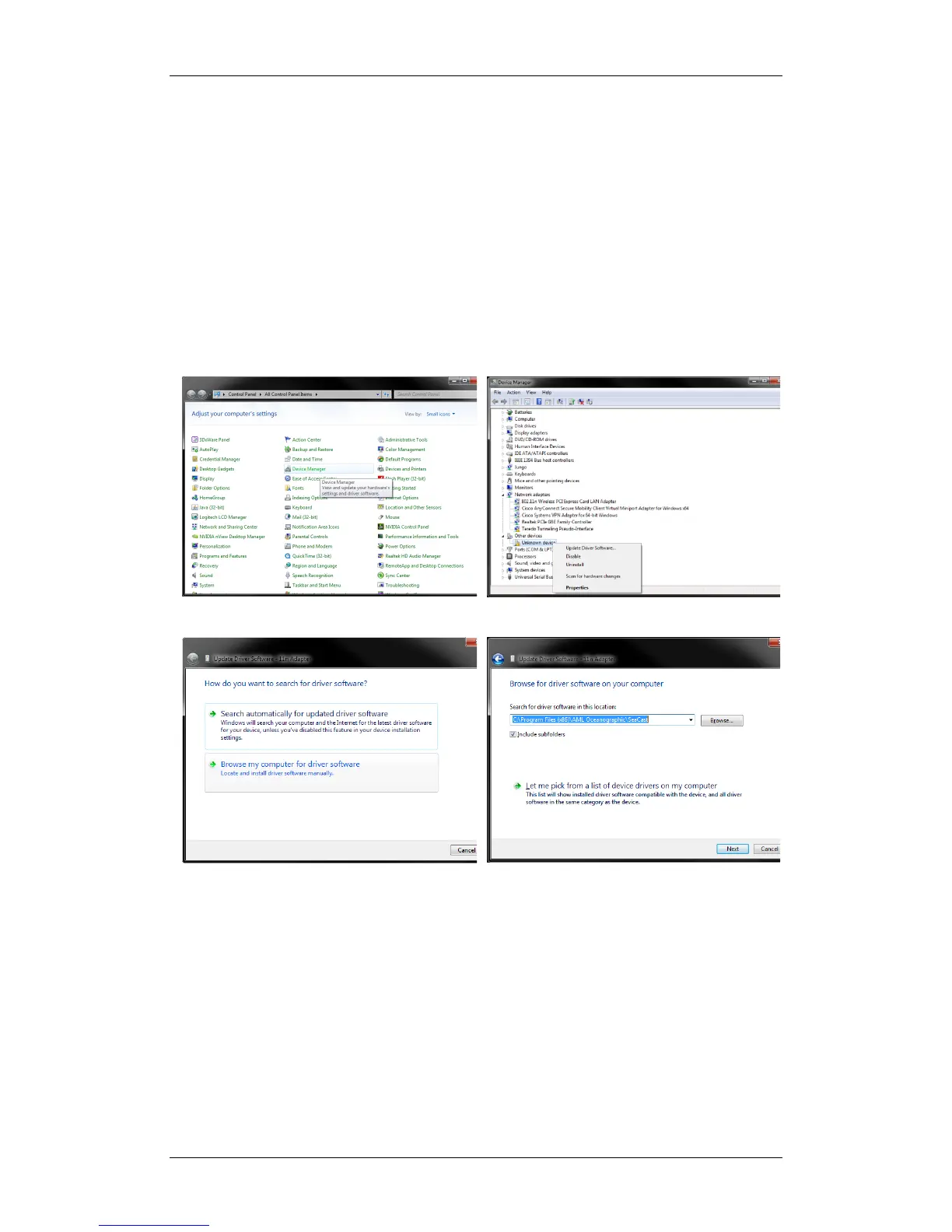
The drivers for the wireless adaptor are included with every installation of SeaCast 4 and on the
AML USB stick. The wireless drivers should install automatically when first inserted into a PC.
Alternatively, the drivers may be installed manually. The following instructions explain how to
install them on a computer running Windows 7.
Select Next and the utility will find and install the driver.
For alternate computer operating systems please refer to the SeaCast 4 user manual.


 To Next Page