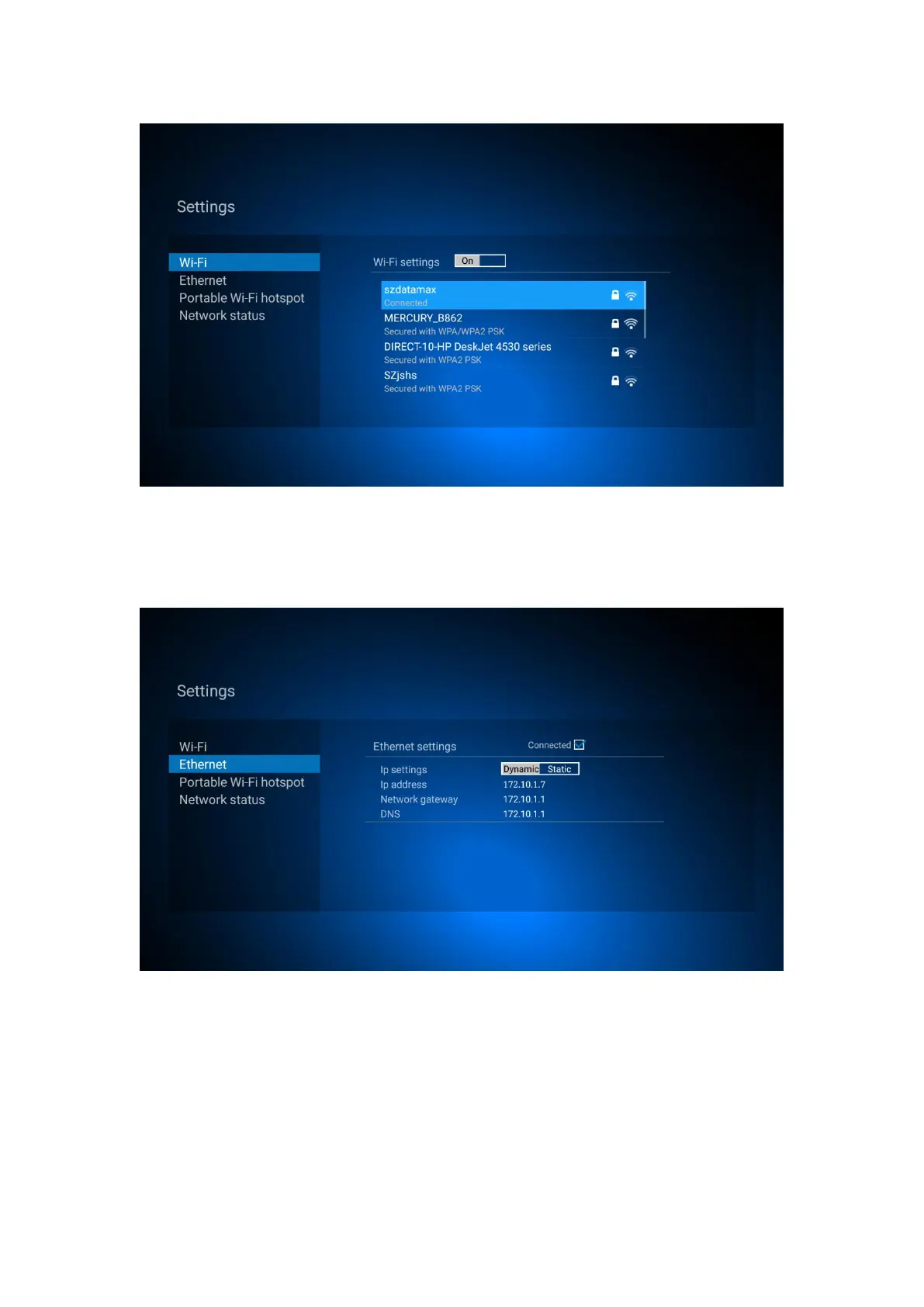
8.1.2 Ethernet Setting
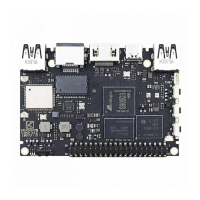
Click ”Network settings”, select Ethernet, if Dynamic IP, when plug Ethernet cable,
Ethernet settings will display “Connected”
If select Static IP, click “static” in IP settings, revise address in IP address bar,Network gateway bar
and DNS bar,click save.


 To Next Page