4
V2.0 04.06.20
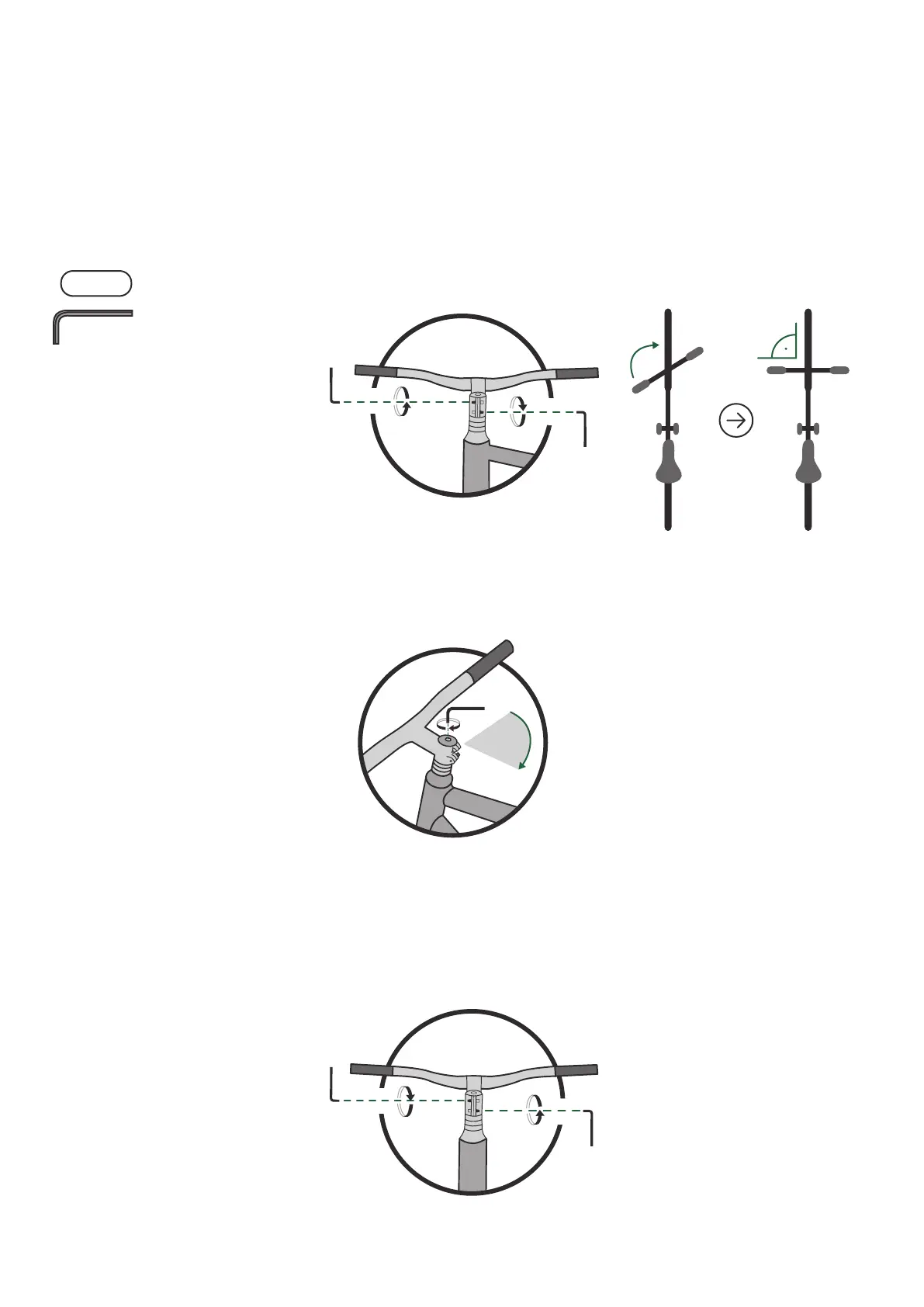
Adjust the handlebar 1. Take the 4 mm hex key and loosen the side bolts of the stem. Turn
the handlebar to the riding position. Make sure the handlebar is
aligned with the front wheel.
2. Take the 4 mm hex key and lightly tighten the top cap bolt on the
handlebar stem. This will make sure the headset will not have any
play in it.
4 mm
90°
3. Take the 4 mm hex key and carefully tighten the same stem bolts
you loosened 2 steps back.
Turn your handlebar left and right and make sure it spins freely. If it
feels a bit too tight, loosen the stem bolts and just slightly loosen
the top cap.
• 4 mm hex key
• 6 mm hex key
• Pedals
You will need
Assembly



 To Next Page