7
V2.0 04.06.20
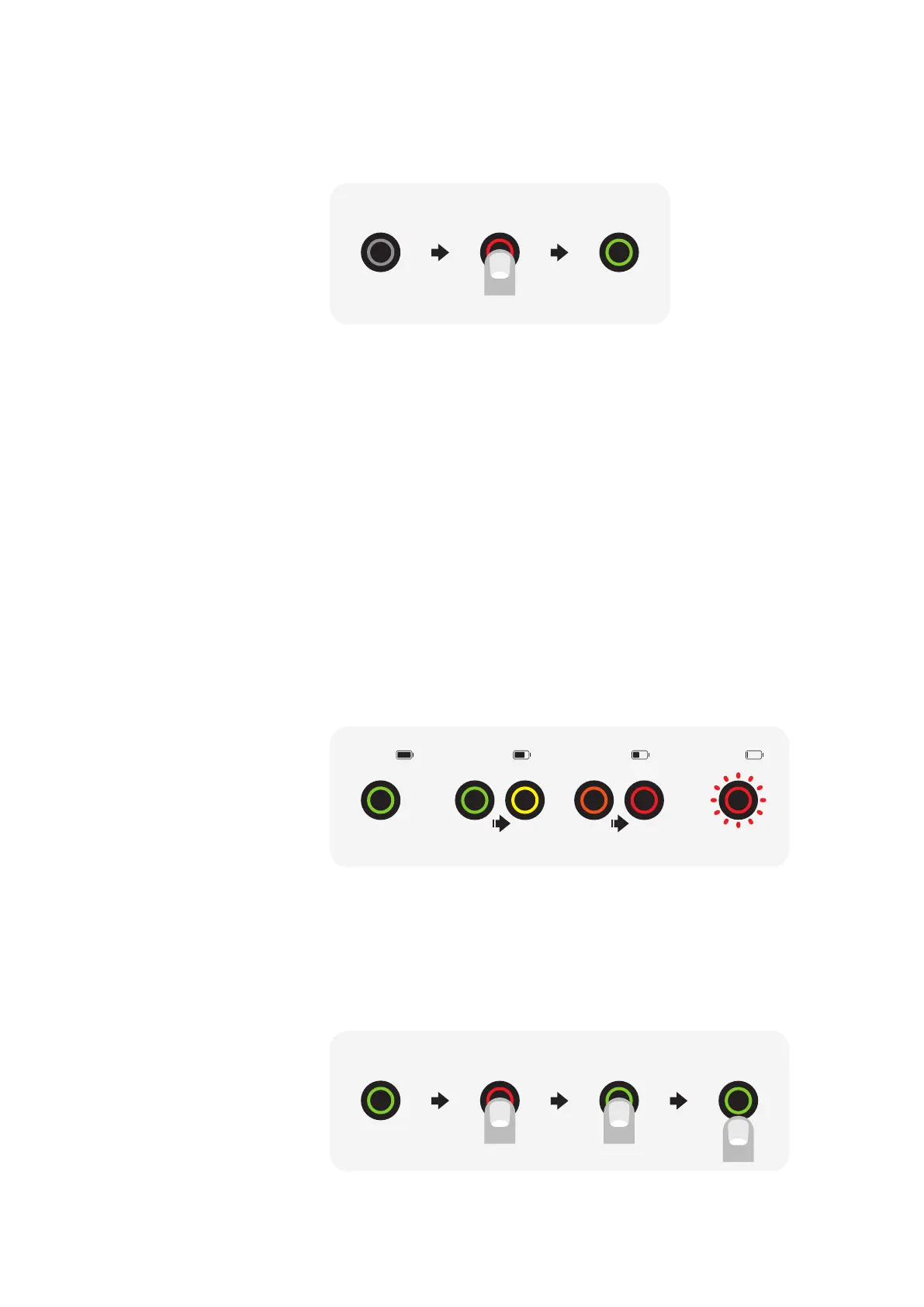
Power on the bike
Just press the power button on the power panel, located on the left
side of the bike. The bike is already fully charged when you receive it.
Turning the bike on
Charging the bike
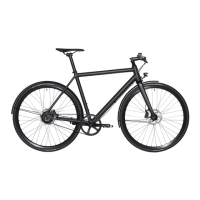
State of charge
Charging the bike is like charging a laptop. Just connect the bike with
a standard wall power outlet (110–240 V AC) and hook the magnetic
charger plug to the charging socket located on the power panel and
let it to charge.
Once the led on the charger turns from red to green
it has been fully charged. It takes about 2.5 hours from drain to full.
Ampler charger will automatically stop charging when the battery is
full. There is no risk of overcharging the battery when you forget to
unplug it.
For your protection, please read carefully “Charger safety manual”
chapter below before operating the Ampler battery charger.
The power button also acts as a battery charge monitor. The led
colours according to the state of charge.
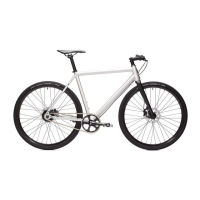
To turn the lights ON and OFF, hold the power button for 1–2 seconds.
You can turn the lights on/o also from your Ampler mobile app.
The bike will remember the last setting, so the lights will be ON when
you leave them on next time you power the bike.
Turning the lights on
74–50% 49–10% 9–0% 100–75%
bike is OFF 1x short press bike is ON
bike is ON press + hold front + rear lights
switch ON/OFF
release



 To Next Page