8
V2.0 04.06.20
The bike has two standardized assist modes:
• Normal (1) – 25 km/h, 250 W, 100%
(max assist speed, motor power, assist level)
• Boost (2) – 25 km/h, 250 W, 150%
(max assist speed, motor power, assist level)
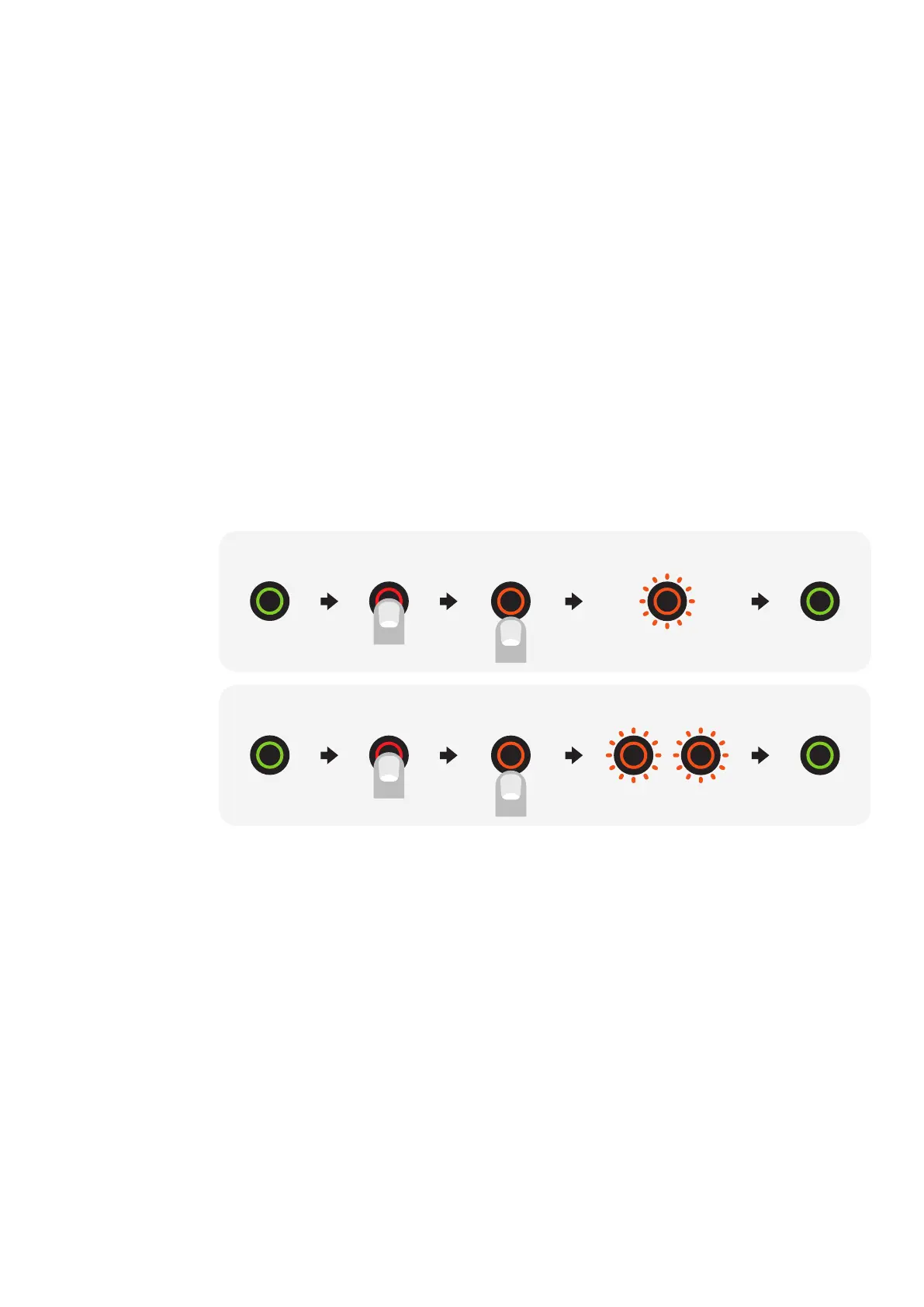
To switch between the assist modes, hold the power button down for
3–4 seconds, until it turns orange.
After releasing the button, it will blink ONCE if it changes to Normal
Mode (assist mode 1) or TWICE if
it changes to Boost Mode (assist mode 2).
You can also change the support modes on the dashboard of your
Ampler app.
You can fully customise the assist modes with the Ampler Bikes app
under the ‘Vehicle settings’.
Changing the assist modes
Power on the bike
bike is ON press + hold release LED blinks 1x assist mode 1
press + hold release LED blinks 2x assist mode 2bike is ON



 To Next Page