9
V2.0 04.06.20
To fully customise your riding experience please download the Ampler
Bikes available for Android and iOS.
You can download the app for IOS from the App store, for Android
(Android 4.4 onwards) in play store.
Download the app, stay close to your bike, switch on the Bluetooth,
pair your handy with your bike and log in. The Ampler smartphone
application lets you fully customise your riding experience with the
Ampler e-bike. Here’s some of the examples you can do:
1. Download the Ampler app
2. Register with your Facebook account or e-mail
3. Pair your bike with your phone over a Bluetooth connection
Ampler Bikes App
To connect the bike with the app
Navigate with built-in maps
Stay informed about your
bike’s electronics
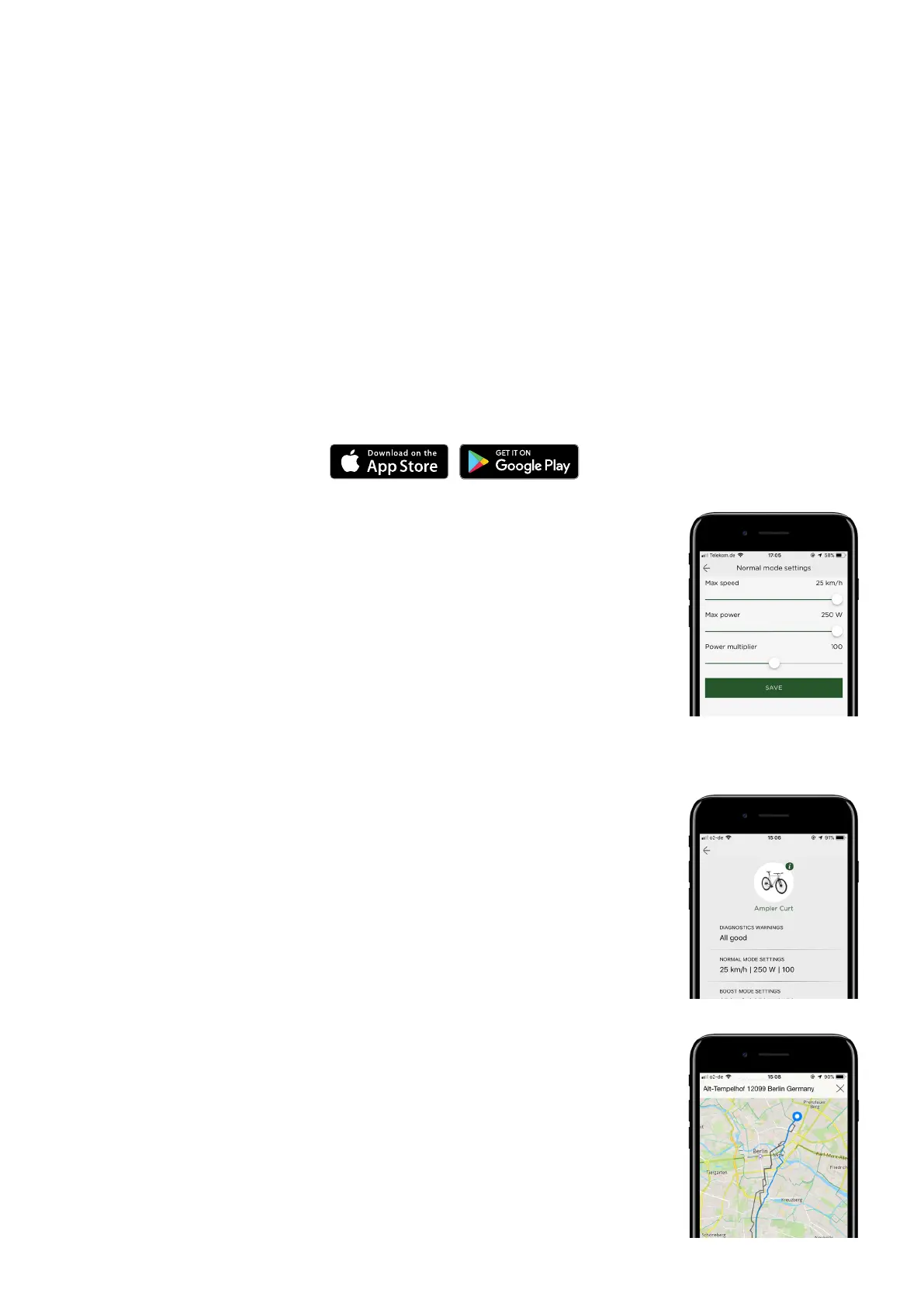
Adjust the motor power and
max. assist speed
You have the option to change the motor
parameters from the smartphone:
• motor power-increase or decrease your
acceleration
• max assist speed – the speed at which
the electric assist stops helping you
• assist level – how much the motor
assists you in proportion to your input
Or switch the lights on/o or to “lights
only” mode.
• Check your battery range
• Receive updates about your bike’s
electronics
• Get the latest Firmware
• Contact Ampler for troubleshooting and
servicing
• Navigate with built-in maps*
• Track your speed and power while riding
• Record your trips and share with friends
*Continued use of GPS running in the
background can dramatically decrease your
phone’s battery life.



 To Next Page