9
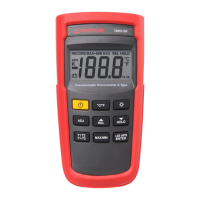
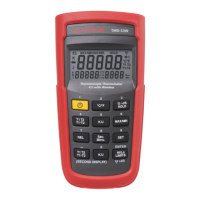
To SET CH/ID to 00,00, press the “” key and
“
” power key for more than 6 seconds with the meter
powered down. The meter will set channel and ID to
00,00 status. The second display will show 00, which
means that the channel and ID has been set to 00.
To check the channel and ID of the meter
When the meter is off, press “°°” key and “
” for 5
seconds, LCD’s main display will show channel number,
the second display will show ID number.
Celsius or Fahrenheit user-selectable
J-Type -200°C to 1050°C,
(-328°F to 1922°F)
K-Type -200°C to 1370°C,
(-328°F to 2498°F)
0.1°C or 0.2°F
Accuracy is specified for operating
temperatures over the range of 18°C
to 28°C (64°F to 82°F), for 1 year, not
including thermocouple error.
±(0.05%rdg+0.3°C) on -50°C to 1370°C
±(0.05%rdg+0.7°C) on -50°C to -200°C
±(0.05%rdg+0.6°F) on -58°F to 2498°F
±(0.05%rdg+1.4°F) on -58°F to -328°F
0.1 times the applicable accuracy
specication per °C from 0°C to 18°C
and 28°C to 50°C
(32°F to 64°F and 82°F to 122°F).


 To Next Page