Chapter 3
Running the Setup Utility
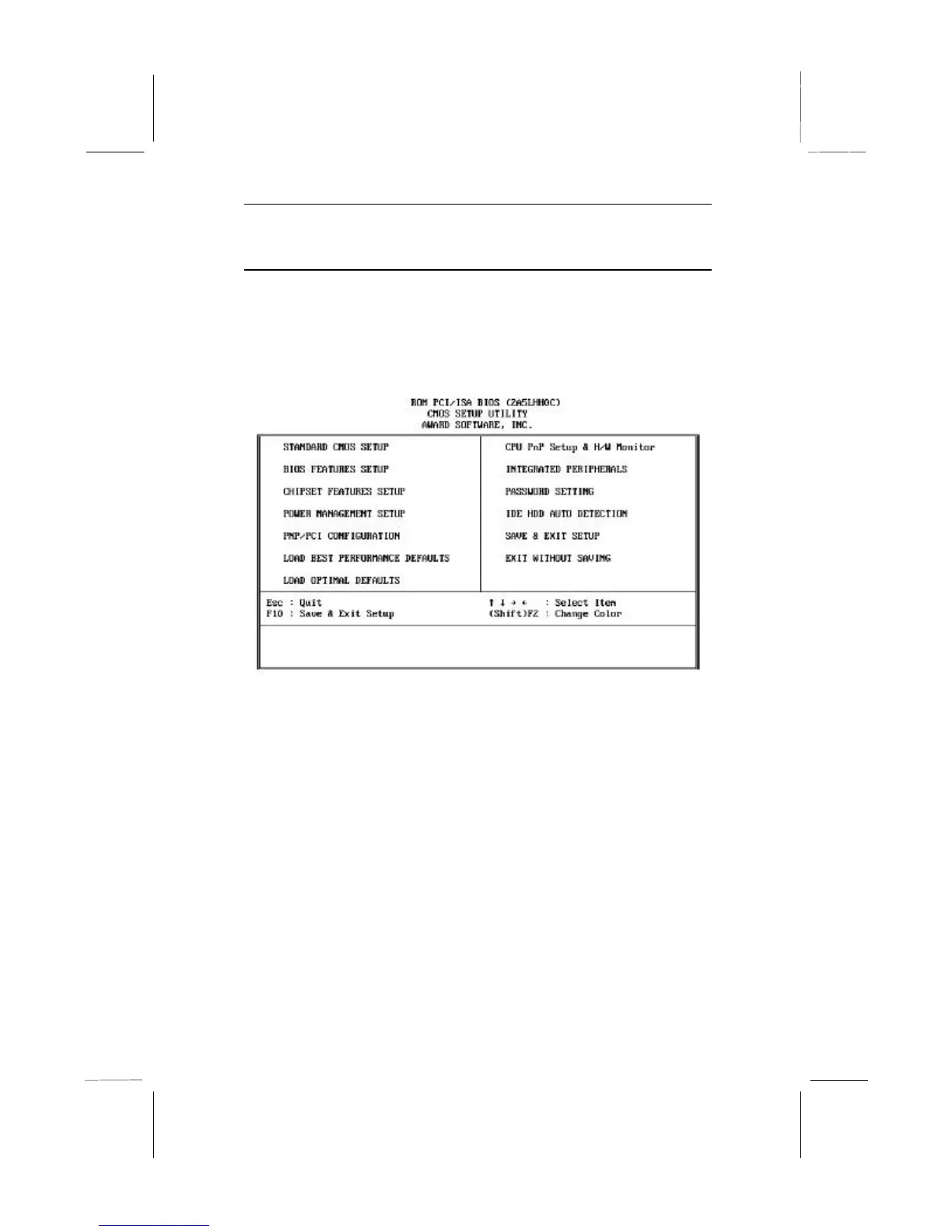
Each time your computer starts, before the operating system is
booted, a message appears on the screen that prompts “Press DEL
to run SETUP”. When you see this message, press the Delete key
and the Main Menu page of the setup utility appears on your
monitor.
You can use the cursor arrow keys to highlight any of the options
on the Main Menu page. Press Enter to select the highlighted
option. To leave the setup utility, press the Escape key. Hold down
the Shift key and press F2 to cycle through the optional color
schemes of the setup utility.
Some of the options on the Main Menu page lead to tables of items
with installed values. In these pages, use the cursor arrow keys to
highlight the items, and then use the PgUp and PgDn keys to cycle
through the alternate values for each of the items. Other options on
the Main Menu page lead to dialog boxes which require you to
answer Yes or No by hitting the Y or N keys.
If you have already made changes to the setup utility, press F10 to
save those changes and exit the utility. Press F5 to reset the
changes to the original values. Press F6 to install the setup utility


 To Next Page