Need help?
Do you have a question about the AMPTRON BKS630E and is the answer not in the manual?
This chapter allows you to become familiar with the basic parts of your system and tells you how to set up your Book PC.
Covers ideal placement, protection, and environmental care for the computer system.
Details on cleaning, transport, backups, and shock precautions for system longevity.
Procedures for unpacking the system and listing essential components.
Covers connecting cables and introducing system components for setup.
Identifies and describes components located on the front of the computer system.
Identifies and describes connectors located on the back of the computer system.
Step-by-step instructions for connecting various peripherals to the system.
Provides initial system setup and first-time power-on procedures.
Offers instructions for properly powering down the computer system.
Information on pre-installed operating system and optional software.
Explains the function of Hard Disk, Diskette, and CD-ROM/DVD drives.
Provides instructions for operating the system's optical drive.
Details on onboard Memory, Audio/Video, LAN, and Modem features.
Covers Windows 98 and support CD installation procedures.
Guidance on installing hardware drivers under Windows 98.
Lists drivers and utilities available on the system's support CD.
Describes methods for installing additional user applications.
Overview of internal access and safety warnings for handling components.
Step-by-step guide for accessing the system's interior.
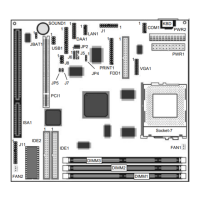
Locating critical internal parts like the drive cage and mainboard items.
Instructions for changing CPU, Memory, and Drives.
Configuration for speakers, microphones, and multi-speaker modes.
Explanation and positioning guidelines for 5.1 surround sound speaker systems.
Procedures for verifying audio output connections and functionality.
Overview and details of various audio playback demonstration features.
Q&A format for resolving basic computer problems.
Specific guides for speaker features, video output, and drive indicators.
Procedures for upgrading the Flash BIOS and performing data backups.
Introduction to the GAMUT software and its audio capabilities.
Covers system requirements, uninstallation, and first-time setup for GAMUT.
Details on the Main Console interface, functions, and menus.
Introduction to the WinDVD player interface and its basic controls.
Guides on viewing DVDs, creating playlists, and changing player settings.
Background information on DVD technology, region codes, and video formats.
Customizing player settings, parental controls, and keyboard shortcuts.
Technical steps for setting the DMA mode for CD-ROM/DVD-ROM drives.
 General
| Brand | AMPTRON |
|---|---|
| Model | BKS630E |
| Category | Motherboard |
| Language | English |


 To Next Page