BKS630E
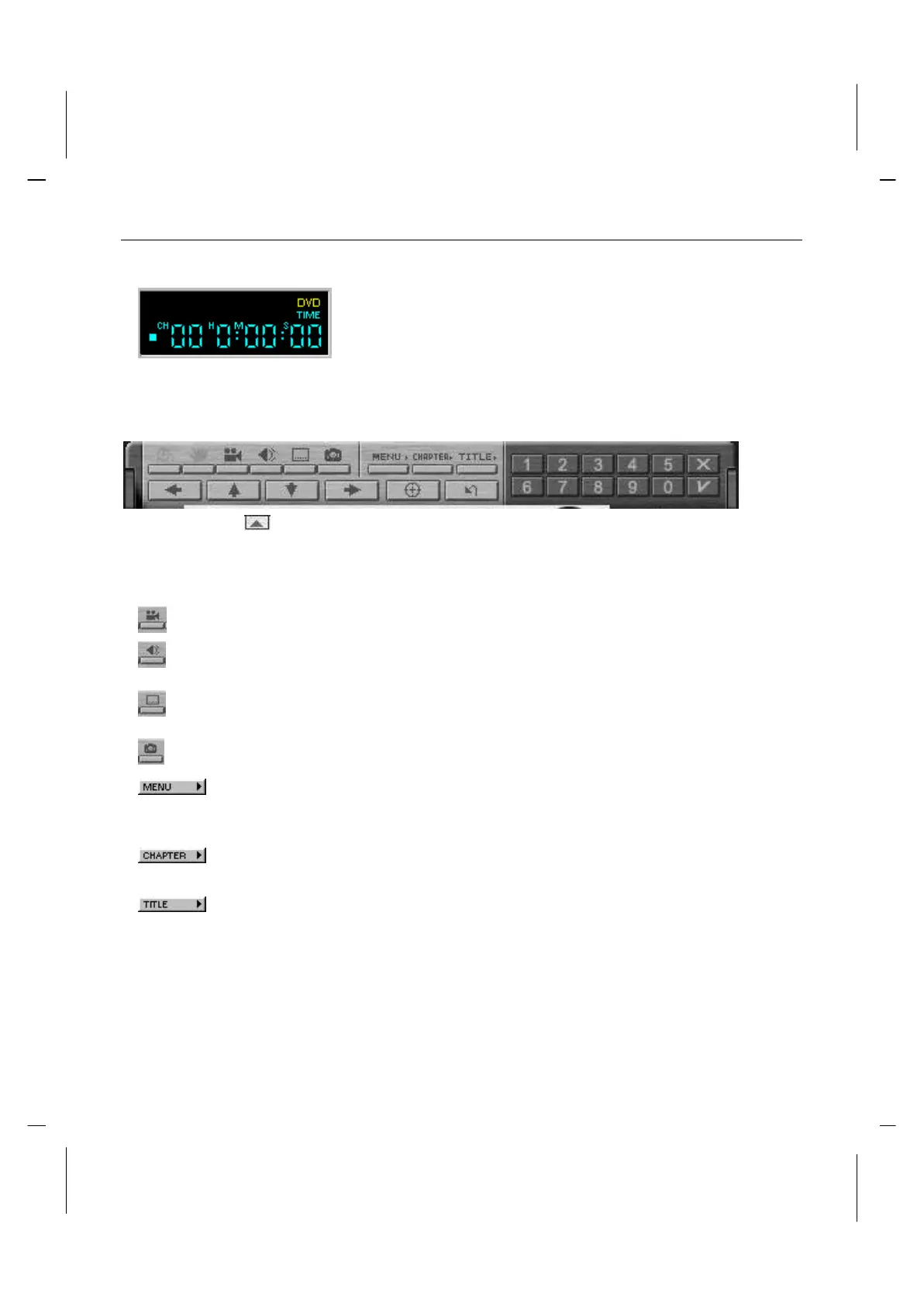
Counter
The counter shows the chapter currently being played,
and how much time has elapsed since the Title began
playing.
Sub-panel
Click the button to open the sub-panel window, the panel below will be display.
Menu Items
When available, select the angle to view from a list of optional angles.
Displays the current DVD disks audio track options. If multiple audio
tracks or languages are available, use this menu to select your choice.
Displays the subtitle menu. If multiple language subtitles are available,
use this menu to select your choice.
Capture the image on the screen.
Displays all of the menus available (Root, Audio Language, Subtitles,
etc.) on the DVD disk currently being played and allows you to select a
menu to navigate.
Opens a submenu showing you the chapter currently being played. You
can select another chapter from this menu.
Opens a submenu showing you all of the titles available on the DVD
disk currently being played and allows you to select a new title to play
back.



 To Next Page