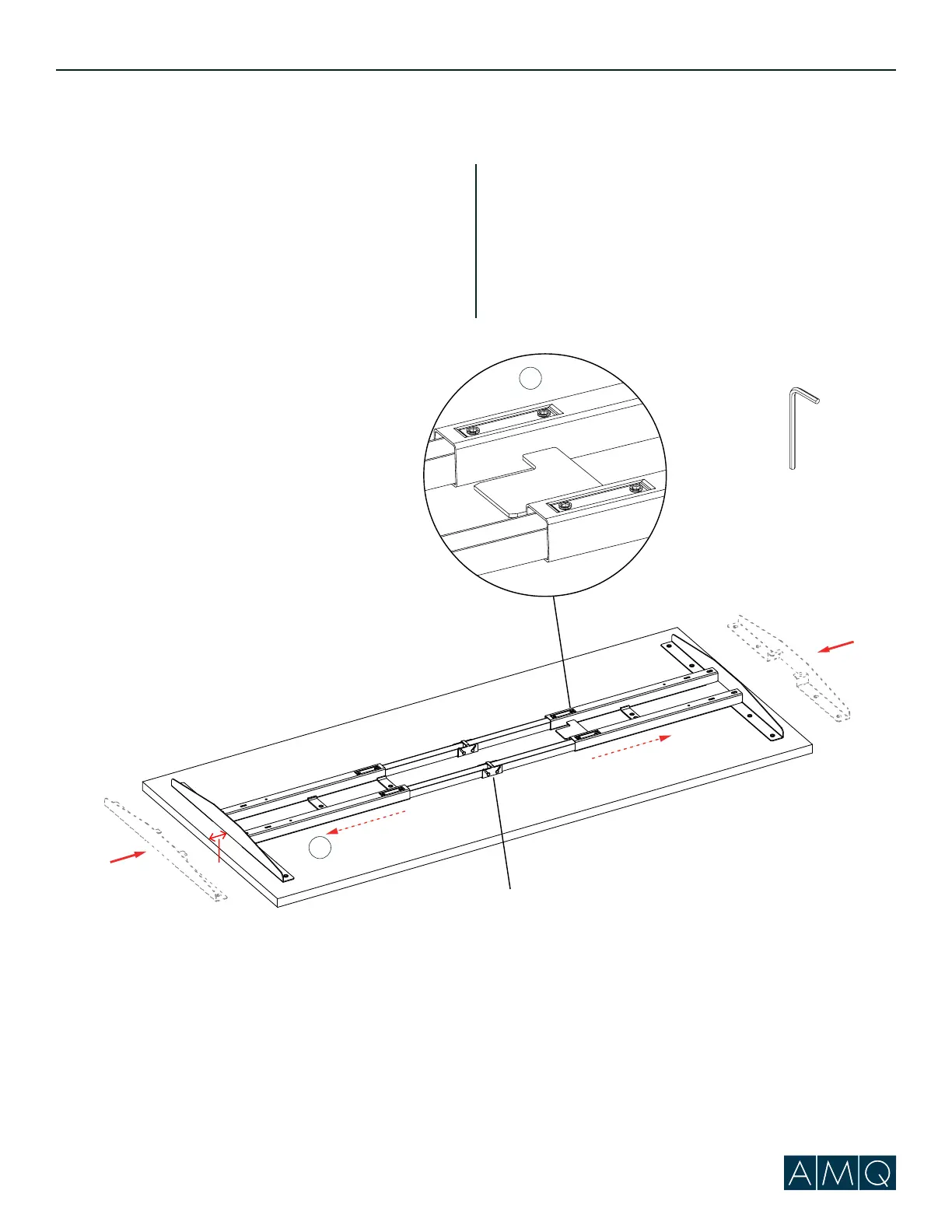
Adjust the Stretcher Frame to desired width.
Insert Cantilevers on each end.
Step 1
Phase 2 | Adjusting the Stretcher Frame & Cantilevers
amqsolutions.com
Note: The worksurface should be center
aligned with the cantiliver depth and should
have 1’’ of overhang on each end.
Once at correct width – and ensuring that
connector of middle stretcher bar are
aligned – tighten all inset screws.
Step 2
Use 4mm allen key to
tighten pre-mounted
inset screws
The connector of
middle stretcher bar
1’’
1
2
4mm
Activ Pro 2.0 Assembly Guide | 9


 To Next Page