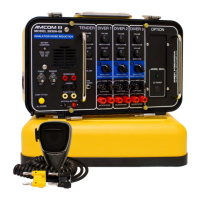
2830A-XX SERIES THREE DIVER
PORTABLE COMMUNICATOR USER MANUAL
34
5.5.9 PUSH-TO-TALK DOES NOT WORK
If used, check the connection to the handheld microphone. A common issue is that
the yellow banana plug is not properly seated in the PUSH-TO-TALK JACK. If the
tender is using the PANEL SPEAKER as the microphone with the PUSH-TO-TALK
BUTTON, make sure the SPEAKER SWITCH is turned on. If neither of these
solves the problem, there could be a broken wire inside the diver communicator.
Open the front panel and inspect. If that does not resolve the problem then contact
Amron for further assistance.
6 DRAWINGS
The reference numbers shown on the parts identifier drawings correspond to the parts lists listed in
the parts lists section.



 To Next Page