UK-3
Radio preset
Press each number button 1 ~ 6 more than 2
UGEQPFUVQUVQTGEWTTGPVUVCVKQPRTGUUDTKGƀ[
to recall stored station.
— — — — — — — — — — — — — — — — — — ——
Disc playback
2TGUUPWODGTDWVVQPVQRCWUGRTGUUCICKP
to resume play.
Press number button 2 to intro play track on
VJGFKUEHQTUGEQPFUGCEJRTGUUCICKPVQ
intro play track in current folder for 10 seconds
GCEJRTGUUCICKPVQGPFUECPCPFRNC[VJG
selected track.
Press number button 3 to repeatedly play
VJGEWTTGPVVTCEMRTGUUCICKPVQTGRGCVGFN[
RNC[CNNVTCEMUKPEWTTGPVHQNFGTRTGUUCICKPVQ
resume normal play.
Press number button 4 to randomly play the
EWTTGPVVTCEMRTGUUCICKPVQTCPFQON[RNC[CNN
VTCEMUKPEWTTGPVHQNFGTRTGUUCICKPVQTGUWOG
normal play.
Press number button 5 or 6 to previous or next
HQNFGTKHVJGTGCTGOQTGVJCPHQNFGTU
Press and hold 5 or 6 more than 2 seconds to
goto -10 down or +10 up track.
Panel Controls (Keypad) Panel Controls (Other Instructions)
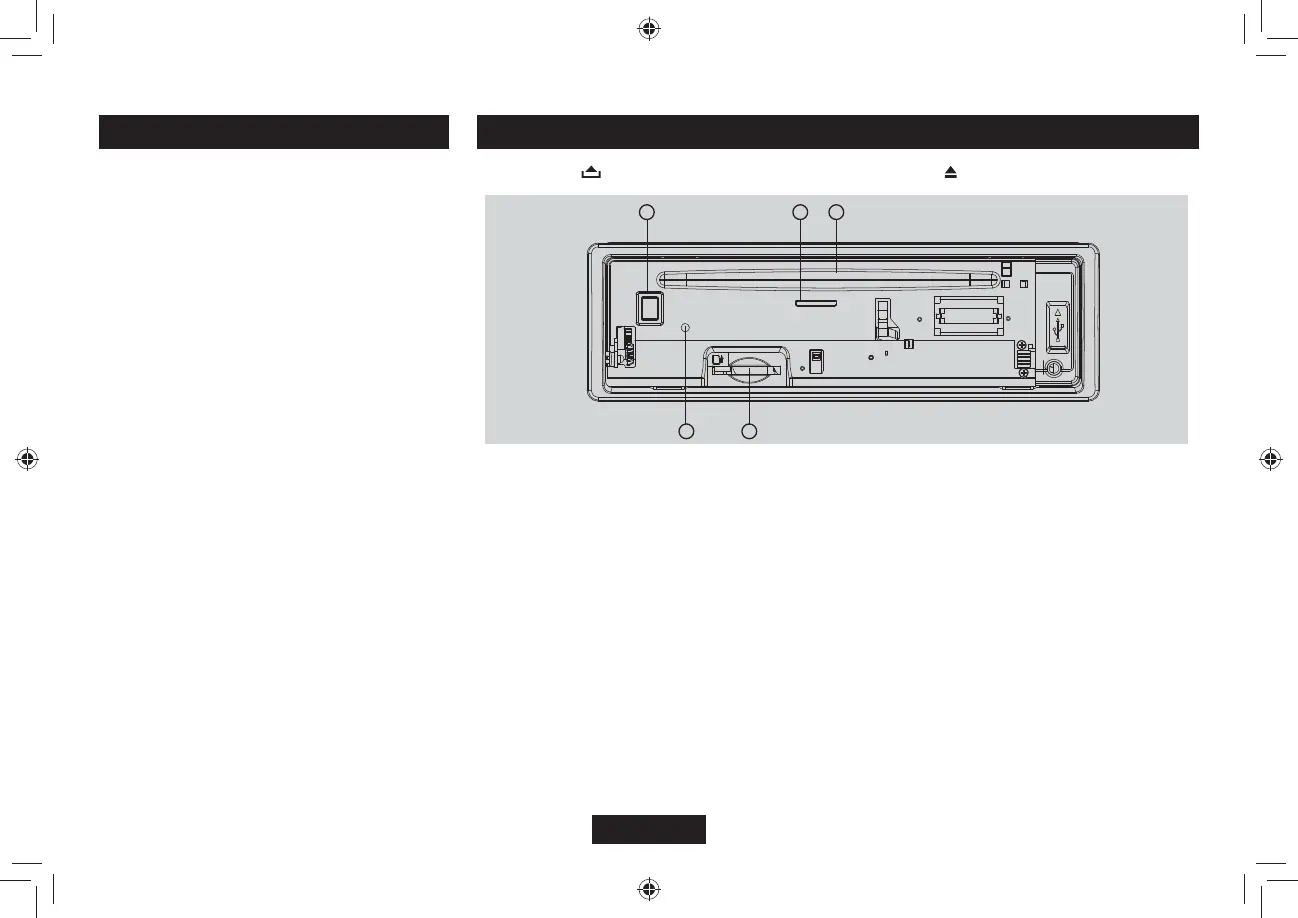
Press the button to open the panel and press to eject the disc.
1
3
4
2
5
1. SD/MMC card slot
2. Disc eject
3. Reset hole
Note: Pressing the RESET hole will erase the clock setting and stored stations.
4. Panel status indicator
.KIJVUWRYJGP[QWƀKRVJGRCPGNFQYP6YKPMNGUYJGP[QWTGOQXGVJGRCPGN
&KUEUNQVKPUGTVVJGFKUE



 To Next Page